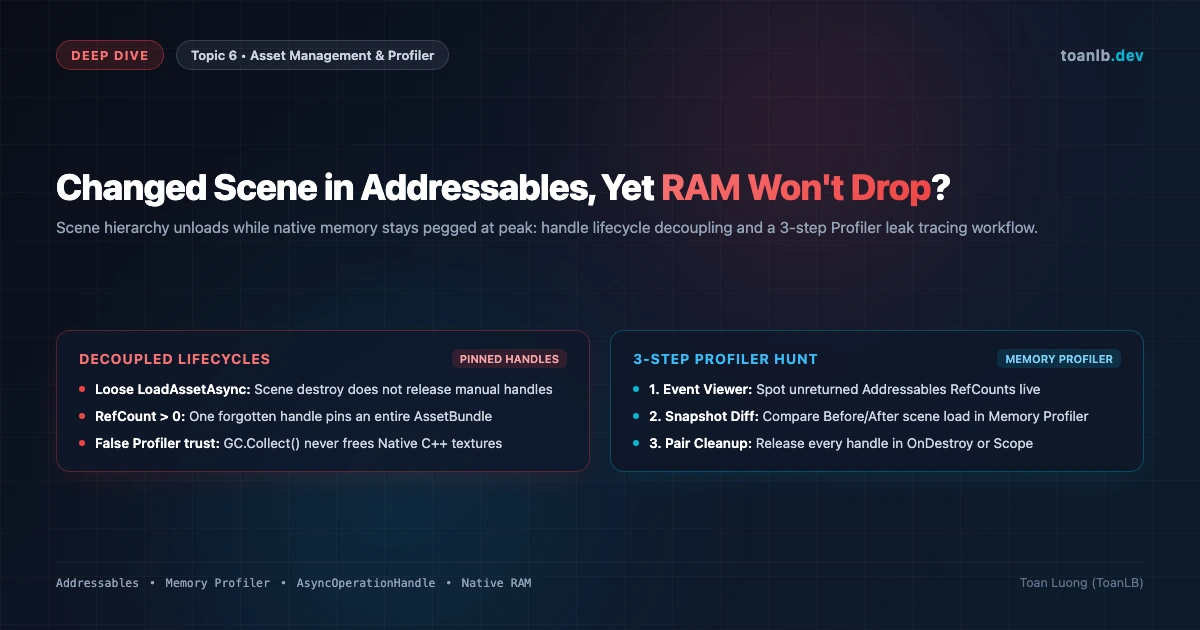
In traditional Unity development, almost every developer shares a comfortable belief: “Simply call SceneManager.LoadScene(..., LoadSceneMode.Single), and all residual garbage and assets from the previous stage are automatically cleared”.
This belief was once well-founded. In Unity’s legacy architecture, loading a new Scene in Single mode implicitly destroys previous Scene GameObjects and triggers an internal Resources.UnloadUnusedAssets() pass to reclaim unreferenced assets.
However, once a project migrates to Addressables, this assumption instantly falls apart.
Your player finishes an intense dungeon battle and transitions back to the Main Menu. The Hierarchy view looks completely spotless, populated only by a few menu buttons. Yet when you inspect the tethered physical device via the Unity Profiler, a harsh reality confronts you: Native Memory remains stubbornly locked at hundreds of megabytes. High-resolution 2K textures, monster 3D meshes, and AssetBundle archives from the previous stage linger in memory. After three or four transitions, the mobile operating system terminates the process due to an Out of Memory (OOM) crash.
Why does native RAM fail to decrease after a Scene change? Where does the technical boundary lie between Scene lifecycles and Addressables handle lifecycles?
1. Lifecycle Decoupling: Scene Hierarchy vs AsyncOperationHandle
The root cause of pinned memory is that developers frequently conflate the Scene Lifecycle with the Addressables Handle Lifecycle.
Under the hood of the Unity Engine, these two systems operate independently:
flowchart LR
    subgraph SCENE["1. Scene Hierarchy Lifecycle"]
        direction TB
        S1["Active Gameplay Scene"]
        S2["Transition: LoadSceneMode.Single"]
        S3["All GameObjects Destroyed"]
        S1 --> S2 --> S3
    end

    subgraph ADDR["2. Addressables Engine Lifecycle"]
        direction TB
        H1["LoadAssetAsync: RefCount >= 1"]
        H2["Component Destroyed without Release"]
        H3["Orphaned Handle: RefCount Unchanged"]
        H1 --> H2 --> H3
    end

    subgraph NATIVE["3. Native RAM"]
        direction TB
        RAM1["AssetBundle C++ Container"]
        RAM2["Texture2D & Mesh Data"]
        RAM3["Memory Pinned Indefinitely"]
        RAM1 --> RAM2 --> RAM3
    end

    S3 -.->|"Sends No Event"| H2
    H3 -->|"Holds RefCount > 0"| RAM1
The Scene Itself Cleans Up, but Loose Asset Loads Do Not
When you load a Scene through Addressables using:
Addressables.LoadSceneAsync("DungeonScene", LoadSceneMode.Single);
Addressables automatically governs the lifecycle of that specific Scene archive:
- When transitioning to a new Scene in
Singlemode, Addressables unmounts the previous Scene and decrements its internalRefCount. - The bundle containing that
.unityScene asset unloads from RAM as expected.
If you must unload a Scene manually, always invoke Addressables.UnloadSceneAsync(sceneHandle). Never call Addressables.Release(sceneHandle) directly on a Scene handle. Calling raw Release severs internal tracking while the scene is mid-teardown, triggering magenta missing shaders, black textures, or hard render crashes during transition.
The fundamental issue is this: Individual assets streamed inside that Scene via Addressables.LoadAssetAsync<T> have zero intrinsic binding to that Scene!
When a weapon, sound, or VFX component calls LoadAssetAsync, it receives an AsyncOperationHandle. That handle is typically stored in a private field on the component.
When the Scene unloads, Unity tears down the MonoBehaviour. However, Addressables receives zero notification of the component’s demise!
The asset’s RefCount remains locked in Addressables’ internal ledger. Until explicit code calls Addressables.Release(handle), the engine assumes gameplay still requires that asset, keeping the entire containing AssetBundle pinned in native RAM.
2. The Two Primary Culprits Panning Native RAM on Scene Transitions
When the Profiler graph shows native RAM failing to drop after a scene unload, do not guess blindly. Investigate these two classic culprits:
Culprit 1: Loose LoadAssetAsync Calls Lacking Release on Component Destruction
During feature iteration, developers frequently load assets directly inside Awake or Start across disparate components:
BossVoiceloads an audio roar.SkillFxloads particle prefabs.MinimapIconloads monster marker sprites.
When the level ends and the Scene changes, all GameObjects hosting these scripts are destroyed. But without an OnDestroy callback explicitly invoking Addressables.Release, these handles become Orphaned Handles.
As established in our analysis of the Memory Hostage Trap: If even a single 50KB audio handle is orphaned inside a bundle, the entire 50MB AssetBundle hosting 2K textures and environment meshes remains pinned in native memory!
The Critical Difference between LoadAssetAsync and InstantiateAsync:
Instances spawned via Addressables.InstantiateAsync (with default trackHandle = true) are automatically tracked by Addressables’ internal Scene Provider and released upon Scene unload (provided they were not manually destroyed with Object.Destroy or migrated into DontDestroyOnLoad). Therefore, when RAM fails to decrease after a Scene change, the primary suspect is virtually always an unreleased LoadAssetAsync handle, not InstantiateAsync!
Culprit 2: Zombie Retention by Persistent Objects (DontDestroyOnLoad & Static Fields)
The second major hazard stems from cross-scene persistent entities:
- A singleton
AudioManagermarked withDontDestroyOnLoad. - A static inventory cache dictionary in
InventoryService. - A global Event Bus holding long-lived listener delegates.
A common bug pattern occurs when AudioManager streams dungeon background music using LoadAssetAsync and caches the handle in an internal collection for reuse. When the player exits the dungeon back to the Main Menu, AudioManager survives because of DontDestroyOnLoad, and the music handle remains active.
Because that music track’s RefCount never hits 0, the entire audio bundle from the prior dungeon remains permanently locked in RAM across all subsequent stages.
3. A 3-Step Profiling Workflow to Pinpoint the Culprit
When encountering persistent RAM bloat across scenes, follow this standard diagnostic workflow to isolate root causes in minutes:
flowchart LR
    subgraph STEP1["Step 1: Addressables Profiler"]
        direction TB
        P1["Enable Addressable Assets Module"]
        P2["Inspect Frame Right After Return to Menu"]
        P3["Filter Bundles with RefCount > 0"]
        P1 --> P2 --> P3
    end

    subgraph STEP2["Step 2: Memory Profiler Diff"]
        direction TB
        M1["Snapshot 1: Clean Main Menu"]
        M2["Snapshot 2: Return to Menu"]
        M3["Compare in Unity Objects Tab"]
        M1 --> M2 --> M3
    end

    subgraph STEP3["Step 3: Implement Scene Scope"]
        direction TB
        S1["Establish Scene Asset Scope"]
        S2["Auto-release in OnDestroy"]
        S3["Loaded in Scene, Dies with Scene"]
        S1 --> S2 --> S3
    end

    STEP1 -->|"Identify Pinned Bundle"| STEP2
    STEP2 -->|"Locate Native Anchors"| STEP3
Step 1: Inspect Native Bundles via the Addressables Profiler Module
To verify which AssetBundles from the previous stage remain resident:
- Open
Window > Analysis > Profiler. - Under
Profiler Modulesin the top header, enableAddressable Assets. - In
Addressables Groups, openTools > Preferences, and ensure Debug Build Layout is checked. - Execute with
Play Mode Script: Use Existing Build(orSimulate Groups). - Enter the dungeon level, then transition back to the Main Menu. Pause the Profiler immediately on the first frame of the menu scene.
Inspect the bundle list:
- If you observe the dungeon bundle (e.g.,
dungeon_environment.bundle) rendered in green (actively resident in RAM), click it to reveal Loaded Assets. - Any item within Loaded Assets displaying
RefCount > 0is an active anchor holding the entire bundle hostage in RAM. (The Assets not loaded filter is used to inspect unreferenced sibling assets inside that bundle).
Step 2: Compare Snapshots in the Memory Profiler
To identify the exact C# references holding the native pointer:
- Open
Window > Analysis > Memory Profiler. - Snapshot 1: Capture a baseline snapshot at the clean Main Menu prior to entering gameplay.
- Play a dungeon run, then exit back to the exact same Main Menu.
- Snapshot 2: Capture a second snapshot at the Main Menu.
- In Compare Snapshots, select
Unity Objectsand sort descending byNative Size:- Inspect
AssetBundleandTexture2Dinstances listed under differing objects. - Click each leaking asset and review the References panel to see which GameObjects or static references hold the native pointers alive.
- Inspect
Step 3: Implement Scene-Scoped Asset Governance
Rather than trusting disparate components to implement OnDestroy cleanup, centralize asset lifecycles through a Scene Asset Scope:
- Each Scene hosts a GameObject with a
SceneAssetScopecomponent. - Any script wishing to load assets must request them through this Scope.
- When the Scene unloads,
SceneAssetScope.OnDestroyiterates through registered handles and callsAddressables.Release. - Golden rule: What is loaded within a Scene must die with that Scene!
4. Production Implementation: SceneAssetScope and Pure C# Simulator
In an Action RPG dungeon crawler, each level streams dozens of enemy waves with unique skill VFX and audio clips. The engineering budget caps gameplay Scene native memory at 600MB on mid-range devices. To prevent gameplay developers from loading assets arbitrarily and forgetting cleanup, we centralize asset loading through SceneAssetScope.
Production Code: Centralized Scene Asset Lifecycle Scope
Below is a robust SceneAssetScope component attached to a Scene manager GameObject, providing asynchronous streaming and ensuring 100% handle reclamation upon Scene destruction:
using System;
using System.Collections.Generic;
using System.Threading.Tasks;
using UnityEngine;
using UnityEngine.AddressableAssets;
using UnityEngine.ResourceManagement.AsyncOperations;

public class SceneAssetScope : MonoBehaviour
{
    private readonly List<AsyncOperationHandle> _trackedHandles = new();
    private bool _isDisposed;

    public async Task<T> LoadAssetAsync<T>(string address)
    {
        if (_isDisposed)
        {
            throw new InvalidOperationException($"SceneAssetScope on scene '{gameObject.scene.name}' has been disposed.");
        }

        var handle = Addressables.LoadAssetAsync<T>(address);
        _trackedHandles.Add(handle);

        var result = await handle.Task;

        // Guard against scene being torn down while I/O operation was in flight
        if (_isDisposed || this == null)
        {
            return default;
        }

        return result;
    }

    public void ReleaseAll()
    {
        if (_isDisposed) return;
        _isDisposed = true;

        for (int i = _trackedHandles.Count - 1; i >= 0; i--)
        {
            var handle = _trackedHandles[i];
            if (handle.IsValid())
            {
                Addressables.Release(handle);
            }
        }

        _trackedHandles.Clear();
    }

    private void OnDestroy()
    {
        ReleaseAll();
    }
}
Pure C# Architecture Simulator: Modeling Scene Leaks and Automated Unit Tests
The following pure C# simulation isolates handle retention across scene transitions. This allows unit testing to demonstrate how orphaned handles pin bundles in RAM, and how a Scene Scope permanently resolves the issue.
using System;
using System.Collections.Generic;
using NUnit.Framework;

public class MockBundle
{
    public string Name { get; }
    public int RefCount { get; private set; }
    public bool IsInMemory => RefCount > 0;

    public MockBundle(string name)
    {
        Name = name;
        RefCount = 0;
    }

    public void Retain() => RefCount++;
    public void Release()
    {
        if (RefCount <= 0) throw new InvalidOperationException($"Bundle {Name} RefCount = 0.");
        RefCount--;
    }
}

public class MockHandle : IDisposable
{
    private readonly MockBundle _bundle;
    public string AssetAddress { get; }
    public bool IsValid { get; private set; }

    public MockHandle(string address, MockBundle bundle)
    {
        AssetAddress = address;
        _bundle = bundle;
        _bundle.Retain();
        IsValid = true;
    }

    public void Release()
    {
        if (!IsValid) throw new InvalidOperationException("Double release on handle.");
        IsValid = false;
        _bundle.Release();
    }

    public void Dispose()
    {
        if (IsValid) Release();
    }
}

public class MockScene
{
    public string SceneName { get; }
    public List<MockHandle> TrackedHandles { get; } = new();
    public bool IsLoaded { get; private set; }

    public MockScene(string name)
    {
        SceneName = name;
        IsLoaded = true;
    }

    public MockHandle TrackHandle(MockHandle handle)
    {
        TrackedHandles.Add(handle);
        return handle;
    }

    public void UnloadScene()
    {
        IsLoaded = false;
        for (int i = TrackedHandles.Count - 1; i >= 0; i--)
        {
            var h = TrackedHandles[i];
            if (h.IsValid)
            {
                h.Release();
            }
        }
        TrackedHandles.Clear();
    }
}

[TestFixture]
public class SceneTransitionMemoryTests
{
    private MockBundle _gameplayBundle;

    [SetUp]
    public void SetUp()
    {
        _gameplayBundle = new MockBundle("dungeon_environment.bundle");
    }

    [Test]
    public void SceneTransition_WithoutScope_OrphansHandlesAndLeaksBundle()
    {
        // 1. Enter dungeon and load assets without handle tracking
        var slashVfxHandle = new MockHandle("VFX/SlashFx", _gameplayBundle);
        var monsterRoarHandle = new MockHandle("Audio/MonsterRoar", _gameplayBundle);

        Assert.AreEqual(2, _gameplayBundle.RefCount);
        Assert.IsTrue(_gameplayBundle.IsInMemory);

        // 2. Unload scene: GameObjects destroyed, but handles orphaned
        Assert.IsTrue(slashVfxHandle.IsValid);
        Assert.IsTrue(monsterRoarHandle.IsValid);
        Assert.AreEqual(2, _gameplayBundle.RefCount, "RefCount fails to drop after scene unload.");
        Assert.IsTrue(_gameplayBundle.IsInMemory, "Dungeon bundle stays pinned in native RAM!");
    }

    [Test]
    public void SceneTransition_WithScope_ReleasesAllHandlesAndUnloadsBundle()
    {
        var dungeonScene = new MockScene("DungeonLevel_01");

        // Load assets bound to Scene Scope
        dungeonScene.TrackHandle(new MockHandle("VFX/SlashFx", _gameplayBundle));
        dungeonScene.TrackHandle(new MockHandle("Audio/MonsterRoar", _gameplayBundle));

        Assert.AreEqual(2, _gameplayBundle.RefCount);
        Assert.IsTrue(_gameplayBundle.IsInMemory);

        // Unload scene: Scope automatically releases all registered handles
        dungeonScene.UnloadScene();

        Assert.IsFalse(dungeonScene.IsLoaded);
        Assert.AreEqual(0, _gameplayBundle.RefCount, "All RefCounts drop to 0.");
        Assert.IsFalse(_gameplayBundle.IsInMemory, "Bundle unloads completely from RAM.");
    }

    [Test]
    public void PersistentManager_HoldingHandle_PreventsBundleUnloadAcrossScenes()
    {
        var dungeonScene = new MockScene("DungeonLevel_01");
        dungeonScene.TrackHandle(new MockHandle("VFX/SlashFx", _gameplayBundle));

        // Recreating Culprit 2: Persistent AudioManager holds background music handle
        var persistentBgmHandle = new MockHandle("Audio/BossTheme", _gameplayBundle);

        Assert.AreEqual(2, _gameplayBundle.RefCount);

        // Dungeon scene unloads
        dungeonScene.UnloadScene();

        // Bundle remains pinned because persistent manager holds a reference
        Assert.AreEqual(1, _gameplayBundle.RefCount);
        Assert.IsTrue(_gameplayBundle.IsInMemory, "Bundle stays resident because persistent manager anchors it.");

        // Only releasing the persistent handle allows the bundle to unload
        persistentBgmHandle.Release();
        Assert.AreEqual(0, _gameplayBundle.RefCount);
        Assert.IsFalse(_gameplayBundle.IsInMemory, "Bundle unloads fully once persistent handle releases.");
    }

    [Test]
    public void DoubleRelease_ThrowsInvalidOperationException()
    {
        var handle = new MockHandle("VFX/SlashFx", _gameplayBundle);
        handle.Release();

        Assert.Throws<InvalidOperationException>(() =>
        {
            handle.Release();
        });
    }
}
5. Architectural Trade-off Matrix
| Strategy | Dispersed Component Loading | Centralized SceneAssetScope | DI Lifetime Scope (VContainer/Zenject) |
|---|---|---|---|
| Initial Convenience | Very High; single API call anywhere | Moderate; requires referencing scope | Requires rigorous upfront architectural setup |
| Scene Transition Leak Risk | High; reliant on individual OnDestroy calls | Very Low; automatic cleanup upon unload | Near Zero; automatically swept with container scope |
| Profiler Debuggability | Difficult; must audit every component | Straightforward; inspect scope state | Excellent; dependency trees are inspectable |
| Cross-Scene Sharing | Easily abused; prone to persistent leaks | Explicit ownership transfer required | Clean via registration in Root vs Scene scopes |
| Project Fit | Small prototypes and rapid game jams | Medium to large projects | Enterprise multi-team projects |
6. Production Takeaways
- Never Assume Scene Transitions Magically Purge RAM: With Addressables, a Scene transition only unloads Hierarchy GameObjects. Native AssetBundles and textures only evaporate when every associated
AsyncOperationHandlehas been released. - Scrutinize
LoadAssetAsyncFirst: Clones created viaInstantiateAsyncare generally tracked by Addressables and destroyed with the Scene (unlessDestroywas called manually or moved toDontDestroyOnLoad). 90% of transition memory leaks originate from looseLoadAssetAsynccalls lackingReleaseinOnDestroy. - Beware of DontDestroyOnLoad Anchors: Any singleton or persistent audio manager retaining handles to stage-specific assets turns into an anchor holding the entire stage’s bundle hostage in memory.
- Make Snapshot Diffing a Milestone Routine: Prior to QA milestones, spend 10 minutes taking baseline and post-transition memory snapshots. This simple habit prevents embarrassing 1-star reviews from low-memory device crashes.

