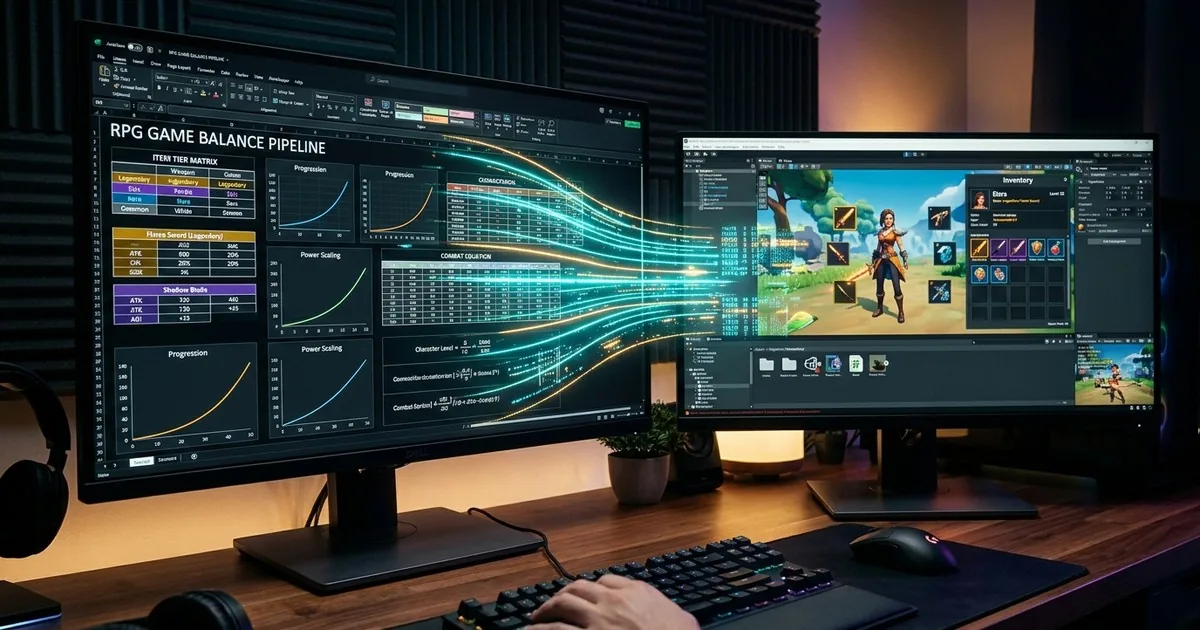
During early RPG prototyping, everything feels straightforward. We typically manage a handful of swords, a few armor sets, and a couple of health potions. Setting up several Prefabs in Unity, declaring serialized fields like baseDamage, defense, and price directly on a MonoBehaviour, or creating a dozen loose ScriptableObject assets in the project folder is the fastest way to get gameplay up and running.
However, as production scales to full content rollout with over 1,000 weapons, armor pieces, enhancement materials, and consumables, the dynamic shifts completely. Every time a Game Designer needs to adjust 5% base damage on a level 50 weapon branch to tune the meta, they either have to ask an engineer to open Unity Editor and tweak the numbers, or navigate hundreds of individual assets themselves.
When every balance adjustment depends on engineer intervention, projects inevitably hit severe production bottlenecks: delayed sprints, persistent source control merge conflicts, and endless testing loops.
1. The Core Problem: Game Balancing Is About Power Curves, Not Isolated Numbers
A frequent architectural pitfall in data-heavy games is forcing Game Designers to author numerical balance inside Unity Inspector. Unity Inspector is engineered for scene staging, wiring visual components, audio, and physics systems, not for mass arithmetic modeling.
Game Designers do not balance an RPG by typing isolated numbers item by item. They think in terms of Power Curves and multi-dimensional stat matrices:
- What mathematical curve governs stat growth from level 1 to 100: linear, exponential, or tiered step functions?
- How is the stat budget distributed across character archetypes (Warrior, Assassin, Mage) based on an overall Stat Budget?
- How do economic sell prices, drop rates, and equipment rarity tiers correlate with combat power?
The most productive environment for this modeling is Google Sheets or Microsoft Excel. Here, designers leverage formulas, cross-sheet lookups, filtering, sorting, and live charting to evaluate systemic balance across thousands of rows in a single view.
flowchart LR
    S1["<b>1. Single Source of Truth</b><br/>• Google Sheets / Excel<br/>• Progression Curves & Matrices<br/>• Designers iterate independently"]
    S2["<b>2. Import & Validation Pipeline</b><br/>• Unity Editor Tool / CI CLI<br/>• Schema check & Curve guardrails<br/>• Catches input anomalies early"]
    S3["<b>3. Production Runtime</b><br/>• Flyweight Data Table<br/>• O(1) Lookup, Zero Garbage<br/>• Hot-Reload & Mock Harness"]

    S1 -->|"Export CSV / JSON"| S2
    S2 -->|"Load Flyweight Table"| S3
As illustrated above, data flows cleanly through three independent pillars:
- Single Source of Truth: Game Designers retain full ownership of formulas and balancing curves in external spreadsheets.
- Automated Pipeline & Validation (Pre-validation Pipeline): Converts spreadsheet exports into machine-readable formats while enforcing strict schema and integrity validation before runtime.
- High-Performance Runtime Architecture: Engine memory loads static item definitions once into a centralized lookup table, supporting live hot-reloading during play sessions.
2. Why Naive Inspector Workflows Break Down at Scale
To understand the necessity of an automated pipeline, let us review how item data is commonly structured during early development.
In an Action RPG scaling up, if each piece of equipment remains tightly coupled to a dedicated Prefab holding serialized MonoBehaviour fields, Game Designers must modify Prefab assets directly inside Unity Editor whenever balance shifts.
using UnityEngine;

// Initial approach: Data coupled directly to MonoBehaviour fields on individual Prefabs
public class LegacyItemMonoBehaviour : MonoBehaviour
{
    [SerializeField] private int itemId;
    [SerializeField] private string itemName;
    [SerializeField] private int baseDamage;
    [SerializeField] private int requiredLevel;

    public int ItemId => itemId;
    public string ItemName => itemName;
    public int BaseDamage => baseDamage;
    public int RequiredLevel => requiredLevel;

    public int GetDamage()
    {
        return baseDamage;
    }
}
This setup exposes three major production bottlenecks once the project reaches 1,000 items:
- Frequent Git Merge Conflicts: Whenever a designer opens a Prefab or Scene to tweak a number, Unity re-serializes YAML metadata and GUID order. If an engineer is simultaneously updating visual effects or gameplay logic on that Prefab, resolving YAML conflicts becomes error-prone.
- Absence of Systematic Validation: If a designer accidentally enters a negative number, leaves an ID blank, or inverts a progression curve (e.g., a level 20 dagger dealing less damage than a level 10 dagger), Unity Inspector provides zero automated validation until a tester spots the defect in combat.
- Memory Waste and Managed Heap Fragmentation: If every inventory item in a player’s stash is instantiated as an individual
GameObjectwithMonoBehaviourcomponents, thousands of unnecessary objects populate the managed heap, increasing Garbage Collector pressure during sweep phases.
3. Architectural Solution: Automated Pipeline & Runtime Flyweight
To eliminate these bottlenecks, we implement a hybrid architecture: strictly categorized immutable data structures, bidirectional pre-validation guardrails, and a runtime Flyweight table with hot-reload capabilities.
Regarding visual asset wiring (Sprite icons, 3D equipment Prefabs, AudioClips), production projects avoid fragile raw string paths on spreadsheets. Instead, tooling imports numerical curves from Google Sheets into a Master ScriptableObject database, allowing visual assets to be safely referenced via Unity GUIDs without typo risks.
3.1. Immutable Static Data & Pre-validation Guardrails
Engineers should not act as manual data-entry intermediaries. Our role is to build Tooling that empowers designers to operate autonomously.
The workflow is straightforward: Designers tune numbers in Google Sheets, open Unity, and trigger a sync via an Editor menu item (or automated CI webhook). The tool pulls exported CSV or JSON tables.
Before any data enters runtime, an automated validation step runs to catch human errors:
- Duplicate primary key checks (
itemId). - Non-negative value enforcement for baseline attributes (
baseDamage,baseDefense). - Progression curve anomaly detection (Progression Anomaly): verifying that equipment with higher level requirements in the same category and rarity maintains appropriate stat scaling.
In our Action RPG setup, we first define category and rarity enumerations:
public enum ItemCategory
{
    Weapon,
    Armor,
    Accessory,
    Consumable
}

public enum ItemRarity
{
    Common,
    Rare,
    Epic,
    Legendary
}
Next, we define an immutable readonly struct named ItemStaticData to store the baseline configuration for an item:
public readonly struct ItemStaticData
{
    public int ItemId { get; }
    public string Name { get; }
    public ItemCategory Category { get; }
    public ItemRarity Rarity { get; }
    public int RequiredLevel { get; }
    public int BaseDamage { get; }
    public int BaseDefense { get; }
    public float GrowthFactor { get; }

    public ItemStaticData(int itemId, string name, ItemCategory category, ItemRarity rarity, int requiredLevel, int baseDamage, int baseDefense, float growthFactor)
    {
        ItemId = itemId;
        Name = name;
        Category = category;
        Rarity = rarity;
        RequiredLevel = requiredLevel;
        BaseDamage = baseDamage;
        BaseDefense = baseDefense;
        GrowthFactor = growthFactor;
    }
}
To aggregate validation errors and provide actionable logs to designers, we implement an ItemValidationResult container:
using System.Collections.Generic;

public class ItemValidationResult
{
    public bool IsValid => Errors.Count == 0;
    public List<string> Errors { get; } = new();

    public void AddError(string error) => Errors.Add(error);
}
Next, we establish our pre-validation guardrail in a pure C# class named ItemDatabaseValidator. Crucially, this validator performs a bidirectional scan regardless of spreadsheet row ordering, and only compares progression curves within matching item categories and rarity tiers:
using System.Collections.Generic;

public static class ItemDatabaseValidator
{
    public static ItemValidationResult Validate(IReadOnlyList<ItemStaticData> items)
    {
        var result = new ItemValidationResult();
        var seenIds = new HashSet<int>();

        for (int i = 0; i < items.Count; i++)
        {
            var item = items[i];

            if (item.ItemId <= 0)
            {
                result.AddError($"Row {i + 1}: ItemId {item.ItemId} must be a positive integer.");
            }

            if (!seenIds.Add(item.ItemId))
            {
                result.AddError($"Row {i + 1}: Duplicate ItemId {item.ItemId} detected.");
            }

            if (item.BaseDamage < 0 || item.BaseDefense < 0)
            {
                result.AddError($"Row {i + 1} ({item.Name}): Base stats cannot be negative (Damage: {item.BaseDamage}, Defense: {item.BaseDefense}).");
            }

            if (item.GrowthFactor < 0f)
            {
                result.AddError($"Row {i + 1} ({item.Name}): GrowthFactor {item.GrowthFactor} cannot be negative.");
            }
        }

        // Bidirectional progression curve check for matching category and rarity
        for (int i = 0; i < items.Count; i++)
        {
            for (int j = i + 1; j < items.Count; j++)
            {
                var a = items[i];
                var b = items[j];

                if (a.Category == b.Category && a.Rarity == b.Rarity && a.Category == ItemCategory.Weapon)
                {
                    bool isBroken = (a.RequiredLevel < b.RequiredLevel && a.BaseDamage > b.BaseDamage) ||
                                    (a.RequiredLevel > b.RequiredLevel && a.BaseDamage < b.BaseDamage);

                    if (isBroken)
                    {
                        result.AddError($"Progression Anomaly ({a.Rarity} {a.Category}): '{a.Name}' (Level {a.RequiredLevel}, damage {a.BaseDamage}) contradicts '{b.Name}' (Level {b.RequiredLevel}, damage {b.BaseDamage}).");
                    }
                }
            }
        }

        return result;
    }
}
If an error is found, the importer immediately flags the exact row and column in the console, enabling designers to fix issues without engineering assistance.
3.2. Runtime Memory Optimization via Flyweight Pattern & Hot-Reload
Once data is validated, managing 1,000+ items in memory efficiently requires decoupling static configuration from runtime instance state using the Flyweight Pattern:
- Shared Static Data (Intrinsic State): Base configurations for all 1,000 items are loaded once into a centralized dictionary keyed by
int itemId. - Dynamic Instance State (Extrinsic State): Each item in a player’s inventory only stores its mutable state (current level, remaining durability). During combat calculations, it queries the shared static table and applies math formulas on the fly.
To manage this central repository, we create ItemDataTable initialized with a pre-allocated capacity to prevent dictionary bucket resizing. Its HotReload method also prunes deleted items (tombstones):
using System.Collections.Generic;

public class ItemDataTable
{
    private readonly Dictionary<int, ItemStaticData> _items;

    public int Count => _items.Count;

    public ItemDataTable(int initialCapacity = 1000)
    {
        _items = new Dictionary<int, ItemStaticData>(initialCapacity);
    }

    public void Load(IReadOnlyList<ItemStaticData> dataList)
    {
        _items.Clear();
        for (int i = 0; i < dataList.Count; i++)
        {
            var item = dataList[i];
            _items[item.ItemId] = item;
        }
    }

    public bool TryGetItem(int itemId, out ItemStaticData data)
    {
        return _items.TryGetValue(itemId, out data);
    }

    // Hot-reloads balance data in Play Mode while clearing deleted entries
    public void HotReload(IReadOnlyList<ItemStaticData> updatedDataList)
    {
        _items.Clear();
        for (int i = 0; i < updatedDataList.Count; i++)
        {
            var item = updatedDataList[i];
            _items[item.ItemId] = item;
        }
    }
}
For the player’s inventory, the item instance is lightweight, decorated with [System.Serializable] for full compatibility with JsonUtility and save files:
using System;
using UnityEngine;

[System.Serializable]
public class InventoryItemInstance
{
    [SerializeField] private int itemId;
    [SerializeField] private int currentLevel;
    [SerializeField] private int currentDurability;

    public int ItemId => itemId;
    public int CurrentLevel => currentLevel;
    public int CurrentDurability => currentDurability;

    public InventoryItemInstance(int itemId, int currentLevel, int currentDurability)
    {
        this.itemId = itemId;
        this.currentLevel = Math.Max(1, currentLevel);
        this.currentDurability = currentDurability;
    }

    public void Upgrade()
    {
        currentLevel++;
    }

    // Computes effective damage with zero GC allocations
    public int CalculateEffectiveDamage(ItemDataTable table)
    {
        if (currentDurability <= 0)
        {
            return 0; // Broken weapons deal no damage
        }

        if (!table.TryGetItem(itemId, out var staticData))
        {
            return 0; // Safe fallback if item does not exist
        }

        float levelBonus = (currentLevel - 1) * (staticData.BaseDamage * staticData.GrowthFactor);
        return staticData.BaseDamage + (int)Math.Round(levelBonus, MidpointRounding.AwayFromZero);
    }
}
This design delivers two primary production advantages:
- Minimal Memory Footprint: Even with thousands of items across player bags and storage chests, each instance consumes only a few bytes for integer state, avoiding duplicated strings or visual asset references.
- Instant Hot-Reload: When designers test combat in Unity Editor Play Mode and observe that a level 50 weapon underperforms, they tweak the spreadsheet and trigger hot-reload. The
ItemDataTableupdates values instantly without wiping active inventory instances or reloading the scene.
3.3. Shortening the Iteration Loop with Cheat Harness & Unit Tests
Another major bottleneck for RPG designers is testing high-tier items. If testing a level 90 weapon requires grinding through 89 prior levels, iteration slows to a crawl.
We resolve this by providing an in-Editor testing harness (Cheat Harness):
- Archetype Spawning: Single-click generation of fully leveled character profiles.
- Instant Item Equipping: Direct injection of specific
itemIdand upgrade tiers into active inventory slots. - Target Dummy: Stationary target dummy components with fixed armor values to observe live damage-per-second (DPS) readouts.
Combining Hot-Reload and a Cheat Harness transforms the iteration cycle from:
Tweak numbers -> Request Dev build -> Wait for build -> Grind game -> Evaluate (30 to 60 minutes)
down to:
Tweak spreadsheet -> Hot-reload -> Strike Target Dummy (less than 5 seconds).
To verify the entire pipeline, we execute a test suite using NUnit named ItemBalancePipelineTests:
using System.Collections.Generic;
using NUnit.Framework;

[TestFixture]
public class ItemBalancePipelineTests
{
    [Test]
    public void Validate_WhenDuplicateId_ReturnsError()
    {
        var items = new List<ItemStaticData>
        {
            new(101, "Iron Sword", ItemCategory.Weapon, ItemRarity.Common, 1, 20, 0, 0.1f),
            new(101, "Steel Sword", ItemCategory.Weapon, ItemRarity.Common, 10, 45, 0, 0.12f)
        };

        var result = ItemDatabaseValidator.Validate(items);

        Assert.IsFalse(result.IsValid);
        Assert.IsTrue(result.Errors.Exists(e => e.Contains("Duplicate ItemId 101")));
    }

    [Test]
    public void Validate_WhenProgressionBrokenInvertedOrder_CatchesErrorRegardlessOfRowOrder()
    {
        // Verifies bidirectional detection: Level 20 appears first but has lower damage than level 1 below it
        var items = new List<ItemStaticData>
        {
            new(102, "Broken Hero Dagger", ItemCategory.Weapon, ItemRarity.Rare, 20, 30, 0, 0.1f),
            new(101, "Overpowered Novice Dagger", ItemCategory.Weapon, ItemRarity.Rare, 1, 50, 0, 0.1f)
        };

        var result = ItemDatabaseValidator.Validate(items);

        Assert.IsFalse(result.IsValid);
        Assert.IsTrue(result.Errors.Exists(e => e.Contains("Progression Anomaly")));
    }

    [Test]
    public void Validate_DifferentCategoriesAndRarities_DoesNotProduceFalsePositives()
    {
        // Level 50 armor (0 damage) must not be falsely flagged against Level 1 weapon (20 damage)
        var items = new List<ItemStaticData>
        {
            new(201, "Novice Sword", ItemCategory.Weapon, ItemRarity.Common, 1, 20, 0, 0.1f),
            new(301, "Dragon Plate Armor", ItemCategory.Armor, ItemRarity.Legendary, 50, 0, 200, 0.1f)
        };

        var result = ItemDatabaseValidator.Validate(items);

        Assert.IsTrue(result.IsValid);
    }

    [Test]
    public void CalculateDamage_ValidItemAndTable_ComputesAccurateFlyweightStats()
    {
        var table = new ItemDataTable();
        table.Load(new[]
        {
            new ItemStaticData(101, "Flame Blade", ItemCategory.Weapon, ItemRarity.Rare, 1, baseDamage: 100, baseDefense: 0, growthFactor: 0.15f)
        });

        var weapon = new InventoryItemInstance(itemId: 101, currentLevel: 3, currentDurability: 100);

        // Level 3 formula: 100 + (3 - 1) * (100 * 0.15) = 100 + 30 = 130
        int damage = weapon.CalculateEffectiveDamage(table);

        Assert.AreEqual(130, damage);
    }

    [Test]
    public void CalculateDamage_MissingItemInTable_ReturnsZeroFallbackSafely()
    {
        var table = new ItemDataTable();
        table.Load(new ItemStaticData[0]);

        var unknownItem = new InventoryItemInstance(itemId: 9999, currentLevel: 1, currentDurability: 100);

        Assert.AreEqual(0, unknownItem.CalculateEffectiveDamage(table));
    }

    [Test]
    public void HotReload_WhenBalanceChangedAndOldItemRemoved_UpdatesValuesAndCleansTombstones()
    {
        var table = new ItemDataTable();
        table.Load(new[]
        {
            new ItemStaticData(201, "Dragon Staff", ItemCategory.Weapon, ItemRarity.Legendary, 50, baseDamage: 200, baseDefense: 0, growthFactor: 0.2f),
            new ItemStaticData(999, "Exploit Weapon", ItemCategory.Weapon, ItemRarity.Common, 1, baseDamage: 9999, baseDefense: 0, growthFactor: 0f)
        });

        var staff = new InventoryItemInstance(itemId: 201, currentLevel: 1, currentDurability: 100);
        var exploit = new InventoryItemInstance(itemId: 999, currentLevel: 1, currentDurability: 100);

        Assert.AreEqual(200, staff.CalculateEffectiveDamage(table));
        Assert.AreEqual(9999, exploit.CalculateEffectiveDamage(table));

        // Designer buffs Dragon Staff to 250 and DELETES Exploit Weapon from sheet
        table.HotReload(new[]
        {
            new ItemStaticData(201, "Dragon Staff", ItemCategory.Weapon, ItemRarity.Legendary, 50, baseDamage: 250, baseDefense: 0, growthFactor: 0.2f)
        });

        Assert.AreEqual(250, staff.CalculateEffectiveDamage(table));
        // Deleted item 999 is safely evicted
        Assert.AreEqual(0, exploit.CalculateEffectiveDamage(table));
    }

    [Test]
    public void BrokenWeapon_ZeroDurability_ReturnsZeroDamage()
    {
        var table = new ItemDataTable();
        table.Load(new[]
        {
            new ItemStaticData(301, "Rusty Axe", ItemCategory.Weapon, ItemRarity.Common, 1, baseDamage: 40, baseDefense: 0, growthFactor: 0.05f)
        });

        var brokenAxe = new InventoryItemInstance(itemId: 301, currentLevel: 1, currentDurability: 0);

        Assert.AreEqual(0, brokenAxe.CalculateEffectiveDamage(table));
    }
}
4. Engineering Trade-offs
No architecture is universally optimal for all production scales. The trade-offs between manual Inspector authoring and an externalized pipeline are summarized below:
| Technical Criteria | Manual Inspector Authoring | Google Sheets + Tooling + Flyweight |
|---|---|---|
| Project Scale | Prototypes, Game Jams, under 50 items | RPGs, MMOs, Hero Collectors, 500+ items |
| Initial Setup Cost | Minimal, instant setup | 3 to 5 days to write parsers, validators, and tooling |
| Curve Management | Inefficient, requiring opening individual assets | Comprehensive, leveraging spreadsheet math and charts |
| Merge Conflict Risk | High when multiple team members edit Prefabs/Scenes | Low, flat files synced; requires CI/CD to prevent desynchronization |
| Balance Iteration Speed | Slow, constrained by engineer build cycles | Sub-second iterations via Hot-Reload and Cheat Harness |
| Maintenance Overhead | Difficult to scale when adding new stat formulas | Requires updating schema and validators on model changes |
5. Practical Takeaways
When game production scales beyond hundreds of items, balancing is no longer about which array or list holds data. It becomes an exercise in Workflow Engineering:
- Keep Game Designers in their native environment-spreadsheets-so they can concentrate on mathematical modeling and player experience.
- Focus engineering effort on infrastructure: building automated validation guardrails and optimizing runtime memory through patterns like Flyweight.
- Implement hot-reloading and debug mocking tools to shrink the feedback loop.
An automated, transparent pipeline keeps the development team moving smoothly, eliminates avoidable human input errors, and ensures timely production milestones.

