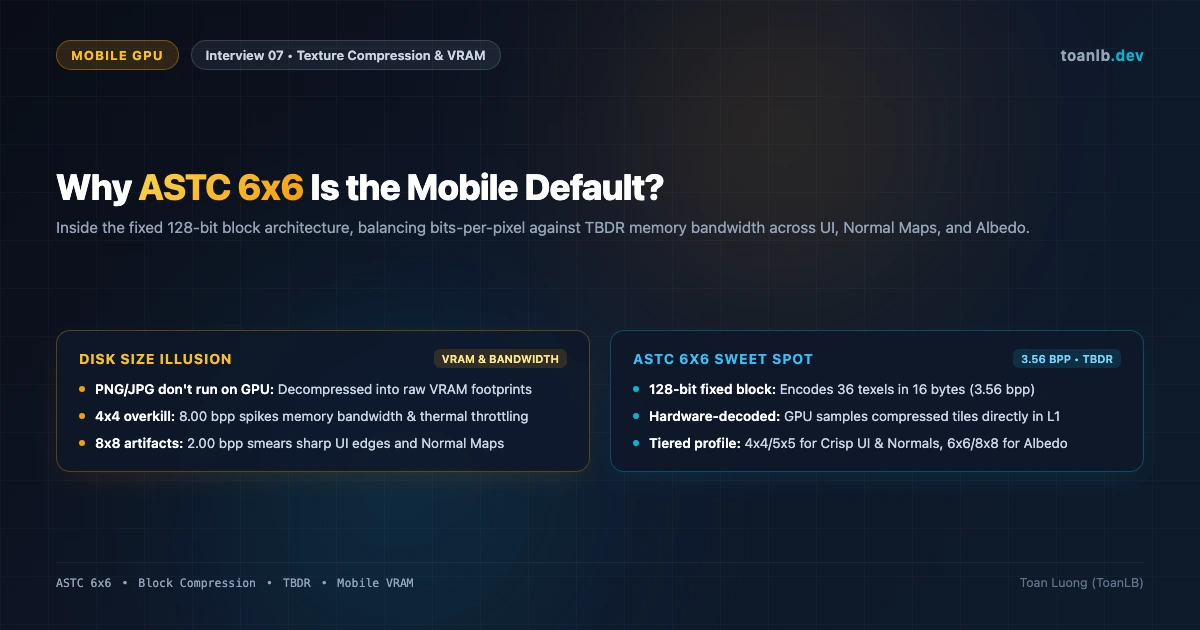
Across mid-to-large-scale mobile game projects, textures consistently dominate resource consumption: they regularly account for 60% to 80% of application binary sizes and occupy the vast majority of GPU VRAM. Whenever a game triggers Out of Memory (OOM) crashes on low-to-mid-tier devices constrained by 2GB to 3GB of system RAM, the immediate reflex for many Unity developers is opening Texture Import Settings and selecting ASTC 6x6.
The usual justification is simple: official Unity documentation highlights it as a recommended preset, and prominent studios treat 6x6 as standard practice. However, treating “best practice” as an unexamined dogma leaves developers stranded when challenged by deeper technical scrutiny: Why 6x6 specifically, rather than 4x4 for razor-sharp fidelity, or 8x8 to minimize VRAM? What does 6x6 actually represent from the perspective of mobile GPU hardware?
In software engineering, no architecture decision is universally optimal without explicit trade-offs. The 6x6 preset is not an arbitrary preference; it is the mathematical sweet spot balancing Block Compression algorithms, mobile Tile-Based Deferred Rendering (TBDR) memory bus bandwidth, and the biological limits of human visual acuity on smartphone displays.
1. Disk File Size vs GPU VRAM Footprint
One of the most persistent misconceptions in game optimization is equating asset file size on disk with runtime memory consumption in VRAM.
Developers frequently inspect a 2048x2048 PNG image weighing only 600 KB on storage and assume it imposes negligible overhead. However, GPUs cannot directly decode or sample variable-rate bitstream compression formats such as PNG (DEFLATE / LZ77 combined with Huffman coding) or JPEG (Discrete Cosine Transform). The fundamental constraint is random access: when a fragment shader samples a texel at UV coordinates within a single clock cycle, the hardware cannot sequentially decode an entire stream starting from pixel zero.
If assets remain in uncompressed formats (RGBA 32-bit):
- The CPU must decompress the PNG into a raw linear byte array in system RAM, which is subsequently uploaded into VRAM.
- A 2048x2048 texture in uncompressed RGBA 32-bit format (4 bytes per pixel) consumes exactly:
- When full Mipmaps are generated (which append roughly 33.3% additional data to suppress aliasing at distance), that single asset swells to approximately 21.33 MB of VRAM.
flowchart LR
    subgraph TraditionalPipeline["Traditional Stream Compression (PNG / JPEG)"]
        direction TB
        A1["Disk PNG File<br/>~600 KB"] -->|"Sequential CPU Decompression"| A2["System RAM<br/>16 MB Raw Buffer"]
        A2 -->|"Full Linear VRAM Upload"| A3["GPU VRAM (RGBA32)<br/>16 MB (+5.3 MB Mipmaps)"]
    end

    subgraph AstcPipeline["GPU Hardware Block Compression (ASTC)"]
        direction TB
        B1["Compressed ASTC Asset<br/>~2.37 MB"] -->|"Bypasses CPU Decompression"| B2["GPU VRAM (ASTC 6x6)<br/>2.37 MB (With Mipmaps)"]
        B2 -->|"Hardware Sampler On-the-Fly Decode"| B3["GPU Texture Cache<br/>Fetches only active blocks"]
    end
Unlike linear image files, GPU block compression formats such as ASTC (Adaptive Scalable Texture Compression) are tailored specifically for graphics processors. Compressed assets remain in their encoded state inside VRAM from initial load until explicit eviction. Fixed-function hardware units embedded directly within the GPU Texture Sampling Units decode blocks on the fly during rendering.
2. ASTC Internals: The Fixed 128-Bit Container
Developed jointly by ARM and AMD and subsequently standardized by the Khronos Group, ASTC represents a major architectural leap over legacy formats (such as ETC2 on Android or PVRTC on iOS) through its versatile selection of block footprints.
Crucially, regardless of whether you configure a block footprint of or , the ASTC specification enforces an invariable mathematical law:
Every single ASTC texture block is encoded into exactly 128 bits (16 bytes), without exception.
This constant 16-byte boundary allows GPU hardware to calculate the memory address of any arbitrary block in 2D space with constant complexity:
Because the memory footprint of each container is locked at 128 bits, selecting a block footprint is strictly a decision of how many pixels you choose to pack into that fixed 128-bit budget.
Calculating Bitrate (Bits Per Pixel - bpp)
Bitrate per pixel is computed by dividing 128 bits across the total pixel count within the chosen block footprint:
The following reference table outlines standard ASTC block footprints and their corresponding memory budgets:
| Block Footprint | Pixels per Block | Bitrate (bpp) | VRAM for 2048x2048 (No Mipmaps) | VRAM with Mipmaps (+33.3%) | Memory Reduction vs RGBA32 |
|---|---|---|---|---|---|
| RGBA 32-bit | 1 | 32.00 bpp | 16.00 MB | 21.33 MB | 0% (Baseline) |
| ASTC 4x4 | 16 | 8.00 bpp | 4.00 MB | 5.33 MB | 75.0% Reduction |
| ASTC 5x5 | 25 | 5.12 bpp | 2.56 MB | 3.41 MB | 84.0% Reduction |
| ASTC 6x6 | 36 | 3.56 bpp | 1.78 MB | 2.37 MB | 88.9% Reduction |
| ASTC 8x8 | 64 | 2.00 bpp | 1.00 MB | 1.33 MB | 93.8% Reduction |
| ASTC 10x10 | 100 | 1.28 bpp | 0.64 MB | 0.85 MB | 96.0% Reduction |
| ASTC 12x12 | 144 | 0.89 bpp | 0.44 MB | 0.59 MB | 97.2% Reduction |
Evaluating these figures highlights clear architectural trade-offs:
- At 4x4, every texel receives 8 bits. Fidelity remains nearly indistinguishable from source masters, but a single 2K texture still consumes 5.33 MB of VRAM.
- At 8x8, each texel is restricted to 2 bits. Memory consumption drops to 1.33 MB, but interpolating 64 texels within a 128-bit budget causes significant ringing and block boundary artifacts.
- At 6x6, each texel receives 3.56 bits, requiring roughly 2.37 MB of VRAM. Compared to 4x4, ASTC 6x6 slashes VRAM footprint by more than 55%, while preserving 1.78 times the data density of 8x8.
3. Why 6x6 is the Architectural Sweet Spot on Mobile
Why has 3.56 bpp (ASTC 6x6) achieved ubiquitous adoption as the de facto mobile default? The answer lies at the intersection of mobile silicon architecture and human visual perception.
Memory Bandwidth Pressure in TBDR Architectures
Contemporary mobile GPUs (Apple Silicon, Qualcomm Adreno, ARM Mali, PowerVR) utilize Tile-Based Deferred Rendering (TBDR). Instead of rendering full-frame buffers directly to external DRAM like desktop GPUs, mobile graphics chips divide screens into small sub-regions (tiles, typically 16x16 or 32x32 pixels) and execute depth and color rasterization inside lightning-fast, on-chip SRAM cache.
flowchart LR
    subgraph MobileSoC["Mobile GPU Architecture (TBDR)"]
        direction TB
        OnChipSRAM["On-chip SRAM (Fast, Low Power)"]
        TexCache["L1/L2 Texture Cache"]
        OnChipSRAM <--> TexCache
    end

    subgraph SystemMemory["System LPDDR DRAM"]
        direction TB
        VRAM["External DRAM (Higher Latency, Power Expensive)"]
    end

    TexCache -->|"Texture Cache Miss: Reads blocks over bus"| VRAM
On mobile hardware, the primary driver of battery drain and thermal throttling is not arithmetic shader compute, but External Memory Bandwidth:
- Whenever GPU Texture Caches encounter a miss, the processor must traverse the external system memory bus to pull data from external LPDDR DRAM.
- If a project standardizes on ASTC 4x4 across hundreds of active scene assets, data traffic across the memory bus more than doubles compared to 6x6.
- Sustained high-bandwidth memory transfers rapidly heat mobile System on Chips (SoCs), compelling operating systems to throttle GPU clock frequencies and triggering noticeable framerate drops after 5 to 10 minutes of play.
ASTC 6x6 cuts external bus traffic by over 55% compared to 4x4. This efficiency allows L1/L2 texture caches to retain substantially more spatial blocks, mitigating memory bus congestion.
Screen Pixel Density (PPI) and Visual Limits
Modern smartphone displays combine compact diagonal sizes (5.8 to 6.7 inches) with high pixel density, averaging between 320 PPI and 460 PPI (Retina class).
At typical handheld viewing distances (25 cm to 35 cm), the angular resolution per texel is exceptionally fine. High-frequency interpolation loss across natural 3D surfaces (character albedo, clothing folds, environmental foliage, rock meshes) is effectively masked by screen density. In active gameplay, human vision is incapable of discerning minor interpolation differences between 4x4 and 6x6 across natural 3D textures.
4. Failure Cases of Indiscriminate 6x6 Usage
While 6x6 provides an optimal balance for 3D albedo and environmental surfaces, treating it as an indiscriminate global default across all project textures introduces critical rendering artifacts.
Three categories of assets suffer severe degradation under ASTC 6x6:
flowchart TD
    StartCheck["Evaluate Input Texture Asset"] --> IsNormal{"Is Texture a Normal Map?"}

    IsNormal -- "Yes" --> NormalChoice["Select ASTC 4x4 or ASTC 5x5<br/>(Preserves vector precision, prevents specular noise)"]
    IsNormal -- "No" --> IsUi{"Is Texture UI or Text Element?"}

    IsUi -- "Yes" --> CheckUiType{"Evaluate UI Graphic Characteristics"}
    CheckUiType -- "Font Atlas, Sharp Vector Icons, Pixel Art" --> UiSharp["Select ASTC 4x4 or RGBA32<br/>(Eliminates edge bleeding and ringing)"]
    CheckUiType -- "Smooth Gradients or Background Vignettes" --> UiGradient["Select ASTC 4x4 with Dithering<br/>(Prevents noticeable color banding)"]

    IsUi -- "No" --> IsMask{"Is Texture a Secondary Mask or VFX?"}
    IsMask -- "Yes (Roughness, AO, Soft Particles)" --> MaskChoice["Select ASTC 8x8 or 10x10<br/>(Reduces VRAM to 1-2 bpp)"]
    IsMask -- "No (3D Albedo, General Environment)" --> DefaultChoice["Select ASTC 6x6 (Standard Sweet Spot)<br/>(Optimal balance between 3.56 bpp and fidelity)"]
1. High-Contrast UI Text, Crisp Icons, and Font Atlases
Inside an ASTC block (36 pixels), the encoder determines two representative color endpoints and interpolates individual texels across a weight grid.
- When an asset features extreme color contrasts across sharp edges (such as white typography on dark backgrounds or crisp vector glyphs), 128 bits is insufficient to represent steep gradients, resulting in color bleeding and ringing halos.
- Solution: For crisp UI elements, brand iconography, and dynamic font atlases, select ASTC 4x4. For small icons ( or ), retaining uncompressed RGBA 32-bit has negligible VRAM impact while guaranteeing pristine visual clarity.
2. Smooth Gradients and Skyboxes
Subtle gradients across UI panels or atmospheric skyboxes suffer visible color quantization when encoded into 128-bit 6x6 blocks, manifesting as noticeable color banding.
- Solution: Drop block dimensions to ASTC 4x4 and apply dithering noise during texture export in digital content creation tools prior to Unity import.
3. Normal Maps
Normal maps encode directional spatial vectors rather than perceived color luminance. Human perception is acutely sensitive to normal perturbation errors, as minor vector deviations dramatically distort specular highlights. Under 6x6, specular reflections on metallic or glossy meshes develop mottled surface noise.
- Solution: Ensure
Texture Typeis set toNormal Mapso Unity encodes data across optimized dual channels , and restrict compression to ASTC 4x4 or ASTC 5x5.
5. Implementing a C# VRAM Budget Profiler and Profile Resolver
To remove guesswork when configuring texture budgets across production pipelines, we can implement an isolated Pure C# profiling module. This utility computes precise runtime VRAM footprint based on block dimensions and programmatically resolves recommended ASTC profiles by asset classification:
using System;

public enum TextureCategory
{
    UiCrispIcon,
    UiGradient,
    CharacterAlbedo,
    NormalMap,
    ParticleVfx,
    RoughnessMetallicMask
}

public enum AstcBlockSize
{
    Block4x4,
    Block5x5,
    Block6x6,
    Block8x8,
    Block10x10,
    Block12x12
}

public readonly struct AstcBlockMetrics
{
    public AstcBlockSize BlockSize { get; }
    public int BlockWidth { get; }
    public int BlockHeight { get; }
    public float BitsPerPixel { get; }

    public AstcBlockMetrics(AstcBlockSize blockSize, int width, int height)
    {
        BlockSize = blockSize;
        BlockWidth = width;
        BlockHeight = height;
        BitsPerPixel = 128f / (width * height);
    }
}

public static class AstcTextureProfiler
{
    public static AstcBlockMetrics GetMetrics(AstcBlockSize blockSize)
    {
        return blockSize switch
        {
            AstcBlockSize.Block4x4 => new AstcBlockMetrics(blockSize, 4, 4),
            AstcBlockSize.Block5x5 => new AstcBlockMetrics(blockSize, 5, 5),
            AstcBlockSize.Block6x6 => new AstcBlockMetrics(blockSize, 6, 6),
            AstcBlockSize.Block8x8 => new AstcBlockMetrics(blockSize, 8, 8),
            AstcBlockSize.Block10x10 => new AstcBlockMetrics(blockSize, 10, 10),
            AstcBlockSize.Block12x12 => new AstcBlockMetrics(blockSize, 12, 12),
            _ => throw new ArgumentOutOfRangeException(nameof(blockSize), blockSize, null)
        };
    }

    public static long CalculateVramBytes(int width, int height, AstcBlockSize blockSize, bool hasMipmaps)
    {
        if (width <= 0 || height <= 0)
            throw new ArgumentException("Texture dimensions must be positive integers.");

        var metrics = GetMetrics(blockSize);
        int blocksX = (width + metrics.BlockWidth - 1) / metrics.BlockWidth;
        int blocksY = (height + metrics.BlockHeight - 1) / metrics.BlockHeight;
        long baseBytes = (long)blocksX * blocksY * 16; // 128 bits = 16 bytes per block

        if (!hasMipmaps)
            return baseBytes;

        // Compute descending Mipmap chain down to 1x1
        long totalBytes = 0;
        int currentW = width;
        int currentH = height;

        while (currentW > 0 || currentH > 0)
        {
            int w = Math.Max(1, currentW);
            int h = Math.Max(1, currentH);
            int bx = (w + metrics.BlockWidth - 1) / metrics.BlockWidth;
            int by = (h + metrics.BlockHeight - 1) / metrics.BlockHeight;
            totalBytes += (long)bx * by * 16;

            if (currentW == 1 && currentH == 1)
                break;

            currentW >>= 1;
            currentH >>= 1;
        }

        return totalBytes;
    }

    public static AstcBlockSize ResolveRecommendedBlockSize(TextureCategory category)
    {
        return category switch
        {
            TextureCategory.UiCrispIcon => AstcBlockSize.Block4x4,
            TextureCategory.UiGradient => AstcBlockSize.Block4x4,
            TextureCategory.NormalMap => AstcBlockSize.Block5x5,
            TextureCategory.CharacterAlbedo => AstcBlockSize.Block6x6,
            TextureCategory.RoughnessMetallicMask => AstcBlockSize.Block8x8,
            TextureCategory.ParticleVfx => AstcBlockSize.Block8x8,
            _ => AstcBlockSize.Block6x6
        };
    }
}
The mathematical formulas and routing decisions can be verified independently with an NUnit test fixture:
using System;
using NUnit.Framework;

[TestFixture]
public class AstcTextureProfilerTests
{
    [Test]
    public void GetMetrics_CalculatesAccurateBitsPerPixel()
    {
        var m4x4 = AstcTextureProfiler.GetMetrics(AstcBlockSize.Block4x4);
        var m6x6 = AstcTextureProfiler.GetMetrics(AstcBlockSize.Block6x6);
        var m8x8 = AstcTextureProfiler.GetMetrics(AstcBlockSize.Block8x8);

        Assert.AreEqual(8.00f, m4x4.BitsPerPixel, 0.001f);
        Assert.AreEqual(3.555f, m6x6.BitsPerPixel, 0.001f);
        Assert.AreEqual(2.00f, m8x8.BitsPerPixel, 0.001f);
    }

    [Test]
    public void CalculateVramBytes_2048x2048_Block6x6_MatchesExpectedFootprint()
    {
        long vramNoMip = AstcTextureProfiler.CalculateVramBytes(2048, 2048, AstcBlockSize.Block6x6, false);
        long vramWithMip = AstcTextureProfiler.CalculateVramBytes(2048, 2048, AstcBlockSize.Block6x6, true);

        // 2048 / 6 rounded up = 342 blocks per axis => 342 * 342 * 16 = 1,871,424 bytes (~1.78 MB)
        Assert.AreEqual(1871424, vramNoMip);
        // Mipmap chain must exceed base texture size without exceeding the theoretical 1.35x ceiling
        Assert.IsTrue(vramWithMip > vramNoMip);
        Assert.IsTrue(vramWithMip < vramNoMip * 1.35f);
    }

    [Test]
    public void ResolveRecommendedBlockSize_RoutesCorrectlyByTextureCategory()
    {
        Assert.AreEqual(AstcBlockSize.Block4x4, AstcTextureProfiler.ResolveRecommendedBlockSize(TextureCategory.UiCrispIcon));
        Assert.AreEqual(AstcBlockSize.Block5x5, AstcTextureProfiler.ResolveRecommendedBlockSize(TextureCategory.NormalMap));
        Assert.AreEqual(AstcBlockSize.Block6x6, AstcTextureProfiler.ResolveRecommendedBlockSize(TextureCategory.CharacterAlbedo));
        Assert.AreEqual(AstcBlockSize.Block8x8, AstcTextureProfiler.ResolveRecommendedBlockSize(TextureCategory.ParticleVfx));
        Assert.AreEqual(AstcBlockSize.Block8x8, AstcTextureProfiler.ResolveRecommendedBlockSize(TextureCategory.RoughnessMetallicMask));
    }
}
6. Engineering Trade-offs
When architecting mobile texture pipelines, choosing ASTC block footprints requires balancing memory savings against rendering artifacts:
| Block Footprint | Bitrate (bpp) | 2K VRAM with Mipmaps | Core Advantages | Artifact Risks & Drawbacks | Optimal Use Cases |
|---|---|---|---|---|---|
| ASTC 4x4 | 8.00 bpp | 5.33 MB | Maximum fidelity, zero edge ringing | Consumes 2.25x more VRAM and memory bandwidth than 6x6 | Crisp UI iconography, Font Atlases, high-priority Normal Maps |
| ASTC 5x5 | 5.12 bpp | 3.41 MB | Excellent vector preservation, lighter than 4x4 | Moderate adoption across legacy pipelines | Hero character Normal Maps, large UI illustrations |
| ASTC 6x6 | 3.56 bpp | 2.37 MB | Optimal sweet spot: 55% VRAM reduction vs 4x4, low TBDR bus load | Minor blurring along high-contrast edges, gradient banding | 3D character albedo, environment textures, terrain |
| ASTC 8x8 | 2.00 bpp | 1.33 MB | Lightweight footprint, 44% VRAM reduction vs 6x6 | Noticeable blockiness across fine details | Particle VFX, soft smoke, Roughness and Metallic masks |
| ASTC 10x10 / 12x12 | 0.89 - 1.28 bpp | 0.59 - 0.85 MB | Ultra-compressed memory footprint | Severe color shifts and complete loss of high frequencies | Secondary lightmaps, blurred background planes |
7. Production Takeaways
- Move Beyond Dogmatic Presets: ASTC 6x6 is an outstanding default baseline, but understanding its fixed 128-bit constraint and 3.56 bpp density allows engineers to make reasoned trade-offs under severe memory constraints.
- Partition by Functional Role: Avoid applying universal texture import settings globally across
Assets. Partition by category:- UI Text and High-Frequency Glyphs: Maintain at ASTC 4x4 (or RGBA 32-bit for tiny sprites).
- Normal Maps: Constrain to ASTC 4x4 or ASTC 5x5.
- 3D Environmental Albedo: Standardize on ASTC 6x6.
- Soft VFX, Particle Clouds, and Masks: Aggressively compress to ASTC 8x8 or ASTC 10x10.
- Profile on Target Silicon: Use instruments such as Xcode Instruments on iOS or Snapdragon Profiler / Android GPU Inspector on Android to accurately capture real-world memory bus traffic and thermal behavior under varying compression profiles.

