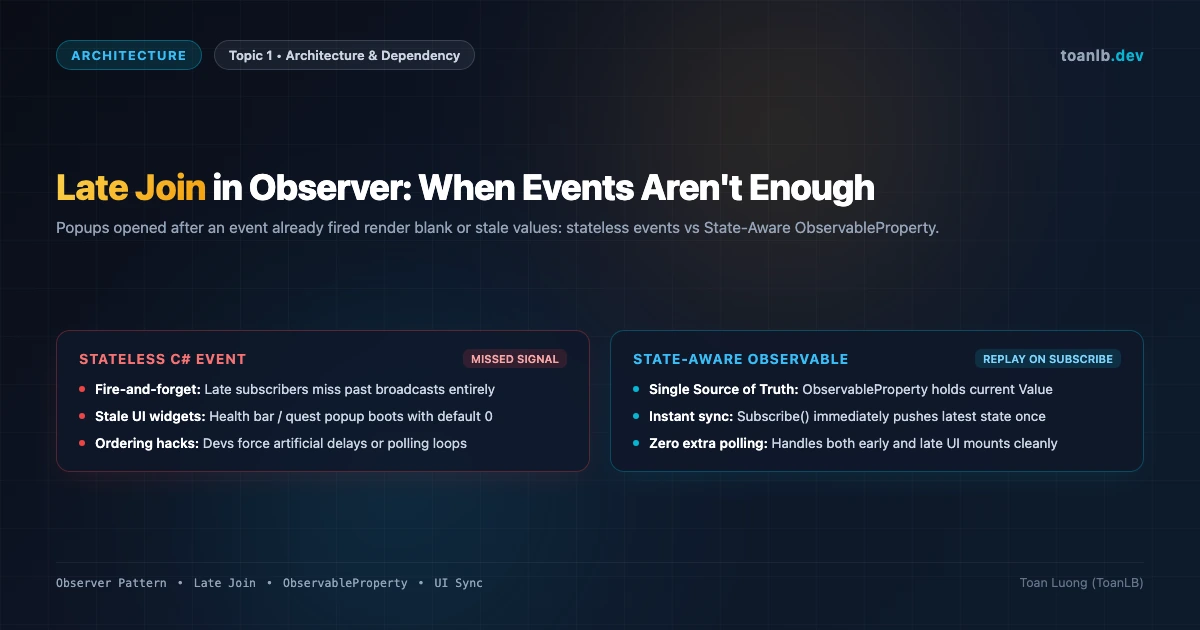
In mid-to-large scale Unity projects, particularly when multiple engineering teams collaborate concurrently across gameplay simulation and UI presentation, event-driven architecture rooted in the Observer Pattern is the universal standard for achieving loose coupling.
On the surface, this architectural boundary feels flawless: vehicle simulation, character combat, or inventory systems simply act as Publishers, broadcasting events such as OnSpeedChanged, OnHealthChanged, or OnCoinUpdated. Decoupled UI presentation views register as Subscribers, refreshing their layouts reactively without any direct knowledge of underlying domain mechanics.
However, once disparate systems converge in production, an insidious visual synchronization bug frequently emerges: A player drives a vehicle up to a stable cruising speed of 80 km/h, then toggles on the dashboard HUD or enters an in-cockpit camera view. When this UI screen activates, the speedometer needle remains stuck at 0 km/h or displays empty labels. The view is completely blind to the vehicle current velocity and remains frozen until the player accelerates or brakes, forcing the publisher to trigger a new event.
Engineers frequently attempt to patch this flaw through workflow conventions or by tweaking Unity Script Execution Order to enforce deterministic initialization sequences. Yet as systems scale with asynchronous Addressables streaming or dynamic UI pooling, rigid ordering assumptions inevitably collapse.
The root cause does not stem from procedural discipline, but from a fundamental architectural limitation: Late Join in traditional Observer implementations. Why are standard C# events inadequate for state synchronization? What is the conceptual boundary between Events and State? And how can we engineer a State-Aware observation architecture that guarantees instant, accurate data delivery for every late-joining view?
1. Architectural Internals: The Dichotomy Between Events and State
To diagnose the Late Join vulnerability, we must cleanly separate two software concepts that game developers routinely conflate: Events and State.
flowchart LR
    subgraph PublisherTimeline["Publisher Timeline"]
        direction TB
        P1["Initialize Vehicle Domain"] --> P2["Broadcast Event: Speed = 80 km/h"]
        P2 --> P3["Cruising: Zero Delta for 5 Minutes"]
    end

    subgraph StatelessObserver["Traditional Stateless Observer"]
        direction TB
        S1["Fire-and-Forget Notification"]
        S2["No Persistent State Retained"]
    end

    subgraph LateJoiner["Late-Joining UI View"]
        direction TB
        L1["Instantiate / Enable Dashboard HUD"]
        L2["Subscribe to OnSpeedChanged"]
        L3["Data Blind: Displays Stale 0 km/h"]
    end

    P2 -->|"Push event once"| S1
    S1 --> S2
    L1 --> L2
    L2 -.->|"Misses historical event"| L3
What Is an Event?
An Event represents a point-in-time occurrence that happened in the past.
- Concrete examples: “Vehicle accelerated”, “Combat entity received 50 damage”, “Vault door opened”.
- Mechanical behavior in C# (
event Action<T>): A fire-and-forget signal that is fundamentally stateless. When the publisher invokesOnSpeedChanged?.Invoke(80), the runtime iterates over the internal_invocationListarray at that exact instant. The delegate structure stores zero historical state once execution completes.
What Is State?
State represents a continuous, persistent value at the current point in time.
- Concrete examples: “Current vehicle speed is 80 km/h”, “Player current health is 150/200”, “Vault door state is Open”.
- Mechanical behavior of State: It remains valid indefinitely until an explicit mutation occurs. Any downstream consumer, regardless of when it initializes, requires immediate access to this value to render visuals or compute decisions accurately.
The Late Joiner Trap
When developers employ a purely event-based mechanism (event Action<float>) to drive persistent state displays:
- The publisher computes a new speed (80 km/h) and broadcasts the event.
- At that moment, the dashboard UI is either uninstantiated or disabled (
gameObject.SetActive(false)to save rendering overhead). It does not exist within the delegate invocation list. - Minutes later, the player opens the dashboard. The component executes
OnEnable()and subscribes (+=) to the event. - Because the vehicle maintains a constant cruising velocity, the publisher emits no new events.
- The dashboard becomes a Late Joiner: it subscribed successfully, but remains completely blind to current domain state until the vehicle alters speed again.
2. Why Conventions and Direct Polling Fail at Scale
Before designing a clean solution, let us review the two most common workarounds and analyze why they accumulate technical debt in production.
Approach 1: Initialization Conventions and Script Execution Order
Teams often establish verbal conventions: “All UI components must subscribe in Awake(), while Gameplay systems only broadcast from Start()”, or configure static Script Execution Order priorities in Project Settings.
This strategy inevitably fails for three reasons:
- Asynchronous Lifecycles: In modern mobile architectures, heavy UI hierarchies are not retained in memory during
Awake(). They are packaged into Addressables and instantiated asynchronously when requested by the player. Dynamic instantiation invalidates all static scene startup ordering. - Enable/Disable Cycles: When a modal window closes (
SetActive(false)), best practices mandate unregistering delegates (-=) to prevent memory leaks. When re-enabled (SetActive(true)),Awake()does not execute; onlyOnEnable()runs. Startup initialization conventions offer zero protection here. - Cross-Team Friction: On distributed teams with dozens of engineers, implicit conventions break the moment an uninitiated developer broadcasts an update earlier than expected, reintroducing blank view bugs.
Approach 2: Direct Polling and Reverse Coupling
Another common reflex is having the subscriber register for future events while manually pulling the current value directly from the publisher in OnEnable():
using System;
using UnityEngine;

public class VehicleController : MonoBehaviour
{
    public event Action<float> OnSpeedChanged;
    public float CurrentSpeed { get; set; }
}

public class SpeedometerUI : MonoBehaviour
{
    [SerializeField] private VehicleController vehicle;

    private void OnEnable()
    {
        vehicle.OnSpeedChanged += UpdateDisplay;
        // Pull reference directly to populate initial state
        UpdateDisplay(vehicle.CurrentSpeed);
    }

    private void OnDisable()
    {
        vehicle.OnSpeedChanged -= UpdateDisplay;
    }

    private void UpdateDisplay(float speed) { }
}
While this eliminates initial blank frames, it completely destroys the original purpose of the Observer Pattern:
- Instead of maintaining pure decoupling, the UI view is now tightly coupled to the concrete
VehicleControllerclass. - The presentation component cannot be reused for other controllable entities (such as airplanes or boats) without introducing heavy abstraction layers.
- It introduces
NullReferenceExceptionrisks during scene transitions if the explicitvehiclereference is unassigned or resolving asynchronously.
3. State-Aware Architecture: The Replay State Paradigm
The architectural remedy is elevating the Observer Pattern from a stateless notification pipe to a State-Aware Observable Property.
flowchart LR
    subgraph StateStorage["State-Aware Publisher"]
        direction TB
        A2["Updates Value upon Mutation"] --> A1["Retains CurrentValue = 80"]
    end

    subgraph SubscriptionFlow["State-Aware Subscription"]
        direction TB
        B1["Late Joiner Calls Subscribe"]
        B2["Registers into Observer List"]
        B3["Replays Current State Immediately"]
    end

    subgraph UIResult["Immediate UI Synchronization"]
        direction TB
        C1["HUD Receives 80 km/h on Frame 0"]
        C2["Accurate Render without Delay"]
    end

    A1 -->|"Provide State"| B1
    B1 --> B2
    B2 --> B3
    B3 -->|"Immediate Invoke"| C1
    C1 --> C2
The Subscribe-and-Invoke Principle
A State-Aware Observer unifies two responsibilities within a single construct:
- State Persistence: The communication channel holds an internal backing field storing the latest value (
CurrentValue). Whenever mutated, it updates the stored value and broadcasts to all active subscribers. - Deterministic Replay: When a new subscriber registers, the observable does not simply append the delegate; it immediately invokes the subscriber callback with the current state (
CurrentValue) synchronously.
Under this paradigm:
- Early subscribers receive the initial value upon registration.
- Late joiners receive the current value immediately upon subscription, regardless of how many historical events elapsed before they joined.
- UI views require zero back-references to domain managers, preserving pristine architectural decoupling.
In reactive ecosystems (.NET Reactive Extensions, UniRx, or R3), this pattern is standardized via BehaviorSubject<T> and ReactiveProperty<T>. However, we can construct a lightweight, allocation-efficient Pure C# implementation tailored for Unity without pulling in large external dependencies.
4. Production Architecture: Pure C# ObservableProperty for Unity
In an automotive dashboard cluster simulation or an Action RPG character HUD, data transmission demands clean technical constraints:
- Absolute isolation between domain calculation and UI presentation.
- Dynamic instantiation from Addressables or object pools without data desynchronization.
- Suppression of redundant notifications when values remain identical (preventing wasteful Canvas redraw batches).
- Deterministic teardown via standard .NET
IDisposabletokens to prevent delegate memory retention.
Below is an autonomous Pure C# implementation designed for production Unity applications.
Production Implementation
using System;
using System.Collections.Generic;

// Read-only interface exposing value inspection and observation
public interface IObservableProperty<T>
{
    T Value { get; }
    IDisposable Subscribe(Action<T> observer, bool notifyImmediately = true);
}

// Pure C# State-Aware Observable Property container
public class ObservableProperty<T> : IObservableProperty<T>
{
    private T _value;
    private Action<T>[] _observers = Array.Empty<Action<T>>();
    private readonly object _lock = new();
    private readonly IEqualityComparer<T> _comparer;

    // Optional exception logging delegate (Bootstrap may assign UnityEngine.Debug.LogException)
    public static Action<Exception> ExceptionLogger { get; set; }

    public T Value
    {
        get => _value;
        set => SetValue(value);
    }

    public int ObserverCount
    {
        get
        {
            lock (_lock)
            {
                return _observers.Length;
            }
        }
    }

    public ObservableProperty(T initialValue = default, IEqualityComparer<T> comparer = null)
    {
        _value = initialValue;
        _comparer = comparer ?? EqualityComparer<T>.Default;
    }

    public void SetValue(T newValue, bool forceNotify = false)
    {
        // Suppress redundant notifications if the value is unchanged
        if (!forceNotify && _comparer.Equals(_value, newValue))
        {
            return;
        }

        _value = newValue;

        // Iterate over current array snapshot with Zero GC Allocation
        var snapshot = _observers;
        for (int i = 0; i < snapshot.Length; i++)
        {
            try
            {
                snapshot[i]?.Invoke(_value);
            }
            catch (Exception ex)
            {
                ExceptionLogger?.Invoke(ex);
            }
        }
    }

    public IDisposable Subscribe(Action<T> observer, bool notifyImmediately = true)
    {
        if (observer == null)
            throw new ArgumentNullException(nameof(observer));

        lock (_lock)
        {
            // Verify uniqueness and apply Copy-on-Write upon observer registration
            if (Array.IndexOf(_observers, observer) < 0)
            {
                var next = new Action<T>[_observers.Length + 1];
                Array.Copy(_observers, next, _observers.Length);
                next[_observers.Length] = observer;
                _observers = next;
            }
        }

        // Replay current state immediately to eliminate Late Joiner data starvation
        if (notifyImmediately)
        {
            try
            {
                observer(_value);
            }
            catch (Exception ex)
            {
                ExceptionLogger?.Invoke(ex);
            }
        }

        return new Subscription(this, observer);
    }

    public void Unsubscribe(Action<T> observer)
    {
        if (observer == null) return;

        lock (_lock)
        {
            int index = Array.IndexOf(_observers, observer);
            if (index >= 0)
            {
                var next = new Action<T>[_observers.Length - 1];
                Array.Copy(_observers, 0, next, 0, index);
                Array.Copy(_observers, index + 1, next, index, _observers.Length - index - 1);
                _observers = next;
            }
        }
    }

    // Deterministic subscription handle enabling using-declarations and safe disposal
    private sealed class Subscription : IDisposable
    {
        private ObservableProperty<T> _property;
        private Action<T> _observer;

        public Subscription(ObservableProperty<T> property, Action<T> observer)
        {
            _property = property;
            _observer = observer;
        }

        public void Dispose()
        {
            if (_property != null && _observer != null)
            {
                _property.Unsubscribe(_observer);
                _property = null;
                _observer = null;
            }
        }
    }
}

// Scene controller publishing vehicle telemetry
public class VehicleClusterController : MonoBehaviour
{
    [SerializeField] private float initialSpeedKmh = 0f;

    private ObservableProperty<float> _speedProperty;

    // Lazy initialization guards against views subscribing during Awake()
    public IObservableProperty<float> SpeedProperty => _speedProperty ??= new ObservableProperty<float>(initialSpeedKmh);

    private void Awake()
    {
        _speedProperty ??= new ObservableProperty<float>(initialSpeedKmh);
    }

    public void UpdateSpeed(float newSpeed)
    {
        _speedProperty ??= new ObservableProperty<float>(initialSpeedKmh);
        _speedProperty.Value = newSpeed;
    }
}

// UI HUD view completely eliminating Late Join
public class SpeedometerView : MonoBehaviour
{
    [SerializeField] private VehicleClusterController _vehicle;

    private IDisposable _speedSubscription;

    private void OnEnable()
    {
        if (_vehicle != null)
        {
            // Subscribe and request immediate state replay
            _speedSubscription = _vehicle.SpeedProperty.Subscribe(UpdateDisplay, notifyImmediately: true);
        }
    }

    private void OnDisable()
    {
        // Deterministic teardown, breaking delegate reference to prevent memory leaks
        _speedSubscription?.Dispose();
        _speedSubscription = null;
    }

    private void UpdateDisplay(float speed)
    {
        // Update speedometer needle or text elements on Canvas
    }
}
In production projects, isolate ObservableProperty<T> in a standalone assembly definition (.asmdef) inside your Domain layer. It holds zero dependencies on UnityEngine.dll. When integrating with Unity, the bootstrap phase simply assigns ObservableProperty<float>.ExceptionLogger = Debug.LogException;.
Crucially, by leveraging Copy-on-Write (COW) semantics for _observers, calling SetValue iterates over the existing array snapshot without allocating a single byte, achieving Zero GC Allocation during continuous runtime simulation.
A vital memory lifecycle rule: ObservableProperty<T> stores Action<T> delegates, which hold strong references to target View instances via Action.Target. If a UI component neglects to call Dispose() on its IDisposable token during OnDisable() or OnDestroy(), the UI instance remains anchored on the Managed Heap. The observable architecture provides deterministic cleanup mechanics, but invocation remains the explicit responsibility of the presentation layer.
Additionally, when using custom structs as state payloads (e.g., struct PlayerStatSnapshot), ensure the struct implements IEquatable<T>. Omitting IEquatable<T> causes EqualityComparer<T>.Default to fall back to ValueType.Equals, triggering boxed heap allocations on every mutation.
Automated Verification via NUnit
To prove that ObservableProperty<T> deterministically solves the Late Join problem, supports selective replay, filters identical updates, and unregisters cleanly, we execute an automated test fixture:
using System;
using NUnit.Framework;

[TestFixture]
public class ObservablePropertyTests
{
    [Test]
    public void Subscribe_WithNotifyImmediately_LateJoinerReceivesCurrentState()
    {
        var speedProp = new ObservableProperty<int>(0);

        // Publisher mutates state before subscriber ever registers
        speedProp.Value = 85;

        int receivedValue = -1;
        int notificationCount = 0;

        // Late Joiner subscribes long after the event occurred
        using var subscription = speedProp.Subscribe(val =>
        {
            receivedValue = val;
            notificationCount++;
        }, notifyImmediately: true);

        // Verify: receives current state immediately
        Assert.AreEqual(85, receivedValue);
        Assert.AreEqual(1, notificationCount);
    }

    [Test]
    public void Subscribe_WithoutNotifyImmediately_OnlyReceivesFutureUpdates()
    {
        var speedProp = new ObservableProperty<int>(10);

        int receivedValue = -1;
        int notificationCount = 0;

        // Register with immediate notification disabled
        using var subscription = speedProp.Subscribe(val =>
        {
            receivedValue = val;
            notificationCount++;
        }, notifyImmediately: false);

        // Verify: no notification delivered on registration
        Assert.AreEqual(-1, receivedValue);
        Assert.AreEqual(0, notificationCount);

        // Verify: future mutations trigger normally
        speedProp.Value = 25;
        Assert.AreEqual(25, receivedValue);
        Assert.AreEqual(1, notificationCount);
    }

    [Test]
    public void SetValue_WithSameValue_DoesNotTriggerNotification()
    {
        var prop = new ObservableProperty<string>("Initial");
        int notificationCount = 0;

        using var subscription = prop.Subscribe(_ => notificationCount++, notifyImmediately: false);

        // Setting identical value: suppressed
        prop.Value = "Initial";
        Assert.AreEqual(0, notificationCount);

        // Setting modified value: triggers exactly once
        prop.Value = "Updated";
        Assert.AreEqual(1, notificationCount);
    }

    [Test]
    public void Dispose_UnsubscribesObserver_StopsFutureNotifications()
    {
        var prop = new ObservableProperty<int>(100);
        int lastReceived = -1;

        var subscription = prop.Subscribe(v => lastReceived = v, notifyImmediately: false);

        prop.Value = 200;
        Assert.AreEqual(200, lastReceived);
        Assert.AreEqual(1, prop.ObserverCount);

        // Deterministic disposal
        subscription.Dispose();
        Assert.AreEqual(0, prop.ObserverCount);

        // Subsequent mutation does not invoke observer
        prop.Value = 300;
        Assert.AreEqual(200, lastReceived);
    }
}
5. Architectural Trade-offs
Selecting an event dispatch pattern requires evaluating structural complexity against allocation overhead and synchronization guarantees. The matrix below benchmarks primary strategies:
| Evaluation Metric | Standard C# Event (event Action) | Polling in Update() Loop | Custom ObservableProperty<T> | Reactive Frameworks (UniRx / R3) |
|---|---|---|---|---|
| Late Join Resolution | Not supported, risk of blank views | Supported, but wastes CPU cycles | Supported via instant state replay | Supported via BehaviorSubject |
| Decoupling Level | High, purely fire-and-forget | Low, views couple to domain models | High, views depend only on Interface | High, standardized streams |
| GC Allocation Overhead | Very low, delegate overhead only | Low unless generating string garbage | Zero Alloc on mutation via Copy-on-Write, allocation occurs strictly on Subscribe | Dependent on operator subscription pipelines |
| Setup Complexity | Minimal, native language construct | Minimal, but creates messy update code | Moderate, easily maintained | Complex, steep learning curve |
| Optimal Use Case | Ephemeral events (SFX, Jumps, Explosions) | Rapid prototypes or physics polling | Persistent UI state (Health, Speed, Gold) | Complex stream filtering and composition |
6. Practical Takeaways for Event-Driven Unity Architectures
Visual synchronization failures caused by Late Joiners demonstrate that while optimized for transient notifications, basic language constructs like C# events are not engineered for continuous state synchronization.
Four practical takeaways summarize production best practices:
- Differentiate Events from State: For transient occurrences (weapon fired, character jumped, particle triggered), utilize standard
event Action. For persistent attributes that exist continuously over time (health, armor, currency, speed), deploy a State-Aware structure. - Never Rely on Initialization Order: Avoid architectures built on the assumption that UI views always initialize before domain calculations. Asynchronous streaming, Addressables, and modular team workflows guarantee that order assumptions will shatter.
- Offer Flexible Replay Flags: Not every subscriber requires immediate invocation upon registration. Providing an optional
notifyImmediatelyparameter gives downstream consumers precise control over initial execution. - Enforce Deterministic Teardown with IDisposable: When providing state observation, return an
IDisposabletoken. This enables presentation views to unsubscribe deterministically insideOnDisable()orOnDestroy(), permanently preventing delegate reference retention leaks.

