When optimizing rendering performance for an open-world scene in Unity, the instinctive reaction for many engineers is to open Frame Debugger, monitor the Draw Call count, and do whatever it takes to push that number as low as possible. In the minds of many developers, lower Draw Calls equate to smooth performance, while higher Draw Calls inevitably mean frame drops.
In an Action RPG or survival project featuring thousands of grass clumps, boulders, trees, and wooden crates scattered across the terrain, teams often enable every batching option simultaneously: checking Batching Static on every static object, ticking Enable GPU Instancing across materials, and toggling SRP Batcher on in the Universal Render Pipeline (URP) asset.
Yet, testing on mid-range mobile devices often yields disappointing results. Not only does the frame rate fail to improve, but application RAM usage spikes unexpectedly, leading to Out of Memory (OOM) crashes. Meanwhile, Frame Debugger in URP still lists hundreds of individual draw commands.
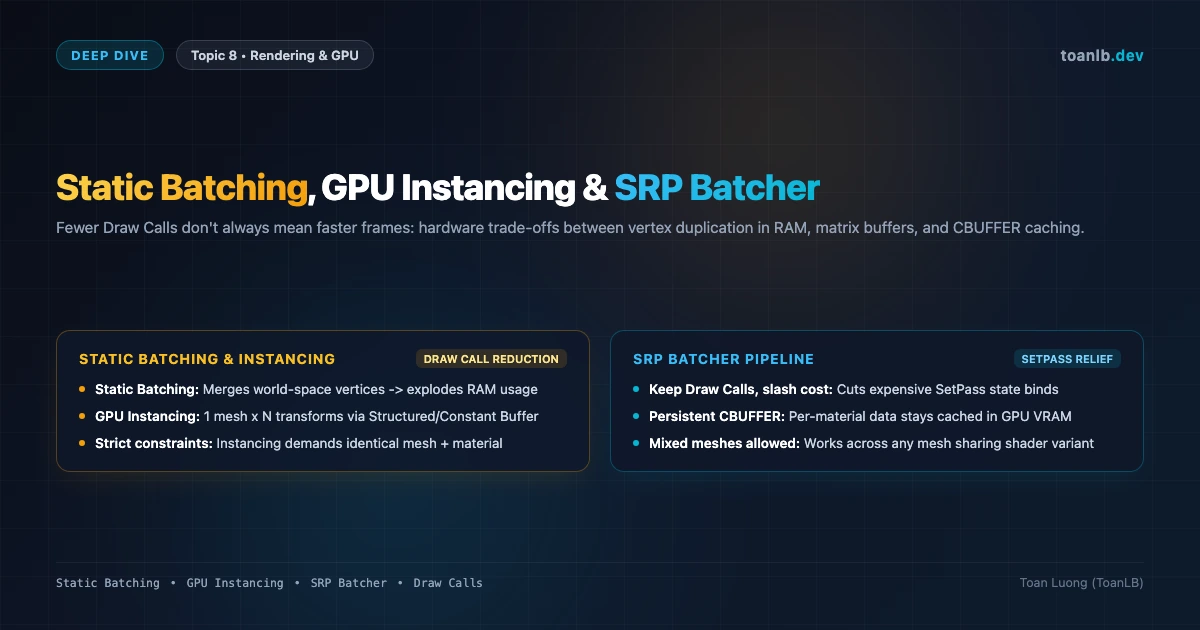
These three batching mechanisms were never intended to compete or replace one another. Instead, they target three entirely different architectural bottlenecks spanning the CPU Render Thread, system RAM, and GPU memory bandwidth. Understanding the hardware foundations of each mechanism is essential to making sound optimization decisions without inflating memory footprints or dropping frames.
1. Static Batching: Merging Vertices to Reduce Draw Calls at a Steep RAM Cost
Static Batching is Unity’s longest-standing batching solution. Its execution resides fundamentally on the CPU and system RAM.
When GameObjects are marked with the Batching Static flag, Unity collects the vertex streams of each individual Mesh (including vertex positions, normals, UVs, and vertex colors), transforms their coordinates into world space, and combines them into one massive Combined Mesh in system RAM during scene load or build time.
During the render loop, instead of the CPU issuing hundreds of separate draw commands for each tiny mesh, it issues a single Draw Call dispatching the entire Combined Mesh to the graphics pipeline, provided all sub-objects share the exact same Material.
flowchart LR
    subgraph SG_CPU["System RAM and CPU"]
        direction TB
        A["100 Individual Crates<br/>32 KB Mesh each"] --> B["Combined Mesh in RAM<br/>Multiplied to 3.2 MB"]
    end
    subgraph SG_GPU["GPU Pipeline"]
        direction TB
        C1["Upload Combined Mesh<br/>Cached in GPU VRAM"] --> C2["1 Single Draw Call<br/>Draws entire vertex cluster"]
    end
    B -->|"Dispatch batch data"| C1
The key advantage of Static Batching is that it drastically cuts CPU Draw Calls without requiring any modern GPU hardware features. It operates reliably even on legacy mobile graphics hardware.
Crucially, compared to manually merging meshes in external 3D DCC tools (such as Blender or Maya), Unity’s built-in Static Batching retains an essential technical benefit: preserving per-object Frustum Culling. Although vertices are combined into a single buffer, Unity maintains the bounding box of each individual GameObject. If half of the crates are outside the camera’s view frustum, the engine extracts and renders only the visible submesh index ranges, avoiding wasteful GPU vertex work.
However, the cost of Static Batching is paid entirely in system RAM. If a scene contains 200 identical wooden crates, Unity normally needs only one master Mesh asset in memory, roughly 50 KB. When Static Batching is enabled, Unity duplicates the vertex data of all 200 crates into the Combined Mesh, consuming 10 MB of RAM. On memory-constrained mobile devices, statically batching thousands of rocks, fence posts, and foliage clumps causes rapid memory bloat, triggering system memory limits and OOM terminations.
Furthermore, Unity enforces a strict limit of 64,000 vertices per Static Batch to ensure safe 16-bit vertex index buffer compatibility across all mobile graphics chips. Batches exceeding 64k vertices are automatically split into multiple draw calls. Lastly, because vertex positions are baked permanently into world space within the Combined Mesh, statically batched GameObjects can never translate, rotate, or scale at runtime.
2. GPU Instancing: Rendering One Mesh Thousands of Times via Matrix Buffers
In sharp contrast to the RAM-heavy approach of Static Batching, GPU Instancing is a hardware-accelerated feature supported by modern graphics APIs (OpenGL ES 3.0, Vulkan, Metal, and DirectX 11+).
This mechanism maintains exactly one master copy of the Mesh in GPU VRAM. The CPU does not duplicate vertices or calculate world-space transforms for every vertex. Instead, the CPU collects an array of transformation matrices (Matrix4x4 containing position, rotation, scale) along with any custom per-instance properties (such as color or tint) into a lightweight buffer and dispatches it to the GPU.
During draw execution, the CPU calls Graphics.DrawMeshInstanced or lets the engine batch automatically. The GPU takes the single mesh and iterates the drawing process thousands of times at different coordinates using the SV_InstanceID semantic inside the Vertex Shader, all executed within a single Draw Call.
flowchart LR
    subgraph SG_CPU_Inst["System RAM and CPU"]
        direction TB
        D["1 Master Mesh Asset<br/>32 KB single copy"]
        E["Transform Buffer Array<br/>1,000 matrices = 64 KB"]
    end
    subgraph SG_GPU_Inst["GPU Pipeline"]
        direction TB
        F1["Upload Mesh + Matrices<br/>Persistent in VRAM"] --> F2["Draws 1,000 instances<br/>1 Draw Call via SV_InstanceID"]
    end
    D -->|"Load once"| F1
    E -->|"Dispatch matrix array"| F1
The decisive advantage of GPU Instancing is its ability to render thousands of objects with almost zero impact on system RAM. These objects can move, rotate, and update their Transform matrices independently every frame. This makes it ideal for dense clusters: grass carpets, forest trees, boulders, or bullet hell projectiles.
However, GPU Instancing carries critical technical boundaries that engineers must understand:
- No native support for
SkinnedMeshRenderer: Standard GPU Instancing in Unity only applies toMeshRenderer. If your roguelike swarm spawns 500 animated monsters with skeletal bones and Animator components, ticking “Enable GPU Instancing” on the Material batches nothing. To instance animated characters, projects must bake skeletal animations into Vertex Animation Textures (VAT) or use custom Animation Instancing packages running on staticMeshRenderercomponents. - Strictly identical Mesh and Material: If a scene contains 50 distinct object shapes, GPU Instancing cannot batch them together.
- 1023 instances limit per Constant Buffer array: Under
Graphics.DrawMeshInstancedor automatic batching, each Draw Call is capped at 1023 instances due to uniform buffer limits. Drawing 3,000 grass blades splits into 3 Draw Calls. However, in advanced GPU-driven pipelines, engineers leverageGraphics.DrawMeshInstancedIndirect(orRenderMeshIndirectin Unity 6) to read directly from aComputeBuffer, rendering hundreds of thousands of instances without CPU limits.
3. SRP Batcher: Relieving the CPU Render Thread Without Reducing Draw Calls
When projects migrate to the Universal Render Pipeline (URP), engineers often enable the SRP Batcher, inspect Frame Debugger, and find themselves puzzled: the Draw Call count remains in the hundreds. Many assume the SRP Batcher is broken or ineffective.
This is the most common misconception in modern Unity rendering. The SRP Batcher was not designed to merge meshes, nor does it aim to reduce the raw number of Draw Calls. Its primary goal is to eliminate CPU Render Thread overhead between draw commands by eliminating SetPass Calls and state switching costs.
In the legacy Built-in Render Pipeline, each new Draw Call requires the CPU to spend valuable clock cycles binding material properties, reloading uniform variables to the GPU, and reconfiguring render states. This pipeline state transition is known as a SetPass Call. When a scene contains 500 objects utilizing different materials, the CPU Render Thread stalls under constant state switching, becoming the primary bottleneck even when the GPU is idle.
The SRP Batcher eliminates this stall by leveraging persistent Constant Buffers (CBUFFER) on GPU VRAM:
UnityPerMaterialbuffer: Caches all Material properties directly on GPU VRAM. When switching between different Materials, the CPU never re-uploads property data; it simply updates an offset pointer in the CBUFFER.UnityPerDrawbuffer: Stores the transformation matrices and per-object parameters.
flowchart LR
    subgraph SG_CBUFFER["GPU Constant Buffers (CBUFFER)"]
        direction TB
        G["UnityPerDraw<br/>Caches object transforms"]
        H["UnityPerMaterial<br/>Caches material properties"]
    end
    subgraph SG_SRP["SRP Batcher Execution"]
        direction TB
        I["Same Shader Variant<br/>Only updates CBUFFER offset"]
        J["Dispatches in microseconds<br/>CPU Render Thread is idle"]
    end
    G --> I
    H --> I
    I --> J
The operational criteria for the SRP Batcher are remarkably flexible: objects can use completely different Meshes, completely different Materials, and even support SkinnedMeshRenderer natively, provided all Materials share the exact same Shader Variant.
When satisfied, the CPU groups all these draw commands into an “SRP Batch”. Even though Frame Debugger still shows individual Draw Calls, the CPU Render Thread preparation time per draw drops from tenths of a millisecond down to a few microseconds. The game sustains a rock-solid 60 FPS without dedicating extra RAM to vertex duplication.
A major pitfall that silently breaks the SRP Batcher in production is the use of MaterialPropertyBlock. In the Built-in Pipeline, MaterialPropertyBlock was the industry-standard way to tint colors without instantiating materials. Under URP, however, MaterialPropertyBlock overwrites parameters outside the standard CBUFFER layout, instantly kicking the renderer out of the SRP Batch and degrading performance.
4. Architectural Verification and Hardware Cost Estimation in C#
To quantify these trade-offs programmatically in an actual project, we can implement a dedicated rendering optimization assessment service. In an Action RPG scenario with expansive environments and animated enemy swarms, the system evaluates RAM consumption incurred by Static Batching, buffer sizes required by GPU Instancing, and verifies SRP Batcher compatibility when materials share Shader Variants without MaterialPropertyBlock contamination or skeletal mesh limitations.
Below is an architectural evaluation service and strategy selector implemented as clean C# classes accompanied by automated unit tests.
using System;
using System.Collections.Generic;
using NUnit.Framework;

public enum BatchingStrategy
{
    None,
    StaticBatching,
    GpuInstancing,
    SrpBatcher
}

public record MeshData(string MeshId, int VertexCount, int VertexStrideBytes, bool IsStatic, bool HasBones);
public record MaterialData(string ShaderName, string ShaderVariant, int MaterialId, bool HasMaterialPropertyBlock);

public class RenderBatchOptimizer
{
    public const int MaxStandardInstancingBatchSize = 1023;
    public const int Matrix4X4SizeBytes = 64;
    public const int MaxStaticBatchVertices = 64000;

    public long EstimateStaticBatchingRamBytes(MeshData mesh, int instanceCount)
    {
        if (instanceCount <= 0) return 0;
        return (long)mesh.VertexCount * mesh.VertexStrideBytes * instanceCount;
    }

    public long EstimateGpuInstancingBufferBytes(int instanceCount)
    {
        if (instanceCount <= 0) return 0;
        return (long)instanceCount * Matrix4X4SizeBytes;
    }

    public bool IsSrpBatchCompatible(MaterialData matA, MaterialData matB)
    {
        if (matA.HasMaterialPropertyBlock || matB.HasMaterialPropertyBlock)
            return false;

        return matA.ShaderName == matB.ShaderName && matA.ShaderVariant == matB.ShaderVariant;
    }

    public int CalculateGpuInstancingDrawCalls(int instanceCount)
    {
        if (instanceCount <= 0) return 0;
        return (instanceCount + MaxStandardInstancingBatchSize - 1) / MaxStandardInstancingBatchSize;
    }

    public BatchingStrategy SelectOptimalStrategy(MeshData mesh, MaterialData material, int instanceCount, bool isUrp)
    {
        if (instanceCount <= 0) return BatchingStrategy.None;

        // SkinnedMeshRenderer (mesh with bones) cannot use standard GPU Instancing without VAT
        if (mesh.HasBones)
        {
            if (isUrp && !material.HasMaterialPropertyBlock)
                return BatchingStrategy.SrpBatcher;

            return BatchingStrategy.None;
        }

        // For dense instances (including static environment props like foliage and rocks)
        if (instanceCount >= 10)
        {
            return BatchingStrategy.GpuInstancing;
        }

        // Under URP, SRP Batcher provides zero-RAM batching when instance counts are moderate
        if (isUrp && !material.HasMaterialPropertyBlock)
        {
            return BatchingStrategy.SrpBatcher;
        }

        // Under legacy Built-in Pipeline: restrict Static Batching to low-count static props within safe vertex budgets
        if (!isUrp && mesh.IsStatic && (mesh.VertexCount * instanceCount <= MaxStaticBatchVertices))
        {
            return BatchingStrategy.StaticBatching;
        }

        return BatchingStrategy.None;
    }
}

[TestFixture]
public class RenderBatchOptimizerTests
{
    private RenderBatchOptimizer _optimizer;

    [SetUp]
    public void Setup()
    {
        _optimizer = new RenderBatchOptimizer();
    }

    [Test]
    public void EstimateStaticBatchingRamBytes_WhenCalled_MultipliesRamUsageByInstanceCount()
    {
        var barrelMesh = new MeshData("WoodenBarrel", 1000, 32, true, false);
        long singleMeshRam = 1000 * 32;
        long batchedRam = _optimizer.EstimateStaticBatchingRamBytes(barrelMesh, 100);

        Assert.AreEqual(32000, singleMeshRam);
        Assert.AreEqual(3200000, batchedRam);
        Assert.AreEqual(singleMeshRam * 100, batchedRam);
    }

    [Test]
    public void EstimateGpuInstancingBufferBytes_WhenComparedToStatic_ConsumesSignificantlyLessRam()
    {
        var grassMesh = new MeshData("GrassCluster", 500, 32, false, false);
        int count = 1000;

        long staticRam = _optimizer.EstimateStaticBatchingRamBytes(grassMesh, count);
        long instancingBuffer = _optimizer.EstimateGpuInstancingBufferBytes(count);

        Assert.AreEqual(16000000, staticRam);
        Assert.AreEqual(64000, instancingBuffer);
        Assert.IsTrue(instancingBuffer < staticRam / 100);
    }

    [Test]
    public void IsSrpBatchCompatible_WhenHasMaterialPropertyBlock_ReturnsFalse()
    {
        var matA = new MaterialData("Universal Render Pipeline/Lit", "Default", 1, false);
        var matBWithMpb = new MaterialData("Universal Render Pipeline/Lit", "Default", 2, true);

        bool canBatch = _optimizer.IsSrpBatchCompatible(matA, matBWithMpb);
        Assert.IsFalse(canBatch);
    }

    [Test]
    public void IsSrpBatchCompatible_WhenSharingSameShaderVariant_ReturnsTrue()
    {
        var woodMat = new MaterialData("Universal Render Pipeline/Lit", "Opaque_NormalMap", 101, false);
        var stoneMat = new MaterialData("Universal Render Pipeline/Lit", "Opaque_NormalMap", 102, false);

        bool canBatch = _optimizer.IsSrpBatchCompatible(woodMat, stoneMat);
        Assert.IsTrue(canBatch);
    }

    [Test]
    public void CalculateGpuInstancingDrawCalls_WhenBatched_SplitsAt1023Limit()
    {
        Assert.AreEqual(1, _optimizer.CalculateGpuInstancingDrawCalls(500));
        Assert.AreEqual(1, _optimizer.CalculateGpuInstancingDrawCalls(1023));
        Assert.AreEqual(2, _optimizer.CalculateGpuInstancingDrawCalls(1024));
        Assert.AreEqual(2, _optimizer.CalculateGpuInstancingDrawCalls(2046));
        Assert.AreEqual(3, _optimizer.CalculateGpuInstancingDrawCalls(2047));
    }

    [Test]
    public void SelectOptimalStrategy_WhenDenseInstances_SelectsGpuInstancing()
    {
        var rockMesh = new MeshData("Rock_01", 300, 32, true, false);
        var mat = new MaterialData("Universal Render Pipeline/Lit", "Default", 10, false);

        var strategy = _optimizer.SelectOptimalStrategy(rockMesh, mat, 50, isUrp: true);
        Assert.AreEqual(BatchingStrategy.GpuInstancing, strategy);
    }

    [Test]
    public void SelectOptimalStrategy_WhenSkinnedMeshOnUrp_SelectsSrpBatcher()
    {
        var monsterMesh = new MeshData("Zombie", 2000, 48, false, HasBones: true);
        var mat = new MaterialData("Universal Render Pipeline/Lit", "Default", 20, false);

        var strategy = _optimizer.SelectOptimalStrategy(monsterMesh, mat, 50, isUrp: true);
        Assert.AreEqual(BatchingStrategy.SrpBatcher, strategy);
    }

    [Test]
    public void SelectOptimalStrategy_WhenLowCountOnLegacyPipeline_SelectsStaticBatching()
    {
        var altarMesh = new MeshData("Altar", 1500, 32, true, false);
        var mat = new MaterialData("Standard", "Default", 30, false);

        var strategy = _optimizer.SelectOptimalStrategy(altarMesh, mat, 4, isUrp: false);
        Assert.AreEqual(BatchingStrategy.StaticBatching, strategy);
    }
}
5. Technical Trade-off Matrix
No single batching solution serves as a universal panacea. Choosing the correct approach demands an intentional balance between RAM capacity, GPU memory bandwidth, and CPU command throughput:
| Technical Metric | Static Batching | GPU Instancing | SRP Batcher |
|---|---|---|---|
| Primary Optimization Goal | Reduce Draw Calls by merging geometry | Render one Mesh repeatedly in one Draw Call | Eliminate CPU Render Thread state setup time |
| Draw Call Impact | Drops to 1 Draw Call for the combined mesh | Drastically reduced (up to 1023 per Draw Call) | No Draw Call reduction (draw calls remain) |
| System RAM Impact | High increase (duplicates all vertex buffers) | Negligible (only allocates compact matrix arrays) | Zero increase (no vertex duplication) |
| VRAM Impact | Consumes additional VRAM for Combined Mesh | Optimal (maintains 1 master copy in VRAM) | Small footprint for GPU Constant Buffers |
| Runtime Transform Support | None (vertices permanently baked in world space) | Full support (matrices update dynamically) | Full support (each object maintains its transform) |
| SkinnedMeshRenderer Support | Not supported | Not supported natively (requires VAT or anim instancing) | Supported natively (shares same Shader Variant without MPB) |
| Mesh Constraint | Allows different meshes to merge together | Strictly requires the SAME mesh geometry | Allows COMPLETELY DIFFERENT meshes |
| Material Constraint | Strictly requires the same Material | Strictly requires the same Material with Instancing | Allows different Materials sharing the same Shader Variant |
| Greatest Operational Risk | Out of Memory (OOM) crashes on mobile | Ineffective if scenes have heterogeneous meshes | Silently broken when using MaterialPropertyBlock |
6. Practical Decision Tree for Production Pipelines
Synthesizing our findings from shipping multi-platform titles, here is a practical workflow to determine the proper batching strategy for any scene asset:
flowchart TD
    Q1["What is the object category?"]

    Q1 -->|"Cỏ cây, prop lặp lại, mob dùng VAT"| A1["Use GPU Instancing<br/>Enable Instancing on Shader"]
    Q1 -->|"Static environment geometry"| Q2{"Targeting URP?"}

    Q2 -->|"Using URP"| A2["Rely on SRP Batcher<br/>Keep unique meshes, share Shader Variant<br/>Never use MaterialPropertyBlock"]
    Q2 -->|"Legacy Built-in Pipeline"| Q3{"Low vertex count and rare repetitions?"}

    Q3 -->|"Low poly, safe RAM budget"| A3["Enable Static Batching cautiously"]
    Q3 -->|"Repeated props across map"| A4["Disable Static Batching<br/>Switch to GPU Instancing"]
Essential Takeaways:
- Do not fear Draw Call numbers on URP: If draw commands are grouped within an SRP Batch, the CPU Render Thread processes them in microseconds. Do not artificially bake vertices with Static Batching merely to make Draw Call numbers look tidy while paying with tens of megabytes of mobile RAM.
- Handle Static Batching with extreme care on mobile: Restrict Static Batching to truly unique, low-poly environmental focal points (below 64,000 vertices). For any prop repeated more than five to ten times, prioritize GPU Instancing to protect system memory limits.
- Abandon
MaterialPropertyBlockwhen migrating to URP: If dynamic cosmetic variations (such as hit-flash tints or character highlights) are needed under URP, create distinct material instances or push custom properties into vertex color channels or GPU Instancing buffers, preserving the zero-cost throughput of the SRP Batcher.

