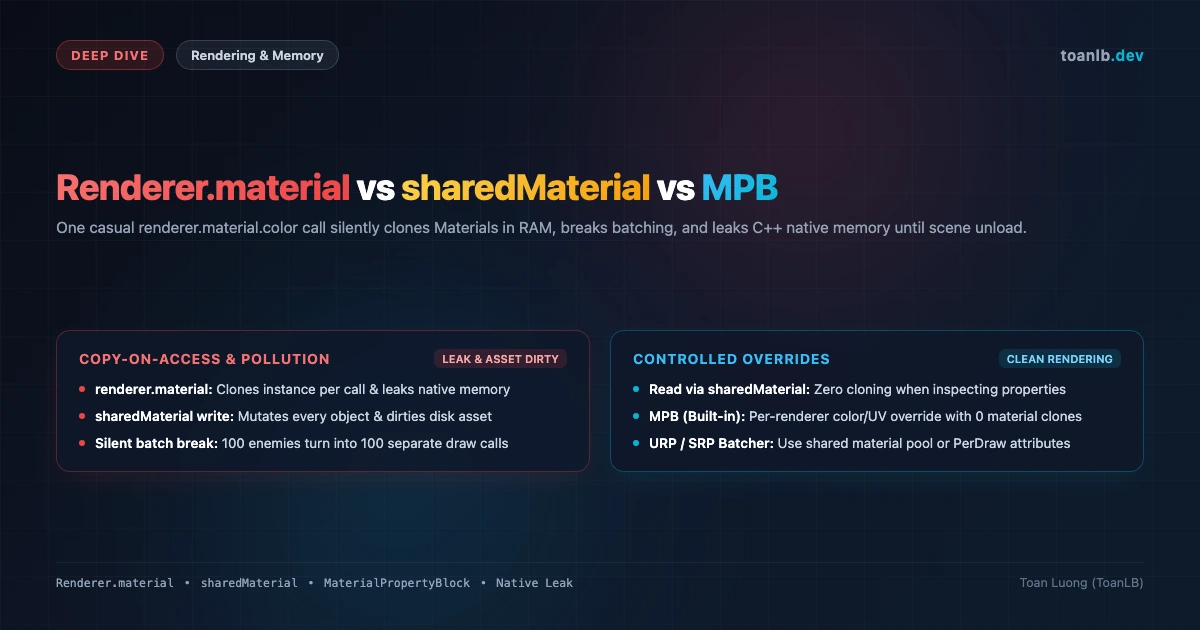
In Unity game projects, particularly fast-paced Action RPGs or survival roguelikes featuring hundreds of active enemies simultaneously on screen, developers frequently encounter requirements for dynamic runtime visual feedback: flashing a monster white upon taking damage (hit flash), tinting an entity crimson during a burn state, or shifting hue to purple when afflicted with poison.
The most intuitive and convenient initial reflex is to access the rendering component directly from the damage receiver script to alter its color:
using UnityEngine;

public class MonsterHitReceiver : MonoBehaviour
{
    public void ApplyHitFlash()
    {
        // Convenient initial approach: directly access the material property
        GetComponent<Renderer>().material.color = Color.white;
    }
}
In isolated prototype scenes with just a handful of test entities, this implementation functions seamlessly at a steady 60 FPS. However, once deployed into a production environment with massive waves of hundreds of concurrent monsters, severe anomalies inevitably surface:
- The Batches (Draw Calls) counter in the Game Stats window explodes from a modest 20-30 calls up to hundreds of isolated draw operations, dragging frame rates down drastically.
- After an encounter concludes and monsters are destroyed via
Destroy(gameObject), the application memory footprint displayed in the Unity Profiler fails to recover. Hundreds of orphaned allocations namedMaterial (Instance)accumulate within the Memory Profiler until lower-end mobile devices exhaust available RAM and crash due to Out-Of-Memory (OOM) exceptions.
Why does a seemingly innocuous getter property like Renderer.material trigger such cascading performance degradation and memory retention? What is the architectural difference between Renderer.material and Renderer.sharedMaterial? And what is the industry-standard paradigm for overriding per-instance visual attributes while preserving optimal GPU batching?
1. Engine Internals: Copy-on-Access Mechanics and the Cost of Renderer.material
To diagnose why Renderer.material introduces such severe runtime penalties, we must examine how the Unity Engine manages material resources across the bridge between the C# Managed Shell and the C++ Native Core.
flowchart LR
    subgraph TrapPath["Path 1: Accessing Renderer.material"]
        direction TB
        A["renderer.material"] -->|"Hidden getter trigger"| B["Instantiate new Material"]
        B -->|"C++ Native Heap allocation"| C["Unique Material Instance"]
        C -->|"Divergent Material pointers"| D["Breaks Batching / Spikes Draw Calls"]
        C -->|"Destroy GameObject"| E["Leaked Native Memory"]
    end
    subgraph OptimalPath["Path 2: Using MaterialPropertyBlock"]
        direction TB
        F["MaterialPropertyBlock"] -->|"Overrides values on Renderer"| G["Shares root Shared Material"]
        G -->|"Identical Shader & Buffer"| H["Preserves GPU Instancing"]
        G -->|"Destroy GameObject"| I["0 Allocations / 0 RAM Leakage"]
    end
The Copy-on-Access Mechanism
In C# syntax, renderer.material appears to be a lightweight property getter returning an existing reference. Under the hood within Unity’s C++ core, however, this getter executes an entirely different behavioral contract:
- When
renderer.materialis accessed for the first time on a given renderer, Unity evaluates whether the renderer currently points to a shared asset or already owns a cloned instance. - If the renderer references the original shared material (
sharedMaterial), the engine secretly invokes an internalInstantiate(material)call, constructing an entirely newMaterial (Instance)object on the C++ Native Heap. - The renderer is then mutated to point toward this freshly instantiated clone. Subsequent modifications to colors, float parameters, or texture bindings apply exclusively to this isolated instance.
While this mechanism provides immediate convenience by preventing accidental color mutations across unrelated scene objects, the architectural trade-off is steep.
The Twin Traps of Renderer.material
Trap 1: Orphaned Native C++ Memory Leaks
In Unity, the Material class derives from UnityEngine.Object. Every object within this inheritance tree bridges two domains: a lightweight wrapper shell residing on the C# Managed Heap, and the actual asset payload (shader state, texture bindings, constant buffers) residing entirely on the C++ Native Heap.
When an enemy entity is eliminated and we invoke Destroy(gameObject), Unity cleans up the GameObject, its Transform, and the attached Renderer component. However, the runtime-generated Material (Instance) clone is not automatically destroyed alongside the GameObject:
- The C# Garbage Collector only reclaims managed memory. It has no authority or mechanism to inspect and free unmanaged C++ native allocations.
- Consequently, the cloned
Material (Instance)becomes an orphaned asset floating in native memory. - This allocation can only be reclaimed through two mechanisms: explicitly invoking
Destroy(renderer.material)prior to destroying the actor, or when the entire Scene unloads and Unity triggersResources.UnloadUnusedAssets().
In survival or endless game loops where entities continuously spawn and despawn within a persistent scene, failing to explicitly destroy these cloned materials guarantees a steady memory leak, inevitably culminating in mobile OS process terminations due to memory starvation.
Trap 2: Complete Destruction of GPU Batching
All modern draw-call optimization mechanisms in Unity (Dynamic Batching, GPU Instancing, and the Scriptable Render Pipeline Batcher in URP/HDRP) rely on a foundational invariant: Grouping objects that share identical Material bindings or compatible shader constant buffer layouts into consolidated GPU dispatches.
When 100 identical enemy actors share a single source material asset, the graphics pipeline can issue their geometry in a single consolidated GPU draw call. However, the moment renderer.material.color = ... executes across those actors:
- Each entity now references an independent native Material instance with a unique pointer address.
- The rendering pipeline detects a fragmented render state.
- The GPU driver is forced to execute continuous Material State Switching between draw submissions, turning what could have been a single batch into 100 separate dispatch operations. This introduces heavy CPU driver submission overhead and immediate frame drops.
2. Renderer.sharedMaterial: Shared State and the Risk of Asset Pollution
In contrast to Renderer.material, the Renderer.sharedMaterial property returns the direct reference to the base Material Asset stored on disk (the .mat project asset) or retrieved from an Addressables package.
using UnityEngine;

public class SharedMaterialExample : MonoBehaviour
{
    public void ChangeSharedColor()
    {
        // Directly access and mutate the shared root material asset
        Renderer rend = GetComponent<Renderer>();
        rend.sharedMaterial.color = Color.red;
    }
}
Advantages of sharedMaterial
- Zero Runtime Allocations: Accessing and inspecting properties creates zero allocations on the C++ Native Heap.
- Batching Continuity: All renderers referencing the shared material maintain identical render states, allowing GPU Instancing and SRP Batcher passes to merge dispatches without disruption.
Hazards of Mutating sharedMaterial
When a write operation (setter) is performed on sharedMaterial, the codebase directly mutates the authoritative root material asset:
- Unintended Global Side Effects: Every other GameObject in the active Scene (and even unspawned Prefabs residing in project storage) referencing that material will immediately reflect the new parameter. Tinting one poisoned enemy purple will instantly tint all 200 other monsters purple across the map.
- Editor Asset Dirtying: When testing inside the Unity Editor, mutating
sharedMaterialmarks the source.matfile on disk as dirty. When exiting Play Mode, the modified color value can persist permanently into the project file, posing severe risks of committing corrupted game data to version control.
3. The Production Standard: Mastering MaterialPropertyBlock
How do we satisfy the authentic production requirement: granting each entity independent visual parameters (such as dynamic hit flashes or health ratios) while creating zero duplicate Material assets in RAM and preserving GPU draw batching?
The architectural answer provided by the Unity Engine is MaterialPropertyBlock.
flowchart TD
    subgraph GPUInstancingWorkflow["Workflow with MaterialPropertyBlock & GPU Instancing"]
        direction TB
        MPB["MaterialPropertyBlock (Key-Value Buffer)"] -->|"Assigned to each Renderer"| R1["Renderer Entity 1 (White)"]
        MPB -->|"Assigned to each Renderer"| R2["Renderer Entity 2 (Purple)"]
        MPB -->|"Assigned to each Renderer"| R3["Renderer Entity N (Red)"]
        R1 & R2 & R3 -->|"Shared reference"| Mat["Single Shared Root Material"]
        Mat -->|"Feeds Shader Uniform Array"| GPU["GPU Instancing Buffer: Drawn in 1 Draw Call"]
    end
What is a MaterialPropertyBlock?
A MaterialPropertyBlock is not a Material. It is an optimized key-value property lookup table stored directly on the Renderer component at the native C++ level.
During scene rendering, the pipeline executes the following sequence:
- The render pipeline binds the root material (
sharedMaterial) to configure shader passes, blend modes, depth testing, and shared textures. - Prior to submitting the geometry for a specific object, the pipeline checks whether that entity’s
Renderercarries an attachedMaterialPropertyBlock. - If present, the overridden parameters (such as custom colors, float intensities, or UV offsets) are pushed directly into the GPU constant buffer allocated for that draw instance.
- No redundant Material clones are constructed in memory.
Furthermore, when utilizing a shader configured for GPU Instancing (declaring properties within a UNITY_INSTANCING_BUFFER), the GPU driver can pack the MaterialPropertyBlock values for hundreds of unique entities into a single uniform array, drawing all of them in exactly one Draw Call.
4. Production Implementation & Automated Unit Testing
Let us construct an authentic production system handling dynamic hit flash effects when entities sustain damage in an Action RPG.
Architectural Design: Zero-Allocation Visual State Modulation
To eliminate runtime Garbage Collection pressure, two core engineering rules must be respected:
- Cache Property IDs: Never pass string literals like
"_BaseColor"into property setter APIs within game loops. String lookups trigger hashing overhead on the main thread. Always convert property names into integer hashes once usingShader.PropertyToID(). - Reuse MaterialPropertyBlock Instances: Avoid allocating
new MaterialPropertyBlock()upon every damage event. Continuous instantiation pollutes the Managed Heap and triggers GC spikes. Reuse a single static buffer or retain a dedicated instance per component.
Below is the implementation of our visual state coordinator and its associated NUnit verification suite:
using System;
using NUnit.Framework;
using UnityEngine;

/// <summary>
/// Represents the isolated color interpolation state of an entity.
/// Implemented as a pure C# class for deterministic unit testing without graphics hardware dependencies.
/// </summary>
public sealed class HitFlashColorState
{
    private readonly Color _defaultColor;
    private readonly Color _flashColor;
    private readonly float _duration;
    private float _elapsedTime;

    public HitFlashColorState(Color defaultColor, Color flashColor, float duration)
    {
        if (duration <= 0f)
        {
            throw new ArgumentException("Hit flash duration must be strictly greater than zero.", nameof(duration));
        }

        _defaultColor = defaultColor;
        _flashColor = flashColor;
        _duration = duration;
        _elapsedTime = duration; // Initialized in completed state
    }

    public bool IsFlashing => _elapsedTime < _duration;
    public Color CurrentColor { get; private set; }

    public void TriggerFlash()
    {
        _elapsedTime = 0f;
        CurrentColor = _flashColor;
    }

    public void Update(float deltaTime)
    {
        if (!IsFlashing)
        {
            CurrentColor = _defaultColor;
            return;
        }

        if (deltaTime < 0f)
        {
            deltaTime = 0f;
        }

        _elapsedTime += deltaTime;
        if (_elapsedTime >= _duration)
        {
            _elapsedTime = _duration;
            CurrentColor = _defaultColor;
        }
        else
        {
            // Smoothly interpolate from flash tint back to default base color
            float progress = _elapsedTime / _duration;
            CurrentColor = Color.Lerp(_flashColor, _defaultColor, progress);
        }
    }
}

/// <summary>
/// Production component attached to monster prefabs.
/// Leverages a shared MaterialPropertyBlock and cached integer IDs to guarantee 0 GC allocations during combat loops.
/// </summary>
public class MonsterHitFlashPresenter : MonoBehaviour
{
    private static readonly int BaseColorPropertyId = Shader.PropertyToID("_BaseColor");
    private static MaterialPropertyBlock _sharedBlock;

    private Renderer _renderer;
    private HitFlashColorState _flashState;

    private void Awake()
    {
        _renderer = GetComponent<Renderer>();
        _sharedBlock ??= new MaterialPropertyBlock();
        _flashState = new HitFlashColorState(Color.white, Color.red, 0.15f);
    }

    public void OnTakeDamage()
    {
        _flashState.TriggerFlash();
        ApplyColorToRenderer();
    }

    private void Update()
    {
        if (_flashState.IsFlashing)
        {
            _flashState.Update(Time.deltaTime);
            ApplyColorToRenderer();
        }
    }

    private void ApplyColorToRenderer()
    {
        if (_renderer == null)
        {
            return;
        }

        _sharedBlock ??= new MaterialPropertyBlock();
        _renderer.GetPropertyBlock(_sharedBlock);
        _sharedBlock.SetColor(BaseColorPropertyId, _flashState.CurrentColor);
        _renderer.SetPropertyBlock(_sharedBlock);
    }
}

[TestFixture]
public sealed class HitFlashColorStateTests
{
    [Test]
    public void Constructor_WithInvalidDuration_ThrowsArgumentException()
    {
        Assert.Throws<ArgumentException>(() =>
        {
            _ = new HitFlashColorState(Color.white, Color.red, 0f);
        });

        Assert.Throws<ArgumentException>(() =>
        {
            _ = new HitFlashColorState(Color.white, Color.red, -1f);
        });
    }

    [Test]
    public void TriggerFlash_SetsIsFlashingToTrue_AndAppliesFlashColor()
    {
        var defaultColor = new Color(0.2f, 0.2f, 0.2f, 1f);
        var flashColor = Color.white;
        var state = new HitFlashColorState(defaultColor, flashColor, duration: 0.2f);

        Assert.IsFalse(state.IsFlashing);

        state.TriggerFlash();

        Assert.IsTrue(state.IsFlashing);
        Assert.AreEqual(flashColor.r, state.CurrentColor.r, 0.001f);
        Assert.AreEqual(flashColor.g, state.CurrentColor.g, 0.001f);
        Assert.AreEqual(flashColor.b, state.CurrentColor.b, 0.001f);
    }

    [Test]
    public void Update_ProgressesInterpolation_AndRestoresDefaultColorWhenFinished()
    {
        var defaultColor = Color.black;
        var flashColor = Color.white;
        float duration = 1.0f;
        var state = new HitFlashColorState(defaultColor, flashColor, duration);

        state.TriggerFlash();

        // Advance half duration: color must be at the midpoint (0.5)
        state.Update(0.5f);
        Assert.IsTrue(state.IsFlashing);
        Assert.AreEqual(0.5f, state.CurrentColor.r, 0.01f);

        // Advance past full duration: color must fully restore to default
        state.Update(0.6f);
        Assert.IsFalse(state.IsFlashing);
        Assert.AreEqual(defaultColor.r, state.CurrentColor.r, 0.001f);
        Assert.AreEqual(defaultColor.g, state.CurrentColor.g, 0.001f);
        Assert.AreEqual(defaultColor.b, state.CurrentColor.b, 0.001f);
    }

    [Test]
    public void TriggerFlash_WhenCalledConsecutively_ResetsTimerAndMaintainsFlash()
    {
        var defaultColor = Color.black;
        var flashColor = Color.red;
        var state = new HitFlashColorState(defaultColor, flashColor, duration: 1.0f);

        state.TriggerFlash();
        state.Update(0.8f); // 80% elapsed

        // Sustained second hit prior to flash completion
        state.TriggerFlash();

        Assert.IsTrue(state.IsFlashing);
        Assert.AreEqual(flashColor.r, state.CurrentColor.r, 0.001f);
        Assert.AreEqual(flashColor.g, state.CurrentColor.g, 0.001f);
    }

    [Test]
    public void Update_WithNegativeDeltaTime_DoesNotBreakState()
    {
        var defaultColor = Color.white;
        var flashColor = Color.red;
        var state = new HitFlashColorState(defaultColor, flashColor, duration: 0.5f);

        state.TriggerFlash();
        state.Update(-0.1f);

        Assert.IsTrue(state.IsFlashing);
        Assert.AreEqual(flashColor.r, state.CurrentColor.r, 0.001f);
    }
}
5. Architectural Trade-Off Analysis
No single visual parameter approach is universally ideal across all scales. The matrix below contrasts the operational trade-offs across all three paradigms:
| Evaluation Criteria | Renderer.material | Renderer.sharedMaterial | MaterialPropertyBlock |
|---|---|---|---|
| C++ Native Memory Allocation | Automatically constructs new Material on RAM | 0 new allocations (shares root asset) | 0 Material allocations (small property buffer) |
| Impact on Batching | Destroys batching, spikes Draw Calls | Fully preserves GPU Instancing / SRP Batcher | Fully compatible with GPU Instancing |
| Per-Entity Customization | Supported (fully isolated) | Unsupported (mutates all instances globally) | Supported (isolated per attached Renderer) |
| Memory Leak Risk on Destroy | Severe unless manually destroyed via code | Zero leak risk | Zero leak risk |
| Disk Asset Dirtying Risk | None | High when modified inside the Unity Editor | None (parameters are transient runtime buffers) |
| Code Implementation Effort | Minimal (single-line property access) | Minimal (single-line property access) | Requires buffer caching and Property ID hashes |
| Optimal Production Context | Unique standalone entities persistent throughout scene | Inspecting static metadata or global tuning | High-density actors: enemy swarms, projectiles |
6. Key Takeaways: Graphics Architecture at Production Scale
The distinction between novice engine usage and seasoned technical leadership does not revolve around memorizing API nomenclature, but in diagnosing the operational runtime cost of each line of code under the engine hood:
- Maintain Awareness of GPU Dispatch Overhead: A quick visual adjustment can silently invalidate extensive GPU Instancing optimizations implemented across the team. Prior to mutating renderer properties, always verify whether the operation fragments active batches.
- Govern C++ Native Lifecycle Explicitly: Remember that
UnityEngine.Objectderivations do not participate in automated C# Garbage Collection sweeps. Any asset instantiated through engine side effects requires an explicit reclamation policy - or ideally, architectural prevention. - Standardize on MaterialPropertyBlock: For any dynamic entity parameterization in production (damage indicators, health bars, world tint variations),
MaterialPropertyBlockpaired with cachedShader.PropertyToIDidentifiers remains the gold standard for achieving visual variance without compromising frame stability.

