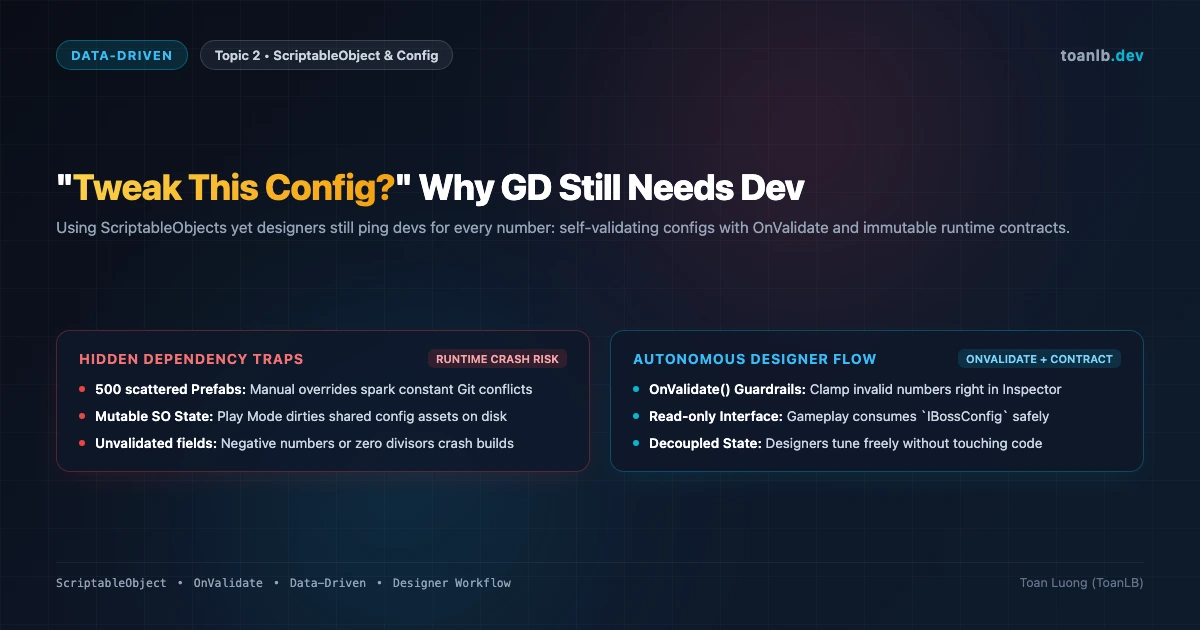
“Could you bump the price of this shop item for me?” “Can we increase the Stage 5 Boss HP by 20%?” “The event reward feels a bit low, please help me adjust the config.”
If you have worked on small-to-midsize Unity projects, messages like these from Game Designers are probably part of your daily routine.
What makes this ironic is that in many of these projects, those exact fields already have [SerializeField] attributes exposed in the Unity Inspector. Some teams have even set up ScriptableObject assets or JSON files. Yet every time a balance pass happens, the Game Designer still pings a Developer to edit the value, review the change, or trigger a fresh build.
One tiny number tweak turns into a waiting game and breaks focus for both sides.
Looking back across multiple production cycles, the root cause rarely lies in the boss or the item, nor is it solved merely by creating a ScriptableObject. The real bottleneck lies in how data architecture and cross-discipline workflows are structured.
1. Why Do Game Designers Still Depend on Devs Even When Fields Are Serialized?
To eliminate this dependency, we need to examine the 4 levels of data organization in a Unity project, from quick prototype habits to scalable production pipelines.
flowchart TD
    subgraph Level1["Level 1: Data Coupled to Code & Prefabs"]
        Code["Hardcoded in C# Scripts\nor scattered across 500 Prefabs"]
        Code -.->|"Requires Scene edit / Recompile"| Conflict["Git Merge Conflicts & Dev Bottlenecks"]
    end

    subgraph Level3["Levels 3 & 4: Self-Validating Data-Driven Architecture"]
        SO["ScriptableObject Config\n(Read-only Contract + OnValidate)"]
        Runtime["Pure C# Runtime State\n(Isolated HP & Combat Logic)"]
        Bridge["MonoBehaviour View Bridge\n(Lightweight Scene Presentation)"]

        SO -->|"Flyweight shared memory"| Runtime
        Bridge -->|"Initializes from Config"| Runtime
    end
1.1. Level 1: Hardcoded Constants or Values Scattered Across Hundreds of Prefabs
During early prototyping, the fastest approach is declaring hp, damage, and cooldown directly inside a MonoBehaviour attached to a Prefab.
With 5 or 10 enemies, this works fine. Once the project scales to 100 enemy types or 1,000 items, two major engineering bottlenecks surface:
- Duplicate Memory Overhead: Every
MonoBehaviourinstance spawned viaInstantiate()allocates its own copy ofmaxHp,baseDamage, andmoveSpeedin memory, even when 500 enemies of the same archetype share identical base stats. - Scene and Prefab Git Conflicts: When balance numbers live directly inside Prefabs or Scenes, a Game Designer tweaking stats at the same time a Developer modifies component hierarchies triggers painful YAML merge conflicts in
.unityand.prefabfiles. Eventually, out of fear of corrupting Scenes, teams fall back to an unspoken rule: “Designers shouldn’t touch Prefabs; just ask a Dev to change the number.”
1.2. Level 2: Extracted Data Without Validation Guardrails
As the project grows, teams decouple static configuration from code using ScriptableObject assets or JSON files.
Under the hood, ScriptableObject inherits from UnityEngine.Object (maintaining a Native C++ object paired with a C# Managed Shell), but it cannot be attached to a GameObject or Transform. By leveraging the Flyweight Pattern, if 1,000 enemy instances reference a single EnemyConfigSO asset, all 1,000 enemies share one single configuration block in RAM.
So why do Game Designers still rely on Developers after moving to ScriptableObject?
- No Input Validation Guardrails: If a Game Designer accidentally enters
attackCooldown = 0or a negative number, the attack speed formula1f / attackCooldownresults inInfinityor division-by-zero bugs. IfdropChanceis typed as150while the code expects a normalized0.0fto1.0frange, loot tables silently break. - Mixing Immutable Config with Mutable Runtime State: A common mistake is mutating
public int currentHpdirectly inside aScriptableObjectduring combat.
In the Unity Editor, mutating serialized fields on a ScriptableObject asset during Play Mode overwrites the asset file on disk permanently, persisting after exiting Play Mode, polluting Git status, and corrupting baseline designer configs. Conversely, in a Standalone or Mobile Build, ScriptableObject assets are packed inside read-only binary archives; runtime mutations only live in RAM and vanish when the app restarts. Never store mutable runtime state directly inside a configuration asset.
1.3. Levels 3 and 4: Safe Workflows and Architectural Boundaries
In mature production pipelines, the core question shifts from “Where do we store data?” to “How can Game Designers balance numbers autonomously without ever breaking the build?”.
Achieving this requires 3 architectural guarantees:
- Immutable Runtime Configuration: Gameplay systems should only read configuration values through read-only properties or a contract interface like
IBossCombatConfig, making it impossible for combat code to overwrite configuration assets at runtime. - Automated Editor-Time Sanitization: Leverage Unity’s
OnValidate()lifecycle hook alongside[Min]and[Range]attributes to clamp invalid inputs the instant a Game Designer edits a field in the Inspector. - Matching Storage Format to Scale: Use
ScriptableObjectwhen configs directly reference Unity assets (Prefab,Sprite,AudioClip,AnimationCurve). When balancing 1,000+ items via spreadsheet formulas or pushing live balance patches over the air, build an importer pipeline from Google Sheets or JSON that feeds into the exact same data interface.
2. Practical Code: From Fragile Fields to Self-Validating Data Architecture
To examine how clean data boundaries transform day-to-day collaboration, consider tuning multi-phase Boss encounters in a mobile Action RPG. Game Designers continually iterate on balancing dozens of unique bosses: adjusting attack cadence (attackInterval), base damage multipliers, and defensive enrage thresholds as health drops during combat.
In an active studio workflow, designers require complete autonomy to tweak and balance numbers without opening code or waiting for engineering support. Crucially, the data pipeline must provide automated guardrails that mathematically eliminate human data entry slips - such as negative health or an attack interval of zero causing runtime division crashes (DivideByZeroException). Furthermore, balance values must live completely outside visual Prefabs so numerical balancing never causes Git merge collisions with artists updating rigs, colliders, and VFX.
2.1. The Fragile Approach: Mixing Config, State, and Unchecked Math
When rushing features, configuration fields, mutable health state, and combat math often end up tangled inside a single component:
using UnityEngine;

// Fragile design: Mixes Config, Runtime State, and lacks validation guardrails
public class LegacyBossController : MonoBehaviour
{
    // Configuration fields scattered directly on the Prefab
    public int maxHp = 1000;
    public int baseDamage = 50;
    public float attackInterval = 1.5f;
    public float enrageThreshold = 0.3f;

    // Mutable runtime state sitting right next to static config
    public int currentHp;

    private void Awake()
    {
        currentHp = maxHp;
    }

    public float GetAttacksPerSecond()
    {
        // Risk 1: If a Designer enters attackInterval = 0 in Inspector -> Division by zero!
        return 1f / attackInterval;
    }

    public int CalculateDamage()
    {
        // Risk 2: Unclamped threshold values can causeEnrage to trigger permanently or never
        if ((float)currentHp / maxHp <= enrageThreshold)
        {
            return baseDamage * 2;
        }
        return baseDamage;
    }
}
With this setup, testing 5 different balance presets requires modifying the Prefab directly. If a Designer mistypes maxHp = 0 or attackInterval = 0, the game breaks at runtime and a Developer has to step in to debug.
3. The Pragmatic Solution: Read-Only Contracts, Isolated Runtime State, and OnValidate Guardrails
To empower Game Designers while protecting codebase stability, we decouple the system into three layers in our code sample below: a read-only data contract (IBossCombatConfig), a self-validating ScriptableObject asset wrapper (BossCombatConfigSO), and a pure C# runtime state class (BossCombatRuntime):
flowchart LR
    GD["Game Designer\nTweaks Inspector Fields"] -->|"Auto-clamps invalid inputs"| SO["BossCombatConfigSO\n(OnValidate & Sanitize)"]
    SO -->|"Exposes Read-only Contract"| Interface["IBossCombatConfig"]
    Interface -->|"Reads safe values"| Runtime["BossCombatRuntime\n(Pure C# State & Math)"]
3.1. Read-Only Data Contract and Self-Sanitizing Serializable Data
We encapsulate all configuration fields inside a [Serializable] pure C# class BossCombatData implementing IBossCombatConfig, and wrap it inside BossCombatConfigSO : ScriptableObject.
This separation provides two major benefits:
Sanitize()runs automatically insideBossCombatConfigSO.OnValidate()whenever a Game Designer edits a number in the Inspector.- When loading balance patches from JSON or Google Sheets in live-ops, or running unit tests in CI/CD without launching the Unity Editor, we can instantiate
BossCombatDatadirectly and invoke the exact sameSanitize()rules:
using System;
using UnityEngine;

// Read-only data contract: Prevents runtime gameplay code from mutating config assets
public interface IBossCombatConfig
{
    string BossId { get; }
    int MaxHp { get; }
    int BaseDamage { get; }
    float AttackInterval { get; }
    float EnrageHpThresholdNormalized { get; }
    float EnrageDamageMultiplier { get; }
}

// Pure C# serializable data container usable in both ScriptableObjects and JSON pipelines
[Serializable]
public class BossCombatData : IBossCombatConfig
{
    [SerializeField] private string bossId = "BOSS_DRAGON_01";
    [SerializeField, Min(1)] private int maxHp = 1000;
    [SerializeField, Min(0)] private int baseDamage = 50;
    [SerializeField, Min(0.1f)] private float attackInterval = 1.5f;
    [SerializeField, UnityEngine.Range(0f, 1f)] private float enrageHpThresholdNormalized = 0.3f;
    [SerializeField, Min(1f)] private float enrageDamageMultiplier = 1.5f;

    public string BossId => bossId;
    public int MaxHp => maxHp;
    public int BaseDamage => baseDamage;
    public float AttackInterval => attackInterval;
    public float EnrageHpThresholdNormalized => enrageHpThresholdNormalized;
    public float EnrageDamageMultiplier => enrageDamageMultiplier;

    public BossCombatData() { }

    public BossCombatData(
        string id,
        int hp,
        int damage,
        float interval,
        float enrageThreshold,
        float enrageMultiplier)
    {
        bossId = id;
        maxHp = hp;
        baseDamage = damage;
        attackInterval = interval;
        enrageHpThresholdNormalized = enrageThreshold;
        enrageDamageMultiplier = enrageMultiplier;
        Sanitize();
    }

    // Automatically clamps out-of-range values entered in Inspector or loaded from JSON
    public void Sanitize()
    {
        if (string.IsNullOrWhiteSpace(bossId))
        {
            bossId = "UNNAMED_BOSS";
        }

        maxHp = Math.Max(1, maxHp);
        baseDamage = Math.Max(0, baseDamage);
        attackInterval = Math.Max(0.1f, attackInterval);
        enrageHpThresholdNormalized = Math.Clamp(enrageHpThresholdNormalized, 0f, 1f);
        enrageDamageMultiplier = Math.Max(1f, enrageDamageMultiplier);
    }
}

// ScriptableObject asset wrapper for Game Designers in the Unity Editor
[CreateAssetMenu(fileName = "BossCombatConfig", menuName = "GameConfig/Boss Combat Config")]
public class BossCombatConfigSO : ScriptableObject, IBossCombatConfig
{
    [SerializeField] private BossCombatData data = new BossCombatData();

    public string BossId => data.BossId;
    public int MaxHp => data.MaxHp;
    public int BaseDamage => data.BaseDamage;
    public float AttackInterval => data.AttackInterval;
    public float EnrageHpThresholdNormalized => data.EnrageHpThresholdNormalized;
    public float EnrageDamageMultiplier => data.EnrageDamageMultiplier;

    private void OnValidate()
    {
        data?.Sanitize();
    }
}
3.2. Isolating Mutable Runtime State into a Pure C# Class
Current health and combat calculations live inside BossCombatRuntime. Because it consumes IBossCombatConfig as a read-only dependency, 100 boss instances can share the same config asset in memory while tracking their own independent health states:
public class BossCombatRuntime
{
    private readonly IBossCombatConfig _config;

    public int CurrentHp { get; private set; }
    public bool IsDead => CurrentHp <= 0;

    public bool IsEnraged
    {
        get
        {
            if (IsDead) return false;
            float hpRatio = (float)CurrentHp / _config.MaxHp;
            return hpRatio <= _config.EnrageHpThresholdNormalized;
        }
    }

    public BossCombatRuntime(IBossCombatConfig config)
    {
        _config = config ?? throw new ArgumentNullException(nameof(config));
        CurrentHp = _config.MaxHp;
    }

    public void ApplyDamage(int amount)
    {
        if (IsDead || amount <= 0) return;
        CurrentHp = Math.Max(0, CurrentHp - amount);
    }

    public int CalculateCurrentAttackDamage()
    {
        if (IsDead) return 0;

        if (IsEnraged)
        {
            return (int)Math.Round(_config.BaseDamage * _config.EnrageDamageMultiplier);
        }

        return _config.BaseDamage;
    }

    public float CalculateAttacksPerSecond()
    {
        if (IsDead) return 0f;
        return 1f / _config.AttackInterval;
    }
}
3.3. A Lean MonoBehaviour Bridge on the Prefab
The MonoBehaviour attached to the Boss Prefab is now minimal. Game Designers can create multiple BossCombatConfigSO presets for Normal, Hard, and Nightmare modes and swap them in the Inspector without touching a line of code:
public class BossViewBridge : MonoBehaviour
{
    [SerializeField] private BossCombatConfigSO bossConfig;

    public BossCombatRuntime Runtime { get; private set; }

    private void Awake()
    {
        if (bossConfig == null)
        {
            Debug.LogError("Missing BossCombatConfigSO reference on " + gameObject.name);
            enabled = false;
            return;
        }

        Runtime = new BossCombatRuntime(bossConfig);
    }
}
3.4. Automated Unit Testing for Both Combat Math and Data Sanitization
Because BossCombatData is decoupled from native C++ ScriptableObject instantiation, we can verify both gameplay state transitions and Sanitize() boundary clamping in milliseconds using standard NUnit tests:
using NUnit.Framework;

[TestFixture]
public class BossDataDrivenTests
{
    [Test]
    public void CalculateCurrentAttackDamage_NormalAndEnraged_ReturnsExpectedDamage()
    {
        var config = new BossCombatData(
            id: "BOSS_DRAGON",
            hp: 1000,
            damage: 100,
            interval: 2.0f,
            enrageThreshold: 0.3f,
            enrageMultiplier: 1.5f);
        var runtime = new BossCombatRuntime(config);

        // Full HP (1000/1000 > 30%): Deals base damage
        Assert.IsFalse(runtime.IsEnraged);
        Assert.AreEqual(100, runtime.CalculateCurrentAttackDamage());

        // Takes 750 damage -> 250/1000 (25% <= 30%): Enrage phase active
        runtime.ApplyDamage(750);
        Assert.IsTrue(runtime.IsEnraged);
        Assert.AreEqual(150, runtime.CalculateCurrentAttackDamage());
    }

    [Test]
    public void ApplyDamage_DoesNotMutateSharedConfigData()
    {
        var sharedConfig = new BossCombatData(
            id: "BOSS_GOLEM",
            hp: 500,
            damage: 40,
            interval: 1.0f,
            enrageThreshold: 0.2f,
            enrageMultiplier: 2.0f);
        var bossA = new BossCombatRuntime(sharedConfig);
        var bossB = new BossCombatRuntime(sharedConfig);

        // Damaging Boss A must never alter shared MaxHp or Boss B's health
        bossA.ApplyDamage(200);

        Assert.AreEqual(500, sharedConfig.MaxHp);
        Assert.AreEqual(300, bossA.CurrentHp);
        Assert.AreEqual(500, bossB.CurrentHp);
    }

    [Test]
    public void Sanitize_WhenDesignerEntersInvalidValues_ClampsToSafeBounds()
    {
        // Simulate invalid Designer input: negative HP/damage, zero interval, threshold > 100%
        var invalidConfig = new BossCombatData(
            id: "   ",
            hp: -500,
            damage: -20,
            interval: 0f,
            enrageThreshold: 2.5f,
            enrageMultiplier: 0.2f);

        Assert.AreEqual("UNNAMED_BOSS", invalidConfig.BossId);
        Assert.AreEqual(1, invalidConfig.MaxHp);
        Assert.AreEqual(0, invalidConfig.BaseDamage);
        Assert.AreEqual(0.1f, invalidConfig.AttackInterval, 0.0001f);
        Assert.AreEqual(1.0f, invalidConfig.EnrageHpThresholdNormalized, 0.0001f);
        Assert.AreEqual(1.0f, invalidConfig.EnrageDamageMultiplier, 0.0001f);

        // Verify attack speed calculation never divides by zero
        var runtime = new BossCombatRuntime(invalidConfig);
        Assert.AreEqual(10f, runtime.CalculateAttacksPerSecond(), 0.01f);
    }
}
4. Architectural Trade-offs Matrix
No single data storage mechanism fits every stage of development. Below is the trade-off matrix across the four approaches:
| Evaluation Metric | SerializeField on Prefabs | Raw ScriptableObject | ScriptableObject + Read-Only Contract + Validation | JSON / Google Sheets Pipeline |
|---|---|---|---|---|
| Designer Autonomy | Low, causes Scene and Prefab Git conflicts with Devs | Moderate, editable but prone to invalid value crashes | Very High, safe self-service balancing in Inspector | Maximum for bulk formula balancing across 1,000+ items |
| Runtime Memory Footprint | High, duplicates stat fields on every spawned instance | Optimal, shares single memory block via Flyweight pattern | Optimal, cleanly separates static Config from mutable State | Requires string parsing and heap allocations during load |
| Unity Asset Linking | Direct drag-and-drop on individual Prefabs | Excellent, directly links Sprites, AudioClips, Prefabs | Excellent, combined with automated validation checks | Indirect, requires string keys or Addressables lookups |
| Play Mode Git Pollution Risk | Low unless Prefab overrides are applied | Very High if runtime code mutates SO fields directly | Zero, write access is blocked via read-only interface | Zero, data flows one way from text files into memory |
| Initial Setup Cost | Fastest, zero extra classes required | Low, only requires a ScriptableObject subclass | Moderate, requires interface, data class, and OnValidate | High, requires custom importers, parsers, and schema checks |
5. Practical Takeaways
The question “Why do Game Designers still depend on Developers even when data is serialized?” is ultimately not about file formats, but about workflow safety and architectural boundaries:
- Extracting Data from Code Is Only Half the Battle: If data is moved out of code but scattered across hundreds of Prefabs or left unvalidated, the bottleneck simply shifts from “asking a Dev to change a constant” to “asking a Dev why changing a number crashed the game”.
- Enforce a Strict Boundary Between Static Config and Runtime State:
Keep
ScriptableObjectassets strictly immutable at runtime behind read-only properties or interfaces. All mutable combat variables belong in a dedicated runtime state object. - Protect Game Designers with
OnValidate()and Automated Tests: Investing a few lines of clamping logic inSanitize()andOnValidate()gives Game Designers the confidence to iterate rapidly without fear of breaking the build, freeing Developers to focus on core engineering challenges.

