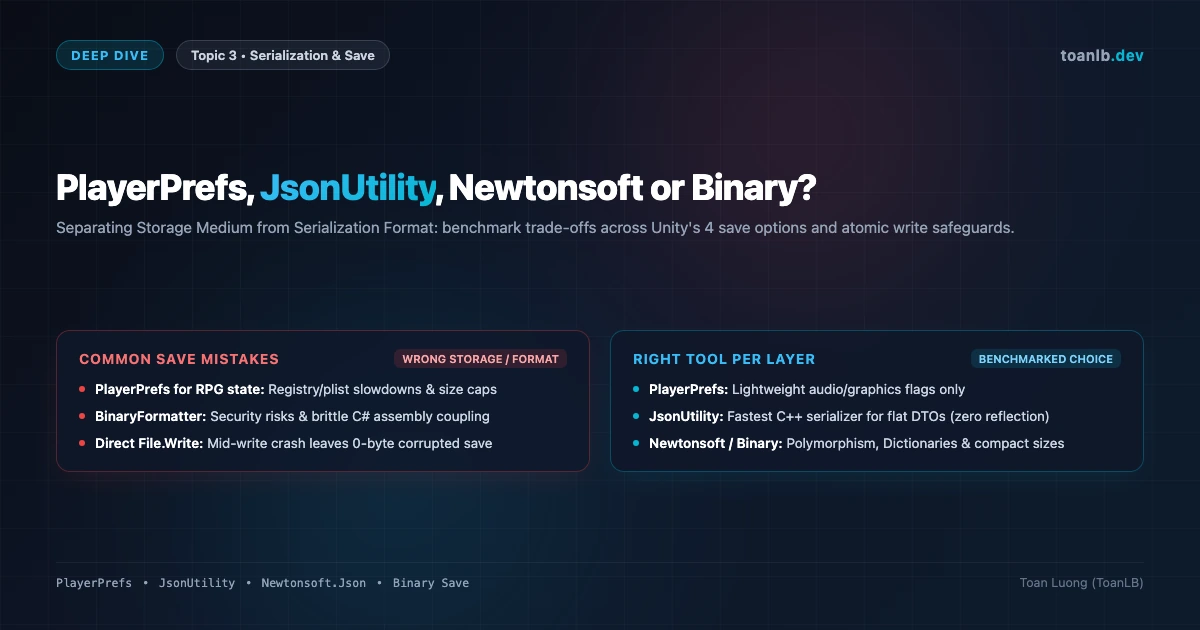
When beginning game development in Unity, many developers adopt the habit of stuffing every piece of persistent state into PlayerPrefs. From high scores and master volume to player level and inventory arrays, saving progress seems as effortless as calling PlayerPrefs.SetString() or PlayerPrefs.SetInt(). During prototyping, it feels remarkably straightforward.
However, as games expand toward commercial production, structural deficiencies quickly manifest:
- Save files can be inspected and altered on client machines via registry editors or plist utilities, destabilizing game economies.
- If an application crashes or loses power during a write operation, the save file can be left in a corrupted state, destroying player progress.
- Complex inventory hierarchies containing hundreds of procedural items inflate
PlayerPrefsstring values, triggering noticeable main-thread stutter on mobile devices during synchronous disk flushes.
This inevitably raises the architectural question: “Should we use PlayerPrefs, JsonUtility, Newtonsoft.Json, or a Binary Serializer?”.
To answer this effectively, we must decouple two independent responsibilities: Where data is stored (Storage Medium) and How in-memory object graphs are formatted (Serialization Format).
1. Decoupling Where to Store vs How to Format
Developers often compare PlayerPrefs directly against JsonUtility or binary serializers. In reality, they operate on different architectural layers:
flowchart LR
    subgraph SerializationLayer["Serialization Format (Encoding Layer)"]
        F1["JsonUtility<br/>Native C++, Flat Schema"]
        F2["Newtonsoft.Json<br/>Flexible, Dictionary Support"]
        F3["Binary Format<br/>MessagePack, MemoryPack"]
    end

    subgraph StorageLayer["Storage Medium (Transport & Disk I/O)"]
        S1["PlayerPrefs Key-Value<br/>Windows Registry, iOS Plist"]
        S2["Disk File I/O<br/>Application.persistentDataPath"]
        S3["Cloud Save API<br/>Remote Backend Storage"]
    end

SerializationLayer -->|"Encodes objects into string or byte payload"| StorageLayer- PlayerPrefs answers: Where is the data stored? It is a basic key-value abstraction pointing to the Windows Registry, macOS/iOS
.plistfiles, or AndroidSharedPreferences. - JsonUtility, Newtonsoft.Json, and Binary Serializers answer: How is an in-memory C# object graph converted into text or bytes?
We can serialize an entire inventory system using Newtonsoft.Json and write that string into PlayerPrefs. But whether that design choice scales safely in a commercial game is another matter. Let us analyze each option.
2. In-Depth Analysis of Four Save Approaches
1. PlayerPrefs: Light Configuration and Transient Flags
PlayerPrefs natively supports only three primitive data types: int, float, and string.
- Strengths: Built into the engine, requires zero setup, and is suitable for UI options and preferences.
- Architectural Bottlenecks:
- Plaintext storage: On Windows, values are saved unencrypted in
HKCU\Software\[Company]\[Product]. Any user can modify values usingregeditin seconds. - Synchronous disk flush: Calling
PlayerPrefs.Save()blocks the main thread to write to disk. Calling it frequently or with large string payloads introduces frame drops. - Lack of atomic writes: Interrupted write operations can leave corrupted preference files.
- Plaintext storage: On Windows, values are saved unencrypted in
- Ideal Scope: Master volume, language preferences, graphics toggles, or onboarding completion flags.
2. JsonUtility: Blazing Fast Native C++ with Rigid Constraints
UnityEngine.JsonUtility is implemented directly in native C++ within the Unity engine core.
- Strengths:
- Fast parsing throughput compared to managed C# reflection-based parsers.
- Minimal managed heap allocation. The
JsonUtility.FromJsonOverwrite(json, existingObject)method allows rehydrating an existing instance without allocating new objects, significantly reducing Garbage Collection pressure.
- Inherent Constraints:
- Bound to Unity Serializer rules: No support for
Dictionary, no nested collections (List<List<int>>), and no automatic polymorphism handling. - Inability to serialize root arrays (
List<T>orT[]) without an intermediate wrapper class.
- Bound to Unity Serializer rules: No support for
- Ideal Scope: Flat configuration data, static spreadsheets converted to JSON, and performance-critical systems requiring fast load times without complex collections.
3. Newtonsoft.Json: Maximum Schema Flexibility for Complex Systems
Also known as Json.NET, officially available via Unity’s package manager (com.unity.nuget.newtonsoft-json).
- Strengths:
- Comprehensive C# type support:
Dictionary<TKey, TValue>,Nullabletypes, string enum serialization, and deeply nested trees. - Custom
JsonConverterimplementations to handle specialized math structs or legacy formats. - Polymorphic serialization via
TypeNameHandling, restoring concrete subclasses seamlessly.
- Comprehensive C# type support:
- Trade-Offs:
- Relies on .NET Reflection, resulting in slower parse throughput than
JsonUtility. - Higher managed heap allocation, generating string and token overhead that requires deliberate save scheduling.
- Relies on .NET Reflection, resulting in slower parse throughput than
- Ideal Scope: Complex RPG inventory saves, branching quest logs, dynamic dialogue states, and server API integration.
4. Binary Serializers: Compact and High-Speed (Avoid BinaryFormatter)
Discussions around binary serialization in Unity often mention BinaryFormatter. However, that approach is obsolete and unsafe.
- Security Notice on
BinaryFormatter: Microsoft has deprecatedBinaryFormatteracross modern .NET runtimes due to critical deserialization security vulnerabilities. It should not be used in modern production games. - Modern Binary Alternatives:
- MessagePack for C#: Ultra-compact binary format with official Ahead-of-Time (AOT) code generation compatible with Unity IL2CPP.
- Protocol Buffers (Protobuf): Google contract-driven format using field tags, suitable for cross-platform data synchronization.
- MemoryPack: High-performance binary serializer leveraging modern C#
Span<T>buffers for rapid serialization.
- Trade-Offs: Smallest file sizes on disk and fastest load speeds, but payloads are binary and not human-readable, complicating manual debugging. Binary encoding does not provide encryption or tamper-proofing on its own.
3. Designing a Crash-Resilient Atomic Save System
A robust save architecture must handle power loss, system force-quits, and file tampering.
The industry-standard approach is Atomic File Writing coupled with checksum validation:
flowchart LR
    subgraph MemoryState["RAM"]
        Data["Player Save Profile"]
    end

    subgraph AtomicProcess["Atomic File Replacement"]
        Temp["1. Write to temp file<br/>save.dat.tmp"]
        Swap["2. Atomic swap<br/>File.Replace / Move"]
        Final["3. Verified save file<br/>save.dat"]
    end

    Data --> Temp
    Temp --> Swap
Swap --> Final- Step 1: Serialize and Compute Checksum: Encode the object graph into bytes (JSON or Binary) and compute a SHA-256 hash to detect unauthorized file tampering.
- Step 2: Write to Temporary File (
.tmp): Write the full payload to a temporary file (save.dat.tmp). If an abrupt shutdown occurs here, the previous save file remains intact. - Step 3: Atomic Swap: After flushing data to disk, execute
File.ReplaceorFile.Moveto replace the existing save file with the temporary file. The operating system handles this file pointer update atomically, eliminating partial file writes.
4. Production C# Implementation and NUnit Verification
Below is a complete save system implementing the ISaveSerializer contract for both JSON (Newtonsoft) and binary encoding, accompanied by an atomic file manager and comprehensive NUnit unit tests.
using System;
using System.IO;
using System.Text;
using System.Security.Cryptography;
using System.Collections.Generic;
using UnityEngine;
using Newtonsoft.Json;
using NUnit.Framework;

// Sample player save profile
[Serializable]
public class PlayerSaveProfile
{
    public string PlayerId;
    public int Level;
    public int Gold;
    public Dictionary<string, int> Inventory = new Dictionary<string, int>();

    public PlayerSaveProfile() { }

    public PlayerSaveProfile(string playerId, int level, int gold)
    {
        PlayerId = playerId;
        Level = level;
        Gold = gold;
    }
}

// Flat settings model
[Serializable]
public class SimpleGameSettings
{
    public float MasterVolume = 1.0f;
    public string LanguageCode = "en";
    public bool HapticEnabled = true;
}

// Serializer abstraction contract
public interface ISaveSerializer
{
    byte[] Serialize<T>(T data);
    T Deserialize<T>(byte[] bytes);
}

// Newtonsoft.Json implementation with full Dictionary support
public class NewtonsoftSaveSerializer : ISaveSerializer
{
    public byte[] Serialize<T>(T data)
    {
        string json = JsonConvert.SerializeObject(data, Formatting.None);
        return Encoding.UTF8.GetBytes(json);
    }

    public T Deserialize<T>(byte[] bytes)
    {
        string json = Encoding.UTF8.GetString(bytes);
        return JsonConvert.DeserializeObject<T>(json);
    }
}

// Native Unity JsonUtility implementation for flat data
public class JsonUtilitySaveSerializer : ISaveSerializer
{
    public byte[] Serialize<T>(T data)
    {
        string json = JsonUtility.ToJson(data);
        return Encoding.UTF8.GetBytes(json);
    }

    public T Deserialize<T>(byte[] bytes)
    {
        string json = Encoding.UTF8.GetString(bytes);
        return JsonUtility.FromJson<T>(json);
    }
}

// Concrete binary serializer using BinaryWriter/BinaryReader
public class BinaryPayloadSerializer : ISaveSerializer
{
    public byte[] Serialize<T>(T data)
    {
        if (data is PlayerSaveProfile profile)
        {
            using var ms = new MemoryStream();
            using var writer = new BinaryWriter(ms, Encoding.UTF8);
            writer.Write(profile.PlayerId ?? string.Empty);
            writer.Write(profile.Level);
            writer.Write(profile.Gold);
            writer.Write(profile.Inventory.Count);
            foreach (var kvp in profile.Inventory)
            {
                writer.Write(kvp.Key);
                writer.Write(kvp.Value);
            }
            return ms.ToArray();
        }
        throw new NotSupportedException($"Type {typeof(T).Name} is not registered for binary serialization.");
    }

    public T Deserialize<T>(byte[] bytes)
    {
        if (typeof(T) == typeof(PlayerSaveProfile))
        {
            using var ms = new MemoryStream(bytes);
            using var reader = new BinaryReader(ms, Encoding.UTF8);
            var profile = new PlayerSaveProfile
            {
                PlayerId = reader.ReadString(),
                Level = reader.ReadInt32(),
                Gold = reader.ReadInt32()
            };
            int count = reader.ReadInt32();
            for (int i = 0; i < count; i++)
            {
                string key = reader.ReadString();
                int val = reader.ReadInt32();
                profile.Inventory[key] = val;
            }
            return (T)(object)profile;
        }
        throw new NotSupportedException($"Type {typeof(T).Name} is not registered for binary serialization.");
    }
}

// Atomic file manager preventing save corruption
public class AtomicSaveFileManager
{
    private readonly ISaveSerializer _serializer;

    public AtomicSaveFileManager(ISaveSerializer serializer)
    {
        _serializer = serializer ?? throw new ArgumentNullException(nameof(serializer));
    }

    public void SaveAtomic<T>(string filePath, T data)
    {
        byte[] payload = _serializer.Serialize(data);
        string tempPath = filePath + ".tmp";
        string backupPath = filePath + ".bak";

        // 1. Write payload to temporary staging file
        File.WriteAllBytes(tempPath, payload);

        // 2. Perform atomic file replacement
        if (File.Exists(filePath))
        {
            File.Replace(tempPath, filePath, backupPath);
            if (File.Exists(backupPath))
            {
                File.Delete(backupPath);
            }
        }
        else
        {
            File.Move(tempPath, filePath);
        }
    }

    public T Load<T>(string filePath)
    {
        if (!File.Exists(filePath))
        {
            throw new FileNotFoundException($"Save file not found at: {filePath}");
        }

        byte[] bytes = File.ReadAllBytes(filePath);
        return _serializer.Deserialize<T>(bytes);
    }

    public static string ComputeSha256Checksum(byte[] data)
    {
        using var sha256 = SHA256.Create();
        byte[] hash = sha256.ComputeHash(data);
        return BitConverter.ToString(hash).Replace("-", "").ToLowerInvariant();
    }
}

[TestFixture]
public class SaveSystemArchitectureTests
{
    private string _testDirectory;

    [SetUp]
    public void SetUp()
    {
        _testDirectory = Path.Combine(Path.GetTempPath(), "SaveSystemTests_" + Guid.NewGuid().ToString("N"));
        Directory.CreateDirectory(_testDirectory);
    }

    [TearDown]
    public void TearDown()
    {
        if (Directory.Exists(_testDirectory))
        {
            Directory.Delete(_testDirectory, true);
        }
    }

    [Test]
    public void NewtonsoftSerializer_RoundTrip_PreservesDictionaryData()
    {
        var serializer = new NewtonsoftSaveSerializer();
        var profile = new PlayerSaveProfile("player_hero_01", 15, 5000);
        profile.Inventory["sword_flame"] = 1;
        profile.Inventory["potion_mana"] = 20;

        byte[] serializedBytes = serializer.Serialize(profile);
        PlayerSaveProfile loadedProfile = serializer.Deserialize<PlayerSaveProfile>(serializedBytes);

        Assert.IsNotNull(loadedProfile);
        Assert.AreEqual("player_hero_01", loadedProfile.PlayerId);
        Assert.AreEqual(15, loadedProfile.Level);
        Assert.AreEqual(5000, loadedProfile.Gold);
        Assert.AreEqual(2, loadedProfile.Inventory.Count);
        Assert.AreEqual(20, loadedProfile.Inventory["potion_mana"]);
    }

    [Test]
    public void BinarySerializer_RoundTrip_PacksCompactPayload()
    {
        var serializer = new BinaryPayloadSerializer();
        var profile = new PlayerSaveProfile("archer_77", 25, 1250);
        profile.Inventory["arrow_fire"] = 100;

        byte[] binaryBytes = serializer.Serialize(profile);
        PlayerSaveProfile loadedProfile = serializer.Deserialize<PlayerSaveProfile>(binaryBytes);

        Assert.IsNotNull(loadedProfile);
        Assert.AreEqual("archer_77", loadedProfile.PlayerId);
        Assert.AreEqual(25, loadedProfile.Level);
        Assert.AreEqual(1250, loadedProfile.Gold);
        Assert.AreEqual(100, loadedProfile.Inventory["arrow_fire"]);
        Assert.Less(binaryBytes.Length, 100);
    }

    [Test]
    public void AtomicSaveFileManager_SaveAndLoad_WritesAndReadsCorrectly()
    {
        var serializer = new NewtonsoftSaveSerializer();
        var manager = new AtomicSaveFileManager(serializer);
        string savePath = Path.Combine(_testDirectory, "slot_1.dat");

        var profile = new PlayerSaveProfile("knight_99", 50, 100000);
        profile.Inventory["shield_aegis"] = 1;

        manager.SaveAtomic(savePath, profile);

        Assert.IsTrue(File.Exists(savePath));
        Assert.IsFalse(File.Exists(savePath + ".tmp"));

        PlayerSaveProfile loadedProfile = manager.Load<PlayerSaveProfile>(savePath);
        Assert.AreEqual("knight_99", loadedProfile.PlayerId);
        Assert.AreEqual(50, loadedProfile.Level);
        Assert.AreEqual(1, loadedProfile.Inventory["shield_aegis"]);
    }

    [Test]
    public void ChecksumValidation_DetectsPayloadTampering()
    {
        byte[] originalData = Encoding.UTF8.GetBytes("PlayerGold:1000;Gem:50");
        string originalChecksum = AtomicSaveFileManager.ComputeSha256Checksum(originalData);

        // Simulate client-side save file tampering
        byte[] tamperedData = Encoding.UTF8.GetBytes("PlayerGold:9999;Gem:50");
        string tamperedChecksum = AtomicSaveFileManager.ComputeSha256Checksum(tamperedData);

        Assert.AreNotEqual(originalChecksum, tamperedChecksum);
    }
}
5. Architectural Comparison Matrix
The table below contrasts each save approach to assist in selecting the suitable mechanism:
| Criterion | PlayerPrefs | JsonUtility | Newtonsoft.Json | Binary (MessagePack/Protobuf) |
|---|---|---|---|---|
| Core Nature | Platform key-value store | Native C++ JSON serializer | Managed .NET JSON engine | Modern binary serializer |
| Dictionary Support | None | None | Full support | Full support |
| Execution Throughput | Fast for single keys | High (Native C++) | Moderate (Reflection) | Highest (Optimized bytes) |
| Managed Allocations | Negligible | Low (FromJsonOverwrite) | Significant (String tokens) | Minimal / Zero-alloc |
| Readability / Debug | Low (OS Registry/Plist) | High (Human-readable text) | High (Formatted JSON) | Low (Binary byte stream) |
| Tamper Resistance | Low (Plaintext registry) | Low (Requires AES/hash) | Low (Requires AES/hash) | Moderate (Not human-readable) |
| Recommended Scope | UI settings, audio volume | Flat configs, fast loading | Deep RPG inventory systems | High-frequency, large save data |
6. Practical Production Save Strategy
In scalable commercial projects, combining multiple tools according to domain requirements is often the most pragmatic approach:
- Use
PlayerPrefsExclusively for Device Preferences: Store transient local preferences that do not affect game balance: master audio levels, display resolution indices, screen brightness, and language selections. - Use
JsonUtilityfor Static Configuration Datasets: When loading thousands of item definitions or quest tables shipped within streaming assets,JsonUtilityprovides native C++ deserialization with minimal heap allocation. - Use
Newtonsoft.Jsonfor Active Game Saves During Production: While features and schemas evolve rapidly, JSON allows developers and designers to inspect and modify save states directly to reproduce bugs. - Transition to Binary Serialization for Release Milestones:
When schemas stabilize and teams need to optimize disk footprint, minimize loading times, and eliminate plaintext modification, upgrade the serializer implementation behind
ISaveSerializerwithout touching gameplay code.
7. Summary
PlayerPrefs addresses the storage destination for basic preferences. JsonUtility, Newtonsoft.Json, and binary formats address data representation in memory and on disk.
A resilient save architecture does not depend on a single tool. It decouples serialization formats from disk I/O, protects data integrity through atomic write operations, and ensures player progression remains secure across sessions.

