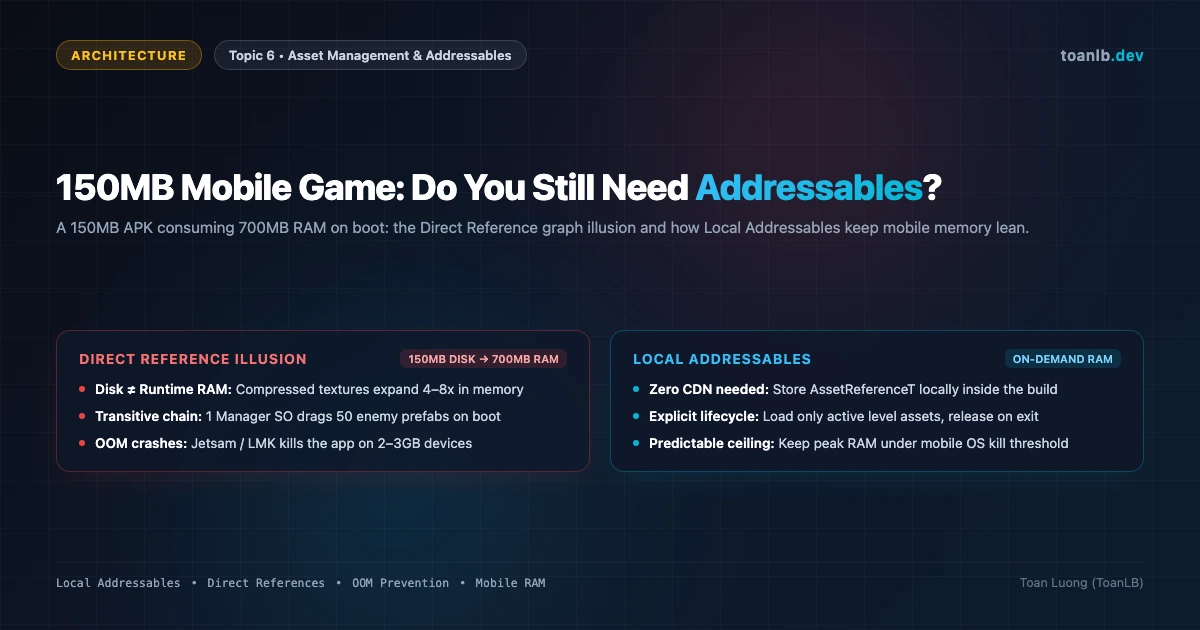
When evaluating Addressables for mobile productions, a perennial question arises: “Our project is small to medium scale, with an install size of only 100MB to 150MB. Do we really need the architectural overhead of Addressables?”.
Many developers reflexively dismiss the idea: “The game is tiny. Dragging prefabs into the Scene or dropping them in Resources is far simpler. Why bother with bundle schemas, catalogs, and async tasks?”.
At first glance, this perspective seems pragmatic. But in commercial mobile development, reality is rarely black and white. Judging resource requirements strictly by a 150MB binary size on disk blinds teams to a common mobile hazard: A 150MB installation package that balloons to over 700MB of native RAM at runtime, resulting in sudden termination by the operating system.
Why does a lightweight installation consume so much memory? Where is the technical line between disk footprints and runtime memory footprints? And if you do not plan remote hot patching, does pure Local Addressables provide tangible engineering value?
1. The Direct Reference Illusion: Disk Size vs Runtime RAM
This is the most deceptive misconception in Unity asset management:
Conflating Disk Footprints with Runtime Memory Footprints
A 150MB APK or AAB represents compressed Disk Size. It achieves that compact footprint through modern compression pipelines:
- AssetBundles are compressed via LZ4 or LZMA algorithms.
- Textures are packed into mobile GPU-optimized formats like ASTC or ETC2.
- Compiled code and scene hierarchies are stripped of redundant metadata.
However, once the user boots the application on a physical phone, the execution model shifts completely:
flowchart LR
    subgraph DIRECT["1. Direct References: Inspector Drag-and-Drop"]
        direction TB
        D1["Main Menu Scene Boots"]
        D2["Pulls All Modal Prefabs Implicitly"]
        D3["Native RAM Balloons to 700MB"]
        D1 --> D2 --> D3
    end

    subgraph ONDEMAND["2. Pure Local Addressables: On-Demand"]
        direction TB
        A1["Main Menu Scene Boots Cleanly"]
        A2["Open Shop Streams Target Bundle"]
        A3["Close Shop Releases RAM Instantly"]
        A1 --> A2 --> A3
    end

    DIRECT -.->|"Architectural Lifecycle Divergence"| ONDEMAND
The Invisible Direct Reference Graph
Consider how menus are commonly constructed in early development:
- Create a
UIManagerGameObject in the Main Menu Scene. - In the Inspector, expose fields:
[SerializeField] GameObject popupShopPrefab;,[SerializeField] GameObject popupGachaPrefab;,[SerializeField] GameObject popupRankingPrefab;… - Drag dozens of prefabs from the Project pane into these slots.
When Unity loads the menu scene via SceneManager.LoadScene:
- The engine deserializes and traverses the entire Direct Reference Graph.
- Because
UIManagerdirectly references the Shop Prefab, that prefab must be parsed into memory immediately. - The Shop Prefab pulls in its 2K background textures, dozens of item sprites, voiceover clips, typography fonts, and custom materials. All dependent assets load directly into Native Memory on frame zero!
The player has barely loaded into the title screen. They have not clicked “Shop” or “Gacha”. Yet every asset required by those systems sits resident in native RAM!
Three Hidden Native RAM Multipliers
Native RAM consumption is further amplified by three frequently overlooked Editor import settings:
- Texture Mipmaps: For 2D UI sprites, enabling Generate Mip Maps generates downscaled image pyramids, adding approximately 33% (1/3) redundant RAM per image.
- Read/Write Enabled: Checking Read/Write Enabled forces Unity to maintain duplicate copies: one in GPU VRAM and a secondary mirror in CPU system RAM, doubling memory consumption (100% overhead).
- AudioClip Decompress On Load: Multi-minute background music tracks set to Decompress On Load force Unity to decompress MP3/OGG streams into raw PCM audio arrays in memory. A 3MB compressed file can expand into 40MB to 60MB of native RAM!
Combined, a modest 150MB download can easily balloon into a 500MB to 700MB native memory footprint right at the title screen!
2. Low Memory Killer (LMK): Why Games Crash Without Exceptions
What happens when RAM swells on consumer mobile hardware?
Players on budget Android devices (equipped with 2GB to 3GB of total system RAM) report instant game crashes shortly after launching the title. When inspecting crash reporting dashboards (Firebase Crashlytics, Bugsnag), engineers find zero recorded C# exceptions or null references.
The silent executioner is Android’s kernel daemon: the Low Memory Killer (lmkd):
[Android OS Kernel Architecture]
When available physical memory breaches critical thresholds:
1. Android OS emits onTrimMemory (TRIM_MEMORY_RUNNING_CRITICAL)
2. If application fails to evict native allocations immediately
3. lmkd sends SIGKILL (kill -9) terminating the process instantly- Kernel Mechanics: Mobile devices lack unlimited swap partitions. When overall system memory breaches critical reserves, the kernel invokes
lmkdto terminate background and foreground apps exceeding memory quotas. - No Post-Mortem Hook: LMK kills processes via kernel-level
SIGKILL(kill -9). The Mono/IL2CPP runtime terminates instantly without executingcatchorfinallyblocks, completely unable to transmit crash telemetry. - Identifying the Culprit: To diagnose LMK crashes, connect the hardware device via USB and observe Android Debug Bridge logs:
If you find system logs indicating the game was terminated due to memory pressure, the crash stems from excessive native memory allocation.adb logcat | grep -iE "lowmemorykiller|lmkd"
3. Addressables for a 150MB Project: The Value of Pure Local Mode
Developers frequently assume: “Addressables requires setting up CDN servers, patch pipelines, and managing cellular network downloads”.
This is incorrect. For a 150MB mobile game, you can operate Addressables in Pure Local Mode:
- Set the Addressables Profile
BuildPathto{UnityEngine.AddressableAssets.Addressables.BuildPath}(StreamingAssetsinside the APK/AAB). - Set
LoadPathto{UnityEngine.AddressableAssets.Addressables.RuntimePath}/[BuildTarget]. - All AssetBundles compile directly into the initial store installation.
- The game runs completely offline with zero CDN hosting costs, consuming zero cellular data upon launch.
What is the core architectural value of Pure Local Addressables?
1. Breaking the Direct Reference Graph
Instead of dragging heavy prefabs into the Inspector, managers store lightweight AssetReferenceGameObject fields (GUID strings consuming mere bytes). When the Scene boots, Unity avoids loading UI textures or audio clips into RAM.
2. Enforcing On-Demand Lifecycles: Stream and Purge on Demand
- Load On Demand: When the player taps the Shop button, the script calls
Addressables.InstantiateAsync. The bundle containing the Shop UI streams from local storage into Native RAM. - Evict Completely: When the player closes the Shop, calling
Addressables.ReleaseInstancedrops the bundle’sRefCountto 0. Unity immediately purges all Shop textures, meshes, and bundle metadata from native memory, returning tens of megabytes to the OS.
3. Blazing Fast Startup Times
Because the Main Menu Scene does not pull in an extensive reference tree, boot time drops from multiple seconds down to hundreds of milliseconds.
4. Production Code: Refactoring Direct References to On-Demand Popups
In a midcore mobile RPG featuring over 20 distinct modal screens (Shop, Gacha, Leaderboards, Inventory, Hero Codex), direct Inspector references caused the main menu to consume 650MB of native RAM on 2GB devices, triggering frequent lmkd terminations.
Legacy Approach: Direct References Pinning Memory
In the naive implementation, all prefabs were statically bound in the Inspector of LegacyPopupManager:
using UnityEngine;

public class LegacyPopupManager : MonoBehaviour
{
    [SerializeField] private GameObject _shopPopupPrefab;
    [SerializeField] private GameObject _gachaPopupPrefab;
    [SerializeField] private GameObject _inventoryPopupPrefab;

    private GameObject _activeShopInstance;

    // Textures, materials, and audio for all 3 popups
    // are loaded into native RAM the moment this Scene wakes up!
    public void OpenShop()
    {
        if (_activeShopInstance == null)
        {
            _activeShopInstance = Instantiate(_shopPopupPrefab, transform);
        }
    }

    public void CloseShop()
    {
        if (_activeShopInstance != null)
        {
            // Destroy only removes the GameObject from the Scene hierarchy.
            // Source prefabs and textures remain pinned in RAM!
            Destroy(_activeShopInstance);
            _activeShopInstance = null;
        }
    }
}
Production Architecture: On-Demand Pure Local Addressables Loader
We refactor references into AssetReferenceGameObject, implement re-entrancy guards, and pass cancellation tokens:
using System;
using System.Threading;
using System.Threading.Tasks;
using UnityEngine;
using UnityEngine.AddressableAssets;
using UnityEngine.ResourceManagement.AsyncOperations;

public class AddressablesPopupLoader : MonoBehaviour
{
    [SerializeField] private AssetReferenceGameObject _shopPopupReference;

    private GameObject _loadedPopupInstance;
    private bool _isLoading;

    public async Task<bool> OpenPopupAsync(CancellationToken cancellationToken = default)
    {
        if (_loadedPopupInstance != null)
        {
            _loadedPopupInstance.SetActive(true);
            return true;
        }

        if (_isLoading) return false;
        _isLoading = true;

        AsyncOperationHandle<GameObject> handle = default;
        try
        {
            handle = _shopPopupReference.InstantiateAsync(transform);
            await handle.Task;

            if (cancellationToken.IsCancellationRequested)
            {
                if (handle.IsValid() && handle.Status == AsyncOperationStatus.Succeeded && handle.Result != null)
                {
                    _shopPopupReference.ReleaseInstance(handle.Result);
                }
                return false;
            }

            if (handle.Status == AsyncOperationStatus.Succeeded)
            {
                _loadedPopupInstance = handle.Result;
                return true;
            }

            return false;
        }
        catch (OperationCanceledException)
        {
            if (handle.IsValid() && handle.Status == AsyncOperationStatus.Succeeded && handle.Result != null)
            {
                _shopPopupReference.ReleaseInstance(handle.Result);
            }
            return false;
        }
        finally
        {
            _isLoading = false;
        }
    }

    public void CloseAndReleasePopup()
    {
        if (_loadedPopupInstance != null)
        {
            _shopPopupReference.ReleaseInstance(_loadedPopupInstance);
            _loadedPopupInstance = null;
        }
    }

    private void OnDestroy()
    {
        CloseAndReleasePopup();
    }
}
Pure C# Memory Simulation and Automated Unit Tests
To verify memory allocation and reclamation mechanics without Unity Editor overhead, we model reference counting in pure C#:
using System.Collections.Generic;
using NUnit.Framework;

public class MockPopupAsset
{
    public string Name { get; set; }
    public long NativeRamBytes { get; set; }
}

public class MemoryFootprintSimulator
{
    public long CurrentAllocatedBytes { get; private set; }
    private readonly Dictionary<string, int> _refCounts = new();

    public void LoadAsset(MockPopupAsset asset)
    {
        if (!_refCounts.ContainsKey(asset.Name))
        {
            _refCounts[asset.Name] = 1;
            CurrentAllocatedBytes += asset.NativeRamBytes;
        }
        else
        {
            _refCounts[asset.Name]++;
        }
    }

    public void UnloadAsset(MockPopupAsset asset)
    {
        if (_refCounts.TryGetValue(asset.Name, out int count))
        {
            if (count <= 1)
            {
                _refCounts.Remove(asset.Name);
                CurrentAllocatedBytes -= asset.NativeRamBytes;
            }
            else
            {
                _refCounts[asset.Name] = count - 1;
            }
        }
    }

    public int GetRefCount(string assetName) => _refCounts.TryGetValue(assetName, out int count) ? count : 0;
}

[TestFixture]
public class MobileMemoryArchitectureTests
{
    private MockPopupAsset _shopPopup;
    private MockPopupAsset _gachaPopup;
    private MockPopupAsset _inventoryPopup;

    [SetUp]
    public void Setup()
    {
        _shopPopup = new MockPopupAsset { Name = "Popup_Shop", NativeRamBytes = 45_000_000 };
        _gachaPopup = new MockPopupAsset { Name = "Popup_Gacha", NativeRamBytes = 60_000_000 };
        _inventoryPopup = new MockPopupAsset { Name = "Popup_Inv", NativeRamBytes = 35_000_000 };
    }

    [Test]
    public void DirectReference_WhenSceneBooted_AllocatesAllAssetsImmediately()
    {
        var memoryTracker = new MemoryFootprintSimulator();

        // Direct references allocate all assets upfront during scene load
        memoryTracker.LoadAsset(_shopPopup);
        memoryTracker.LoadAsset(_gachaPopup);
        memoryTracker.LoadAsset(_inventoryPopup);

        Assert.AreEqual(140_000_000, memoryTracker.CurrentAllocatedBytes,
            "Direct References allocate entire dependency tree upon Scene awaken.");
    }

    [Test]
    public void AddressablesOnDemand_WhenSceneBooted_AllocatesZeroBytes()
    {
        var memoryTracker = new MemoryFootprintSimulator();

        // On boot, Addressables only holds lightweight AssetReference GUIDs
        Assert.AreEqual(0, memoryTracker.CurrentAllocatedBytes,
            "Pure Local Addressables maintains zero memory allocation on Scene startup.");
    }

    [Test]
    public void AddressablesOnDemand_WhenPopupOpenedAndClosed_ReclaimsAllNativeRam()
    {
        var memoryTracker = new MemoryFootprintSimulator();

        // 1. Open popup: allocates 45MB
        memoryTracker.LoadAsset(_shopPopup);
        Assert.AreEqual(45_000_000, memoryTracker.CurrentAllocatedBytes);

        // 2. Close popup: evicts 45MB
        memoryTracker.UnloadAsset(_shopPopup);
        Assert.AreEqual(0, memoryTracker.CurrentAllocatedBytes,
            "Closing popup reclaims all allocated native RAM.");
    }

    [Test]
    public void AddressablesOnDemand_WhenSpamClicked_DoesNotDoubleAllocate()
    {
        var memoryTracker = new MemoryFootprintSimulator();

        memoryTracker.LoadAsset(_shopPopup);
        memoryTracker.LoadAsset(_shopPopup);
        memoryTracker.LoadAsset(_shopPopup);

        Assert.AreEqual(45_000_000, memoryTracker.CurrentAllocatedBytes,
            "Proper handle tracking prevents duplicate memory allocation under spam clicks.");
    }

    [Test]
    public void AddressablesOnDemand_WhenMultipleReferencesOpen_OnlyFreesRamWhenRefCountReachesZero()
    {
        var memoryTracker = new MemoryFootprintSimulator();

        memoryTracker.LoadAsset(_shopPopup);
        memoryTracker.LoadAsset(_shopPopup);
        Assert.AreEqual(45_000_000, memoryTracker.CurrentAllocatedBytes);
        Assert.AreEqual(2, memoryTracker.GetRefCount(_shopPopup.Name));

        // First caller releases; RAM remains pinned
        memoryTracker.UnloadAsset(_shopPopup);
        Assert.AreEqual(45_000_000, memoryTracker.CurrentAllocatedBytes);

        // Final caller releases; RAM completely evicted
        memoryTracker.UnloadAsset(_shopPopup);
        Assert.AreEqual(0, memoryTracker.CurrentAllocatedBytes);
    }
}
5. Architectural Decision Tree: When Does a 150MB Game Need Addressables?
To prevent dogmatic over-engineering, use this decision framework based on genre requirements and team constraints:
flowchart TD
    START{"Game Binary Size: ~150MB"}

    START -->|"Simple Gameplay / Short Loop"| HC["Hyper-Casual / 1-2 Scene Mini-games"]
    HC -->|"Characteristics"| HC_DETAIL["Minimal total assets; peak RAM < 200MB<br/>Rapid 2-4 week MVP schedule"]
    HC_DETAIL --> ACTION_NO["NO ADDRESSABLES REQUIRED<br/>• Partition small Scenes logically<br/>• Transition via LoadSceneMode.Single<br/>• Call UnloadUnusedAssets if Additive"]

    START -->|"Complex Feature Sets"| MC["Midcore, Puzzle, RPG with Multiple Modals"]
    MC -->|"Characteristics"| MC_DETAIL["Dozens of UI Popups, Skins, VFX, BGM<br/>Live-ops content expansion planned"]
    MC_DETAIL --> ACTION_YES["USE PURE LOCAL ADDRESSABLES<br/>• Break Direct Reference Graph<br/>• Stream & Purge On-Demand per modal<br/>• Migrate to Remote later without code rewrites"]
When Addressables is NOT Required:
- Hyper-casual, short-session puzzle titles: The game spans 1 or 2 Scenes. Visual assets are minimal. Even with direct references, peak native RAM hovers under 150MB to 200MB, safely within budget device tolerances.
- Short-deadline MVPs (2-4 weeks): When evaluating core mechanics quickly, introducing Addressables creates unnecessary async and loading UI overhead.
- Lightweight Alternative:
- Partition the game into independent Scenes.
- Transition using
SceneManager.LoadSceneAsync(..., LoadSceneMode.Single)to naturally purge previous assets. - If using additive scenes, call
Resources.UnloadUnusedAssets()immediately upon unmounting.
When Addressables IS Mandatory (Even at 150MB):
- Prolific UI Modals and Heavy Audio: If the title hosts complex shops, gacha animations, hero skins, and high-quality audio tracks, Pure Local Addressables is the primary mechanism preventing peak RAM from exceeding 250MB.
- Long-Term Live-Ops Roadmap: Adopting
AssetReferenceearly is an invaluable architectural investment. When the time comes to offload stage packages to CDN servers to trim initial download sizes from 150MB down to 80MB, you simply adjust Group schemas in the Addressables window without modifying a single line of gameplay code!
6. Architectural Trade-off Matrix
| Criteria | Direct References (Inspector) | Pure Local Addressables (StreamingAssets) |
|---|---|---|
| Initial Implementation Complexity | Trivial; single synchronous Instantiate | Moderate; requires async/await or UniTask |
| First Scene Boot Time | Slow; deserializes entire reference graph | Instant; startup scene is completely clean |
| Runtime Native RAM Footprint | Bloated; pre-loads unused modal assets | Minimal; allocates strictly active visuals |
| LMK Crash Risk on Low-End Android | High if project has rich UI/textures | Near Zero; smooth on-demand streaming |
| Memory Lifecycle Discipline | Minimal; reliant on Scene unloads | High; requires disciplined ReleaseInstance calls |
| Readiness for CDN Live-ops Migration | Requires complete loading architecture rewrite | Seamless toggle from Local to Remote |
7. Production Takeaways
- Never Let Disk Size Deceive You: Install size is compressed data. Resident Native RAM determines whether your game thrives or gets terminated on player devices.
- Direct Inspector References Are Hidden Anchors: Every prefab attached to long-lived objects pins its textures, meshes, and audio in native memory across the entire play session.
- Pure Local Addressables Requires No Network Infrastructure: Do not fear Addressables assuming CDN servers are mandatory. Using Addressables locally to break direct references is one of the most effective memory optimizations on mobile.
- If the Game is Simple, Leverage Scene Unloading: For lightweight titles, partition scenes cleanly and let
LoadSceneMode.Singlesweep garbage naturally. Pragmatism begins with understanding problem constraints. - Enable Build Addressables on Player Build: Under
Project Settings > Addressables, check Build Addressables on Player Build. This guarantees Unity re-compiles updated bundle archives on every native player build, preventing stale assets from shipping to players.

