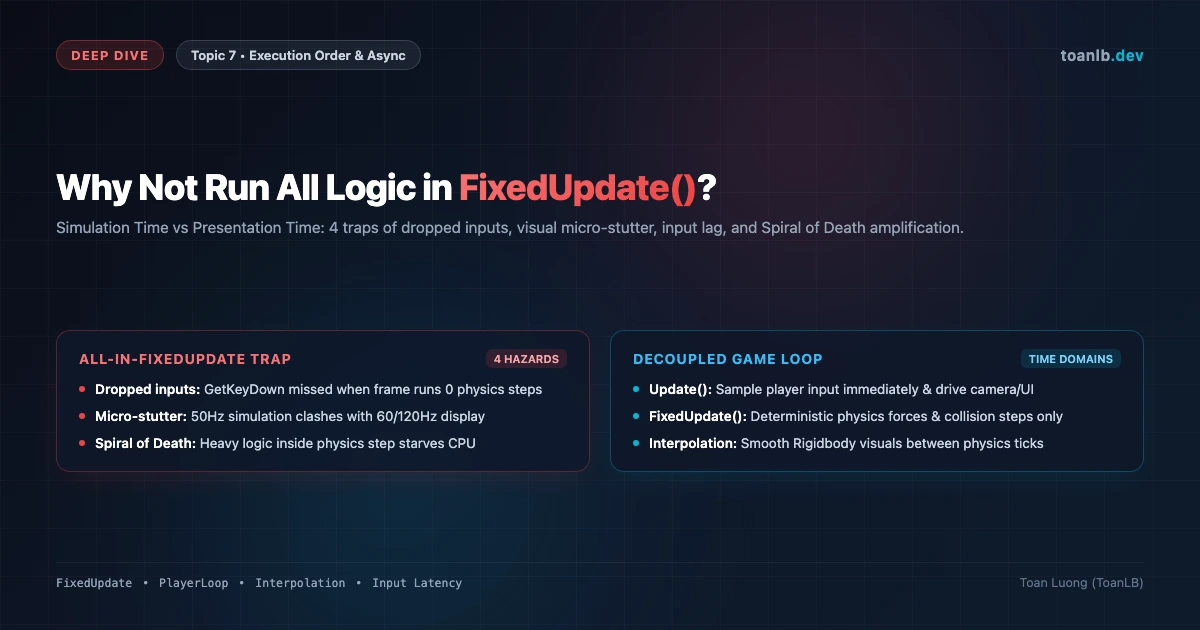
When developing high-responsiveness action titles such as precision platformers, fighting games, or first-person shooters in Unity, most developers eventually confront the curse of frame-rate dependency: when display performance fluctuates, the variable Time.deltaTime in Update stretches and contracts, causing jump heights to vary unpredictably, sprint speeds to drift, or collision tunneling to occur during sudden frame drops.
Facing the unruly nature of variable delta time in Update, an intuitive thought often crosses an engineer’s mind:
If Time.deltaTime in Update fluctuates with GPU rendering workload, whereas FixedUpdate is granted a rock-solid, uniform timestep of Time.fixedDeltaTime = 0.02s (50Hz) by the engine, why not move our entire gameplay logic into FixedUpdate? From gathering player inputs, running character state machines, and counting down cooldown timers to updating health bars, if everything ran on a deterministic, uniform cadence, wouldn’t the game achieve absolute stability?
This idea sounds convincing on paper, yet it represents one of the most classic architectural traps in game engine programming. The truth is that FixedUpdate is not a “better, more stable version” of Update. They belong to two completely separate time domains that cannot replace one another. Forcing one time domain to shoulder the responsibilities of the other inevitably triggers a cascade of subtle bugs, compromised controls, and severe performance bottlenecks.
1. Two Time Domains: Simulation Time vs Presentation Time
To understand why routing all logic through FixedUpdate leads to catastrophic side effects, we must examine how a modern game engine orchestrates time within its main execution loop (PlayerLoop).
A video game does not operate on a single monolithic timeline. It is a continuous dance between two time domains engineered for entirely different objectives:
flowchart LR
    subgraph SimDomain["Simulation Time Domain"]
        direction TB
        S1["Objective: Mathematical determinism"]
        S2["Fixed frequency: 50Hz (20ms per step)"]
        S3["Tasks: Rigidbodies, contact forces, server ticks"]
        S1 --> S2 --> S3
    end

    subgraph PresentDomain["Presentation Time Domain"]
        direction TB
        P1["Objective: Visual fluidity & sensory reflex"]
        P2["Variable frequency: 60Hz, 120Hz, 144Hz"]
        P3["Tasks: Input polling, scene rendering, camera, UI"]
        P1 --> P2 --> P3
    end
The Simulation Time Domain
Simulation Time serves the mathematical model of the virtual universe. In Unity, the primary resident of this domain is the physics engine (PhysX or Havok).
Numerical integration methods (such as explicit Euler or Verlet integration) mandate that the time step remains strictly constant. If were to fluctuate alongside rendering frame times:
- A falling body governed by gravitational acceleration would land at different coordinates across identical runs whenever frame rates hitch.
- High-speed projectiles would tunnel through thin colliders when an elongated delta time teleports the object across collision boundaries before the solver can compute contact manifolds.
- Deterministic lockstep networking and client-side rollback netcode would collapse instantly due to mathematical divergence between peers.
Thus, FixedUpdate exists solely to preserve the mathematical stability of numerical integration. It has no awareness of, nor concern for, what pixels appear on the physical screen.
The Presentation Time Domain
In stark contrast to simulation state calculations, Presentation Time is tethered to physical display hardware and human sensory perception. It is driven by the refresh rate of the monitor (60Hz, 120Hz, 144Hz, 240Hz) and the operating system’s window message pump.
Human eyes cannot observe abstract CPU calculations; they only perceive photon emissions emitted frame by frame. Similarly, human fingers do not tap buttons on discrete physics ticks; players depress keys and tap touchscreens at arbitrary, real-world timestamps.
Unity’s Update and LateUpdate methods represent Presentation Time. Each invocation corresponds directly to a graphic frame ready to be recorded and dispatched to the GPU.
When we cram gameplay logic into FixedUpdate, we force the presentation layer to step to the drumbeat of the simulation layer. The temporal mismatch between these two unsynchronized gears breeds four major production hazards.
2. Four Production Hazards of Running All Logic in FixedUpdate
flowchart LR
    RC["Root Cause: Frequency mismatch between Simulation Ticks (50Hz) and Render Frames (60-144Hz)"]

    subgraph Hazards["4 Critical Production Traps"]
        direction TB
        H1["1. Dropped Inputs & Double Triggers during polling"]
        H2["2. Visual Judder & Micro-stuttering on 120Hz+ displays"]
        H3["3. Increased Input-to-Photon Latency"]
        H4["4. Spiral of Death amplification during frame drops"]
        H1 --> H2 --> H3 --> H4
    end

    RC -->|"Leads to"| Hazards
Hazard 1: Dropped Inputs and Double Triggers
This is the most frequent and frustrating bug experienced by players. To diagnose why FixedUpdate corrupts input handling, we must trace how Unity processes hardware events.
In Unity’s PlayerLoop, operating system input events are gathered at the beginning of each rendering frame during the UpdateInput phase. Transient state check APIs like Input.GetKeyDown(KeyCode.Space) or Input.GetMouseButtonDown(0) operate on a strict rule: they return true for exactly one rendering frame, and are automatically cleared back to false at the end of that frame.
Consider two contrasting real-world execution scenarios:
Scenario A: High Framerates (e.g., 120 FPS display)
- Each render frame spans approximately .
FixedUpdateexecutes at its default cadence of (50Hz).- At Frame 1 (): The player taps Space to jump.
Input.GetKeyDownflips totrue. However, because the engine’s Time Accumulator has only gathered , Unity completely skipsFixedUpdateduring this frame. - Frame 1 concludes: The engine resets the transient input flag to
false. - At Frame 2 (): The Time Accumulator reaches .
FixedUpdateis skipped again. - At Frame 3 (): The Time Accumulator reaches . Unity finally fires
FixedUpdate! ButInput.GetKeyDownwas already wiped out two frames ago. - The Result: The jump command vanishes into thin air. The player hits the button, but nothing happens (a dropped input).
Scenario B: Low Framerates (e.g., a frame hitch dropping to 20 FPS)
- A single rendering frame stretches to .
- The Time Accumulator accrues a massive debt. To catch up with real time, Unity executes
FixedUpdatetwo to three times consecutively within that single render frame. - Iteration 1 of
FixedUpdate:Input.GetKeyDownevaluates totrue-> Character jumps or fires a projectile. - Iteration 2 of
FixedUpdate: Because the current rendering frame has not ended yet, the transientInput.GetKeyDownflag remainstrue! - The Result: The jump or attack logic triggers a second time. The character performs an unintended double jump or expends two ammunition rounds simultaneously (a double trigger).
Even when migrating to Unity’s New Input System (UnityEngine.InputSystem), configuring actions to update on Fixed Update buffers the events at the expense of adding artificial control latency.
Hazard 2: Visual Judder and Micro-Stuttering on High-Refresh Displays
Suppose your game is thoroughly optimized on the graphics front, sustaining a crisp 120 FPS on modern mobile or desktop monitors. Every , the GPU presents a fresh frame.
However, if your character’s movement logic (including non-physics displacement via Transform.position) resides inside FixedUpdate (ticking at 50Hz = ):
- Frame 1 (): 0 fixed ticks -> Character position remains static at .
- Frame 2 (): 0 fixed ticks -> Character position remains static at .
- Frame 3 (): 1 fixed tick -> Character position jumps to .
- Frame 4 (): 0 fixed ticks -> Character position remains static at .
- Frame 5 (): 1 fixed tick -> Character position jumps to .
To the human eye, this manifests as an irregular rhythm: Freeze, Freeze, Teleport, Freeze, Teleport. Although the in-game FPS counter displays a flawless 120 FPS, the visual trajectory looks jarring and uneven. This is temporal aliasing, commonly known as visual judder.
For standard Rigidbody objects, Unity provides built-in Interpolation to smooth out transforms across physics ticks. But if custom movement math, camera followers, floating combat text, or UI world anchors are updated inside FixedUpdate, they bypass this interpolation entirely, yielding persistent visual hitching.
Hazard 3: Compromised Responsiveness (Input-to-Photon Latency)
The span of time elapsed between a player pressing a button and the display emitting the resulting pixel change is designated as Input-to-Photon Latency. In fast-paced games where milliseconds define combat outcomes, this metric dictates whether controls feel responsive or sluggish.
When input and character state changes are evaluated in Update:
- The player presses a key.
Updatereads the event and mutates velocity or animation parameters within the same frame.- The GPU renders and scans out the frame immediately.
- Total latency stays within .
When logic is confined to FixedUpdate:
- The player presses a key at the start of a render frame.
- The command sits idle waiting for the Time Accumulator to gather before triggering a physics tick.
- Once the physics step concludes, the newly computed transform must wait for the next render pass to be drawn.
- Overall control lag swells by an additional . Controls feel sluggish, muddy, and disconnected from the player’s tactile intent.
Hazard 4: Spiral of Death Amplification Under Heavy Load
This is the most destructive hazard in production environments.
When a scene becomes graphically demanding due to dense overdraw or unbatched particle bursts, frame duration inflates (e.g., reaching per frame, or ~16 FPS).
The Time Accumulator accordingly accumulates a backlog. To satisfy the invariants of Simulation Time, Unity must iterate through FixedUpdate three times back-to-back () on the Main Thread before yielding control to the renderer.
If FixedUpdate only performs lightweight broadphase collision detection, three iterations might remain manageable. But if entire gameplay systems live in FixedUpdate:
- 3 passes of behavior tree evaluation across dozens of AI entities.
- 3 passes of spatial queries, navmesh paths, and player state machines.
- 3 passes of cooldown countdowns, quest objective evaluations, and stat recalculations.
This enormous CPU burden clogs the Main Thread. The subsequent render frame takes even longer to complete, ballooning to , which then commands 6 iterations of FixedUpdate.
To prevent this compounding time deficit from triggering an indefinite hang, Unity enforces a safety valve known as Time.maximumDeltaTime (configured in Project Settings > Time, defaulting to ). When a frame’s duration exceeds this ceiling, the engine clamps the delta time fed into the Time Accumulator, capping consecutive FixedUpdate iterations to approximately 16 passes per frame (). However, the price paid is that the game drops into slow-motion (bullet-time), as simulation time can no longer keep pace with physical wall-clock time. In competitive multiplayer or fast-paced action titles, entering unintended slow-motion completely breaks game balance and competitive integrity.
3. Decoupled Architecture: Separating Sampling, Simulation, and Presentation
To achieve both mathematical stability for physics and silky 120 FPS fluidity without dropped commands, professional architecture relies on a clean three-tier separation of concerns:
flowchart LR
    subgraph Layer1["1. Sampling Layer (Presentation Time)"]
        direction TB
        L1_A["Update(): Poll instantaneous hardware inputs"]
        L1_B["Record commands into Input Buffer"]
        L1_A --> L1_B
    end

    subgraph Layer2["2. Simulation Layer (Simulation Time)"]
        direction TB
        L2_A["FixedUpdate(): Fixed 50Hz simulation cadence"]
        L2_B["Consume buffered commands to update State"]
        L2_C["Cache Previous State and Current State"]
        L2_A --> L2_B --> L2_C
    end

    subgraph Layer3["3. Presentation Layer (Presentation Time)"]
        direction TB
        L3_A["Update() / LateUpdate(): Calculate Alpha ratio"]
        L3_B["Interpolate position between Prev and Current State"]
        L3_C["Render smoothly at 60-144 FPS without hitching"]
        L3_A --> L3_B --> L3_C
    end

    Layer1 -->|"Queue command"| Layer2
    Layer2 -->|"Supply tick coordinates"| Layer3
Consider the context of an actual production title: A fast-paced 2D action platformer demanding frame-accurate wall jumps on displays ranging from 60Hz to 144Hz, while maintaining deterministic parabolic jump arcs across diverse mobile hardware.
Here is how we decouple these three layers using pure C#:
Designing the Input Buffer and Simulation State
First, we define state containers to bridge transient presentation inputs across the simulation boundary safely:
using System;
using UnityEngine;

// Container capturing instantaneous player control intents
public struct PlayerInputCommand
{
    public float Horizontal;
    public bool JumpRequested;

    public PlayerInputCommand(float horizontal, bool jumpRequested)
    {
        Horizontal = horizontal;
        JumpRequested = jumpRequested;
    }
}

// Buffer bridging transient Presentation Time inputs to discrete Simulation Time ticks on the Main Thread
public sealed class InputCommandBuffer
{
    private PlayerInputCommand _pendingCommand;
    private bool _hasJumpRequest;

    // Called continuously within Update() to capture rapid button presses
    public void RecordInput(float horizontal, bool jumpPressedThisFrame)
    {
        _pendingCommand.Horizontal = horizontal;
        if (jumpPressedThisFrame)
        {
            _hasJumpRequest = true; // Retain flag across variable render frames
        }
    }

    // Called inside FixedUpdate() to drain inputs deterministically
    public PlayerInputCommand ConsumeCommandForSimulation()
    {
        var command = new PlayerInputCommand(_pendingCommand.Horizontal, _hasJumpRequest);
        // Reset transient action state once consumed by the simulation tick
        _hasJumpRequest = false;
        return command;
    }

    public void Reset()
    {
        _pendingCommand = default;
        _hasJumpRequest = false;
    }
}

// Discrete simulation state captured at fixed temporal intervals
public struct CharacterSimulationState
{
    public Vector2 Position;
    public Vector2 Velocity;
    public bool IsGrounded;

    public CharacterSimulationState(Vector2 position, Vector2 velocity, bool isGrounded)
    {
        Position = position;
        Velocity = velocity;
        IsGrounded = isGrounded;
    }
}
The Simulation Engine and Presentation Interpolator
Next, we establish the simulation logic running at 50Hz and the presentation interpolator executing every rendering frame.
To cleanly encapsulate physics logic without coupling to engine hooks, we implement a pure C# class named PlatformerSimulationEngine. This component accepts fixed time intervals to advance state deterministically:
public sealed class PlatformerSimulationEngine
{
    private const float MoveSpeed = 8.0f;
    private const float JumpVelocity = 12.0f;
    private const float Gravity = -30.0f;
    private const float GroundY = 0.0f;

    public CharacterSimulationState PreviousState { get; private set; }
    public CharacterSimulationState CurrentState { get; private set; }

    public PlatformerSimulationEngine(Vector2 initialPosition)
    {
        CurrentState = new CharacterSimulationState(initialPosition, Vector2.zero, true);
        PreviousState = CurrentState;
    }

    // Executed in FixedUpdate with fixedDeltaTime
    public void SimulateStep(PlayerInputCommand input, float fixedDeltaTime)
    {
        // Cache previous state to enable presentation interpolation
        PreviousState = CurrentState;

        Vector2 pos = CurrentState.Position;
        Vector2 vel = CurrentState.Velocity;
        bool grounded = CurrentState.IsGrounded;

        // Apply horizontal displacement
        vel.x = input.Horizontal * MoveSpeed;

        // Process jump actuation
        if (input.JumpRequested && grounded)
        {
            vel.y = JumpVelocity;
            grounded = false;
        }

        // Apply constant gravitational acceleration
        if (!grounded)
        {
            vel.y += Gravity * fixedDeltaTime;
        }

        // Advance position
        pos += vel * fixedDeltaTime;

        // Basic ground plane resolution
        if (pos.y <= GroundY)
        {
            pos.y = GroundY;
            vel.y = 0.0f;
            grounded = true;
        }

        CurrentState = new CharacterSimulationState(pos, vel, grounded);
    }

    // Presentation layer interpolation executed in Update / LateUpdate
    // alpha = (Time.time - Time.fixedTime) / Time.fixedDeltaTime, clamped to [0, 1]
    public Vector2 CalculateRenderPosition(float alpha)
    {
        float clampedAlpha = Mathf.Clamp01(alpha);
        return Vector2.Lerp(PreviousState.Position, CurrentState.Position, clampedAlpha);
    }
}
To bind this decoupled architecture to a real GameObject inside a Unity scene, we implement a MonoBehaviour component named PlayerMovementRunner. This component orchestrates the flow cleanly: sampling raw hardware inputs and interpolating visual render positions in Update(), while executing discrete 50Hz mathematical physics steps in FixedUpdate():
// MonoBehaviour runner integrating pure decoupled logic into Unity's PlayerLoop
public sealed class PlayerMovementRunner : MonoBehaviour
{
    private InputCommandBuffer _inputBuffer;
    private PlatformerSimulationEngine _simulationEngine;

    private void Awake()
    {
        _inputBuffer = new InputCommandBuffer();
        _simulationEngine = new PlatformerSimulationEngine(transform.position);
    }

    private void Update()
    {
        // 1. Sampling Layer: Read immediate hardware input on every render frame
        float horizontal = Input.GetAxisRaw("Horizontal");
        bool jumpPressed = Input.GetKeyDown(KeyCode.Space);
        _inputBuffer.RecordInput(horizontal, jumpPressed);

        // 2. Presentation Layer: Smoothly interpolate visual transform via alpha ratio
        float alpha = (Time.time - Time.fixedTime) / Time.fixedDeltaTime;
        transform.position = _simulationEngine.CalculateRenderPosition(alpha);
    }

    private void FixedUpdate()
    {
        // 3. Simulation Layer: Drain buffered commands and advance discrete 50Hz math
        PlayerInputCommand command = _inputBuffer.ConsumeCommandForSimulation();
        _simulationEngine.SimulateStep(command, Time.fixedDeltaTime);
    }
}
Mathematical Trade-off: Interpolation Introduces a 1-Tick Visual Lag
A crucial architectural detail every engine programmer must understand: Interpolation inherently incurs a 1-tick () visual presentation delay.
Because interpolating smoothly between two discrete ticks requires lerping from PreviousState () toward CurrentState (), the pixel representation displayed on screen is technically drawing the object’s immediate past ( behind the simulation frontier).
For titles requiring zero visual delay (such as competitive fighting games), the alternative is Extrapolation: projecting future coordinates via . However, Extrapolation carries the risk of visual hitching (snapping/overshooting) when an entity unexpectedly strikes a collision barrier in the subsequent tick and gets pushed back by the physics solver.
Automated Verification via NUnit Tests
To verify that this decoupled structure completely immunizes the game against dropped inputs at 120 FPS, prevents double activations during frame drops, and delivers accurate interpolation, we run unit tests:
using NUnit.Framework;

[TestFixture]
public class FixedUpdateDecoupledLoopTests
{
    [Test]
    public void InputBuffer_HighFramerateNoFixedStep_DoesNotDropJumpInput()
    {
        // Simulating 120 FPS: Two render frames elapse before a FixedUpdate tick executes
        var buffer = new InputCommandBuffer();

        // Frame 1: Player taps Jump during an 8.3ms render frame
        buffer.RecordInput(1.0f, jumpPressedThisFrame: true);

        // Frame 2: Next render frame runs before the physics accumulator fills; key is released
        buffer.RecordInput(1.0f, jumpPressedThisFrame: false);

        // Frame 3: FixedUpdate finally executes
        PlayerInputCommand consumed = buffer.ConsumeCommandForSimulation();

        // Verification: The jump input was retained across frame boundaries without loss
        Assert.IsTrue(consumed.JumpRequested, "Jump input must be preserved across multiple fast render frames");
        Assert.AreEqual(1.0f, consumed.Horizontal, "Horizontal axis input must match captured state");

        // When subsequent FixedUpdate runs without fresh input
        PlayerInputCommand nextTick = buffer.ConsumeCommandForSimulation();
        Assert.IsFalse(nextTick.JumpRequested, "Jump flag must be cleared once consumed by the simulation");
    }

    [Test]
    public void InputBuffer_LowFramerateMultiplePhysicsTicks_PreventsDoubleJumpTrigger()
    {
        // Simulating frame drop (20 FPS): Engine runs two consecutive FixedUpdate ticks in one frame
        var buffer = new InputCommandBuffer();
        var engine = new PlatformerSimulationEngine(Vector2.zero);

        // Player hits jump once during the hitching render frame
        buffer.RecordInput(0.0f, jumpPressedThisFrame: true);

        // Physics step 1 in the current render frame
        PlayerInputCommand tick1Command = buffer.ConsumeCommandForSimulation();
        engine.SimulateStep(tick1Command, 0.02f);

        Assert.IsTrue(tick1Command.JumpRequested, "First tick must consume the jump request");
        Assert.Greater(engine.CurrentState.Velocity.y, 0.0f, "Character must acquire upward velocity");

        // Physics step 2 within the same render frame before a new display frame arrives
        PlayerInputCommand tick2Command = buffer.ConsumeCommandForSimulation();
        engine.SimulateStep(tick2Command, 0.02f);

        // Verification: Second physics tick must not re-trigger the jump
        Assert.IsFalse(tick2Command.JumpRequested, "Second tick must not execute a phantom double jump");
    }

    [Test]
    public void PlatformerSimulation_RenderPositionInterpolation_CalculatesExactMidpoint()
    {
        // Verifying visual smoothness when rendering exactly between two discrete physics ticks
        var engine = new PlatformerSimulationEngine(Vector2.zero);

        // Advance 1 simulation step moving rightward
        var input = new PlayerInputCommand(1.0f, false);
        engine.SimulateStep(input, 0.02f); // MoveSpeed = 8.0 -> advances 8.0 * 0.02 = 0.16m

        Assert.AreEqual(0.0f, engine.PreviousState.Position.x, 0.0001f);
        Assert.AreEqual(0.16f, engine.CurrentState.Position.x, 0.0001f);

        // Simulating a display render pass halfway between steps (alpha = 0.5)
        Vector2 renderPos = engine.CalculateRenderPosition(0.5f);

        // Verification: Render transform resolves to the exact midpoint (0.08m)
        Assert.AreEqual(0.08f, renderPos.x, 0.0001f, "Render position must smoothly interpolate to the midpoint");
    }
}
4. Engineering Trade-offs: Comparing Three Loop Architecture Strategies
No single loop paradigm represents a silver bullet across all production profiles. The optimal architecture depends on gameplay precision demands and target hardware capabilities.
| Technical Dimension | Everything in Update | Everything in FixedUpdate | Decoupled Loop Architecture |
|---|---|---|---|
| Input-to-Photon Latency | Lowest (immediate per frame) | Very high (20ms - 50ms added lag) | Low (Update samples immediately; 20ms visual delay via Lerp) |
| Dropped / Double Input Risk | Low | Very high at 120Hz+ or during FPS hitch | Zero (mitigated by command buffer) |
| Visual Fluidity (120Hz / 144Hz) | Fully fluid | Micro-stuttering from aliasing | Fully fluid via alpha interpolation |
| Physics Determinism | Poor (varies with render FPS) | High (constant fixed timestep) | High (isolated to fixed step solver) |
| Spiral of Death Resilience | High (single invocation/frame) | Extremely vulnerable | High (heavy logic kept out of fixed step) |
| Implementation Complexity | Minimal initial setup | Deceptively simple, hidden traps | Requires State, Buffer, and Lerp layers |
5. Architectural Takeaway: Assigning Logic to the Proper Domain
Encountering mysterious control hitches where jumps occasionally fail to register on 120Hz mobile screens teaches an enduring architectural lesson. We should partition our systems along domain boundaries:
-
Presentation Time Systems (Belonging in
UpdateorLateUpdate):- Input Polling: Capture hardware inputs immediately to prevent transient state loss.
- Camera Tracking: Update camera position in
LateUpdatetargeting interpolated coordinates to eliminate visual jitter. - User Interface & Heads-Up Display: Health bars, damage floating text, and reticles exist purely for human vision.
- Audio & Particle Systems: Trigger visual and auditory feedback synchronized with presentation frames.
-
Simulation Time Systems (Belonging in
FixedUpdateor Custom Discrete Solvers):- Physics Forces & Trajectories: Invocations of
Rigidbody.AddForce, direct velocity integration, and custom ballistics. - Collision Detection & Response: Resolving contact manifolds, penetration depths, and mechanical raycasts.
- Networked State Synchronization: Ingesting and producing snapshots aligned with authoritative server tick rates.
- Physics Forces & Trajectories: Invocations of
FixedUpdate was never designed to supersede Update. The mathematical consistency of a constant timestep does not equate to a stable end-to-end player experience. Knowing whether your code belongs to the abstract mathematical simulation or to the sensory perception of the human player is the key to building game systems that are both mathematically sound and visually fluid.

